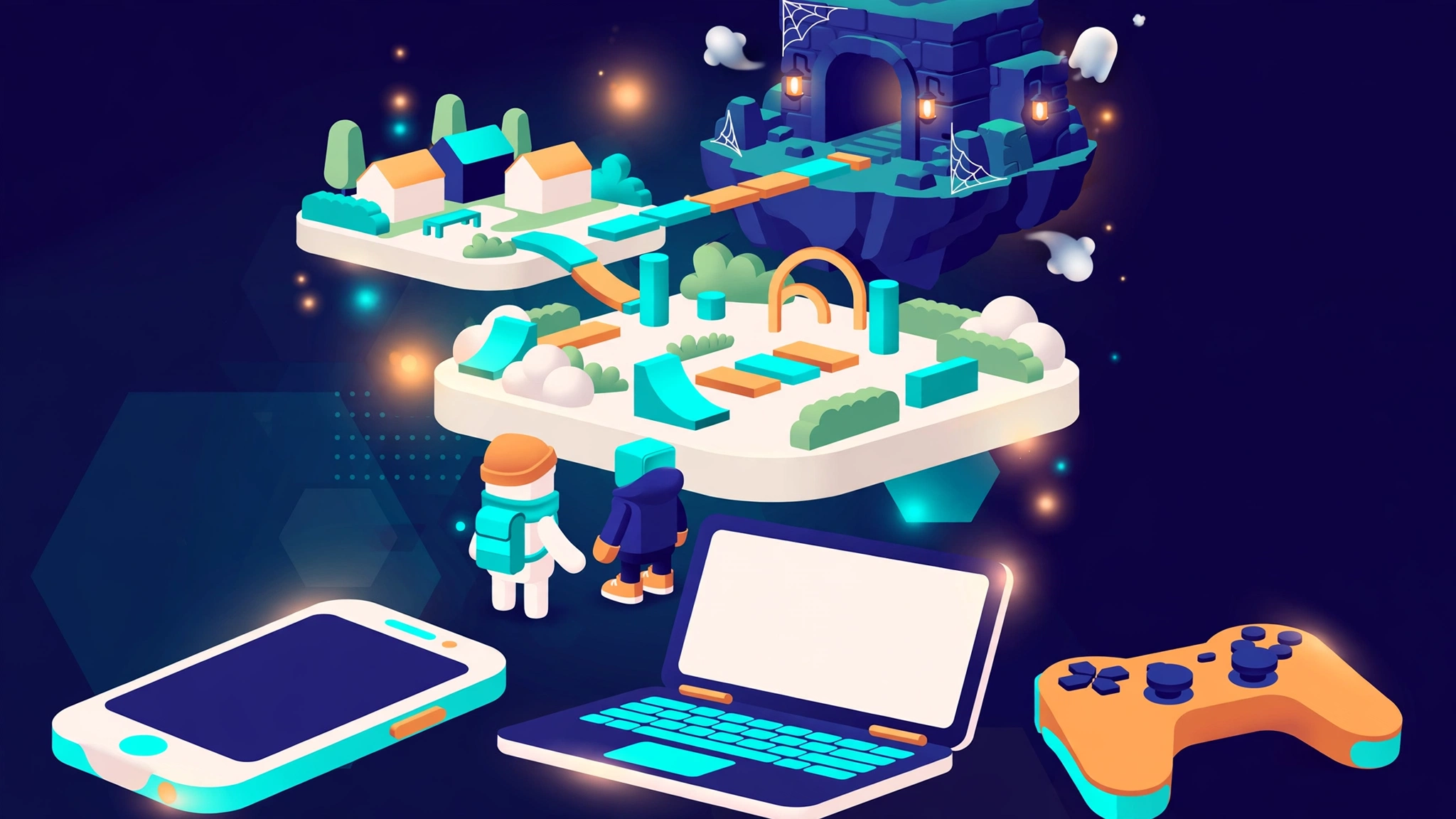
Roblox is a free-to-join online platform where people play, share, and build 3D experiences made by other users and studios. It is not one game. It is closer to a huge, constantly changing arcade, where a single account and a single avatar can carry you from an obstacle course to a survival hunt to a pet-collecting world in a few taps.
This guide explains what Roblox is, how it works in everyday use, which kinds of experiences you will find, how to start on your own device, and which safety settings deserve attention first.
The facts below were checked against official pages and company filings in late October 2026, and anything that changes by country or age group is flagged as it comes up.
[INSERT IMAGE 1 HERE — Featured Image: Roblox Platform Overview]
Table of Contents
Quick Facts at a Glance
- What it is: a platform for finding and playing user-made 3D experiences, plus the tools to build your own.
- Cost: free to join and play. Optional purchases use Robux, the platform’s virtual currency.
- Ages: players range from young children to adults, with dedicated Kids (ages 5–8) and Select (ages 9–15) accounts in most regions.
- Devices: Windows, Mac, iPhone, iPad, Android, Xbox, PlayStation in some countries, and Meta Quest headsets.
- Creation: Roblox Studio is the free desktop editor, and scripting uses a language called Luau.
- Chat: requires an age check, and it may be switched off entirely in some countries.
What Is Roblox?
A Platform, Not a Single Game
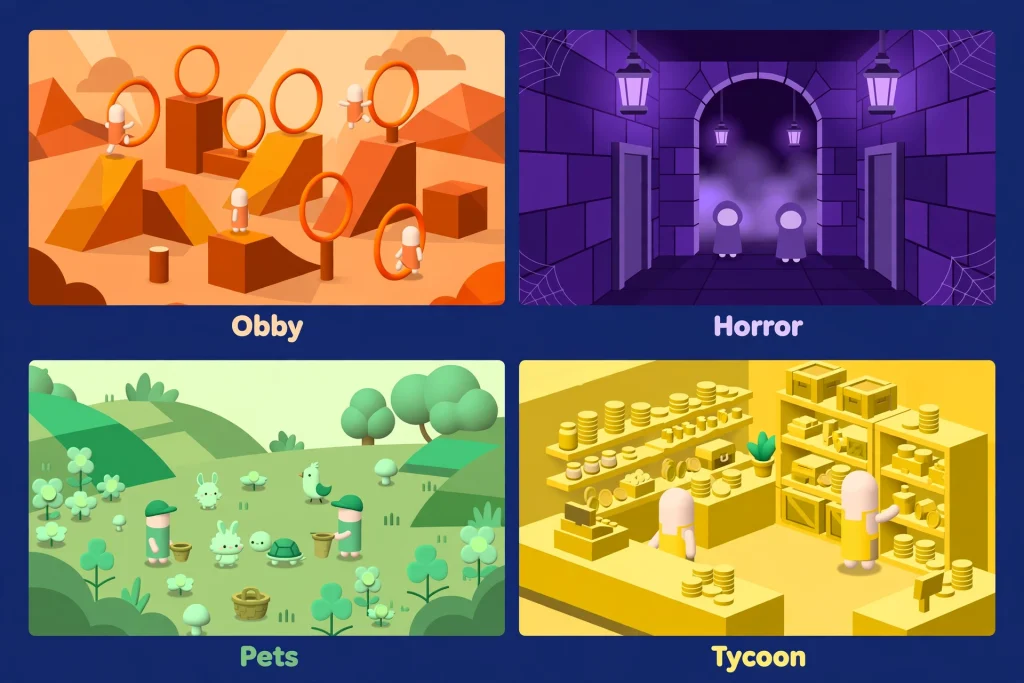
New visitors often search for “the Roblox game” and expect one title with one goal. What they actually find is a front door. Roblox hosts an enormous catalogue of separate experiences, and most were built by independent creators and small teams rather than by the company itself. Racing, obstacle courses, farming simulators, shop-running sims, horror hunts, and cooperative survival all sit side by side under one login.
Roblox uses the word “experience” for what most people would call a game. That is more than vocabulary. Search results, parental controls, maturity labels, and Help Center articles all rely on the term, so learning it early makes every later step easier.
Three Terms Worth Knowing: Experience, Avatar, and Robux
- Experience: one playable world, with its own rules, its own creator, and its own maturity label.
- Avatar: the character that represents you everywhere. It can look like a person, a robot, or a dragon, and you can dress it with clothing and accessories.
- Robux: the currency, spent on avatar items and on perks inside individual experiences.
Where the Platform Came From
Encyclopedia sources describe Roblox as created in 2004 by David Baszucki and Erik Cassel and released publicly in 2006. In September 2026, the company’s own newsroom promoted an event that let players play through twenty years of its history, a reminder that this is a long-running platform rather than a passing fad.
How the Platform Works in Everyday Use
Day-to-day use follows a simple loop: sign in, pick an experience, join a server, and return to your avatar and friends.
- One account does everything. Your Roblox account stores your avatar, friends list, Robux balance, and settings, and it follows you between phone, computer, console, and headset.
- You choose what to play. You can search by name, browse recommendations, or follow a friend into whatever they are playing. In a limited number of regions, a feature called Moments lets older users watch short gameplay clips and jump into the experience behind them. It is only offered in some regions and, in most of them, only to age-checked users 16 and over.
- You join a server. Each experience runs on servers that hold a limited group of players at once. That is why two friends sometimes need to join the same server on purpose, and why some experiences offer private servers.
- A maturity label sets the tone. Every experience carries a content maturity label: Minimal, Mild, Moderate, or Restricted. Minimal allows occasional mild violence or fear. Moderate adds moderate violence and light realistic blood. Restricted is reserved for age-verified users 18 and older and can include strong violence, strong language, romantic themes, and alcohol. For new players and parents, this label is the most useful filter on the whole platform.
The practical lesson is that Roblox applies shared rules and ratings on top of content from thousands of different creators, so quality, style, and polish vary widely from one experience to the next.
The Kinds of Experiences You Will Find
Roblox’s own safety materials describe the range as everything from obstacle courses and racing games to simulations such as growing a virtual garden or running a shop. Its engineering team also refers to role-playing, shooter, survival, and tycoon genres when discussing how games are built. The groupings below are an editorial way to browse, not an official taxonomy.
Obstacle Courses and Platformers
Obbies, short for obstacle courses, are a staple. Roblox itself calls them a popular platforming type, and the appeal is easy to see: the goal is obvious, a run takes minutes, and friends can race the same course.
Survival and Horror
Horror gets special attention. When Roblox announced The Hollow, a platform-wide Halloween event running from October 22 to November 2, 2026, it described horror as one of the most popular genres on Roblox.
The event gathered monsters from nine existing horror experiences, including DOORS, Piggy, Dandy’s World, and 99 Nights in the Forest, into one shared survival hub. It was aimed at players 9 and older with a Select or standard account in most regions, which shows how age rules shape what different people can reach.
Collecting, Role-Play, and Creative Simulations
Younger players often gravitate towards softer genres. In the same announcement, Roblox pointed younger audiences to Adopt Me!, which was bringing back a seasonal mini-game with new pets, and to Welcome to Bloxburg, which planned its own Halloween mini-games.
A Roblox shareholder letter from early 2026 also named Grow a Garden among the experiences that drew very large audiences in late 2025, a good example of how a simple simulation idea can spread across the whole platform.
Competitive, Racing, and Shooter Experiences
Shooters, racers, and competitive modes all exist on Roblox. They tend to be the genres where technical polish matters most, and Roblox’s own engineers note that mechanically heavy types such as role-playing games, shooters, and racing games run into more playability problems than simpler survival or tycoon designs when games are generated with AI tools. For players, the takeaway is practical: preview these experiences briefly before committing time or money.
Why “Best Games” Lists Age Quickly
Popularity on Roblox moves fast. In that same shareholder letter, the company noted that experiences outside the top ten accounted for more than half of the growth in Robux spending in the fourth quarter of 2025, which hints at how spread out attention has become.
A list that was accurate last season can feel dated now. A better habit is to choose by maturity label, genre, and what your friends are playing, then judge the experience after one short session.
Playing With Friends
Social play is a large part of why people stay. The safety team says most users play with friends they already know offline, and chat exists to help them coordinate and talk about what they are playing.
Friends and Trusted Friends
Ordinary friend requests work the way you would expect, but chat is restricted by age. The trusted friends system lets people who know each other offline, such as parents, siblings, and school friends, chat across age groups once both people complete a secure age check.
For children under 13, a trusted-friend request needs a parent’s approval, and parents have 24 hours to answer the emailed or in-app request before it expires.
Who Can Chat With Whom
Where chat is available, it is tied to age groups:
- Ages 5–8 can chat with users under 13.
- Ages 9–12 can chat with users under 16.
- Ages 13–15 can chat with users aged 9–17.
- Ages 16–17 can chat with users aged 13–20.
- Ages 18–20 can chat with users 16 and older.
- Ages 21 and over can chat with users 18 and older.
Default chat is filtered to block personal information, links, images, and inappropriate language. Users 13 and older can chat without filters only in direct messages with trusted friends, and even those conversations are monitored for child endangerment. Voice chat exists only in some regions, and for anyone under 18 voice calling is limited to trusted friends.
Cross-Platform Play and Private Servers
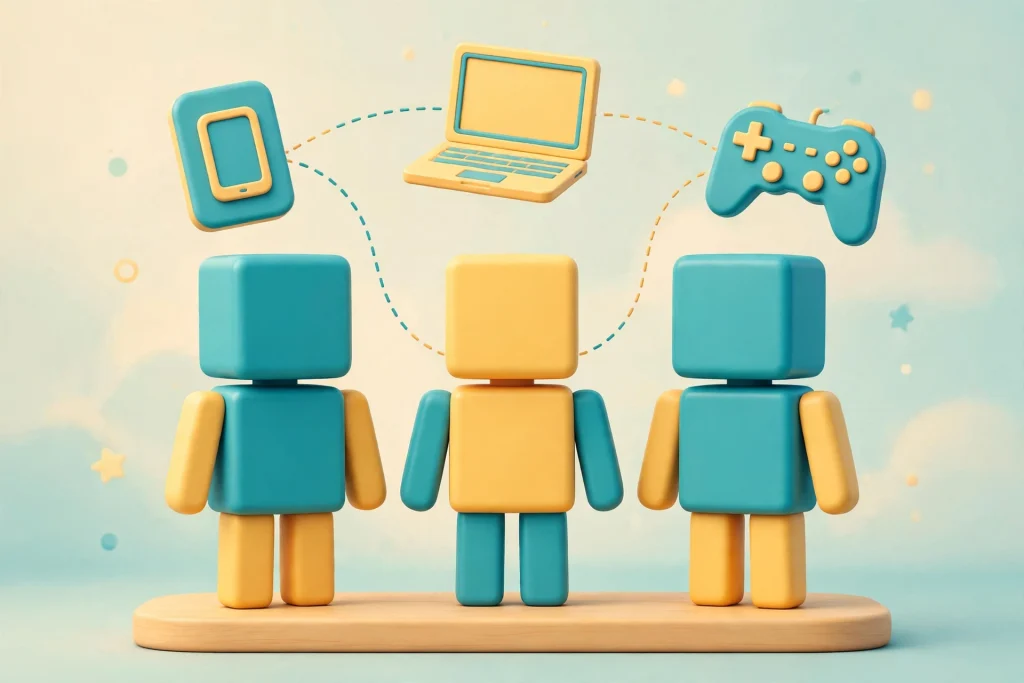
According to the Roblox Help Center, players on PlayStation and Meta Quest can enjoy experiences alongside people on Xbox, iOS, Android, and desktop.
In practice, a friend on a phone and a friend on a console can usually land in the same experience, although controls vary by experience. Subscribers to the paid plan described below receive one free private server per game, which is a simple way to decide exactly who joins. Parents can also limit private servers to approved Connections or to no one.
How to Get Started With Roblox
Starting takes a few minutes, and the order below keeps the important choices ahead of the fun ones.
- Choose your device. Roblox runs on computers, phones, tablets, and several consoles and headsets. The requirements section below lists what each needs.
- Create an account. Sign up on the website or in the mobile app, and enter a truthful birth date. Age drives which accounts, ratings, and chat settings apply, so a wrong date can leave a young player with the wrong defaults.
- Decide whether to complete an age check. Age checks are optional, but without one you cannot use chat and you lose access to experiences with higher maturity ratings. The fastest method is a selfie-based age estimate. People 13 and older can use a government ID instead, and parents can verify a child’s age through a linked parent account.
- Install the app and sign in. Use the official website or your device’s store. On Meta Quest, the Help Center says accounts cannot be created on the headset, so sign in with an existing one.
- Pick a gentle first experience. Filter for Minimal or Mild ratings, join a short session, and see how it feels before exploring further.
- Dress your avatar. Many accessories are free or cheap, and nothing about your first outfit is permanent.
- Link family or friends. If a child is playing, set up a parent account now rather than later. If you are an adult, add friends so you can join them directly.
System Requirements by Device
According to the Roblox Help Center, the baseline looks like this:
- Windows: 64-bit Windows 10 or Windows 11, a graphics card that supports DirectX 10, about 1 GB of memory, roughly 300 MB of storage, and a processor at 1.6 GHz or faster.
- Mac: macOS 10.13 (High Sierra) or later.
- Linux: not supported.
- Chromebook: Chrome OS 53 or higher with the Google Play Store enabled.
- Phones and tablets: iOS and Android devices are supported, and the Help Center lists current operating-system minimums.
- Internet: a connection of about 4–8 Mb/s is recommended for a single-user household.
- Consoles and VR: Xbox consoles, PlayStation 4 and 5 in some countries, and Meta Quest 2, Quest Pro, and Quest 3 for users 10 and older.
Roblox also warns that brand-new operating systems may not be supported right away, so check the Help Center before upgrading a device you rely on for play.
Robux, Subscriptions, and Spending
What Robux Buys
Robux can be bought on Roblox, bought through gift cards at major retailers, received as a monthly stipend with some subscriptions, or earned by creators who make content that other users buy. Players typically spend it on avatar items and on in-experience perks such as access to a restricted area.
Because playing is free, spending is a choice, but some experiences lean heavily on optional purchases, so look at what an experience asks for before handing over a child’s gift card.
Roblox Plus
Roblox Plus is the current subscription. According to Roblox, subscribers get a 10 percent discount on select items in their first two months and 20 percent from month three, fee-free Robux transfers (people under 16 need a parent’s approval), one free private server per game, the ability to trade, sell, and publish avatar items, and cosmetic extras such as profile frames.
The older Premium subscription stopped being sold on April 30, 2026, though existing Premium subscriptions stay active.
Spending Controls and Scam Awareness
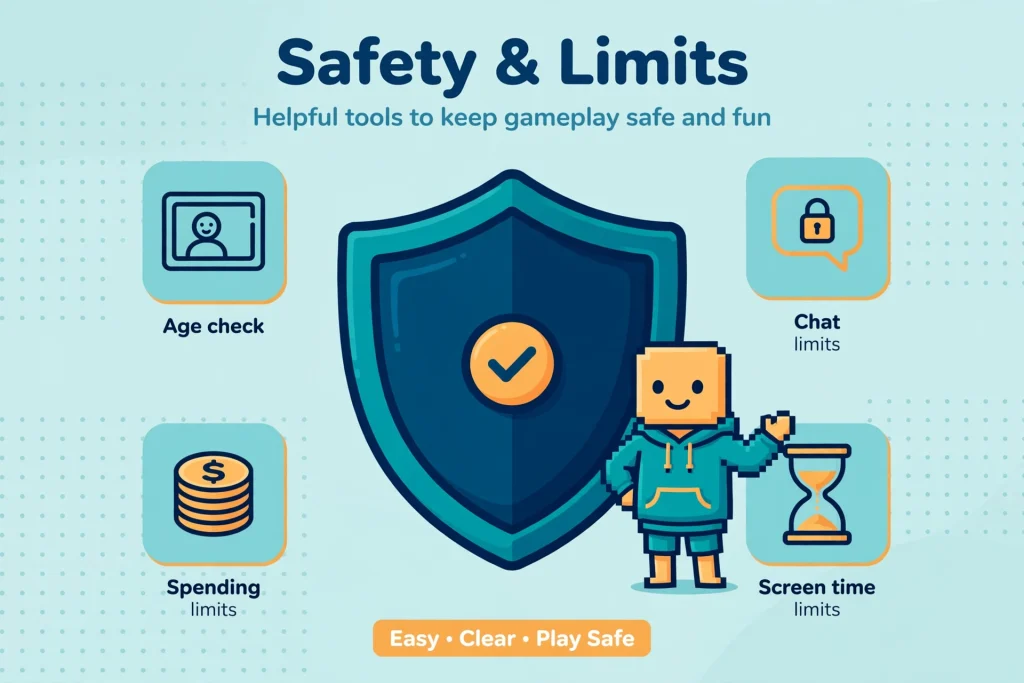
Parents with a linked account can set a monthly spending limit that covers Robux purchases and experience subscriptions. The limit resets each calendar month, and it does not apply to gift card redemptions. High-spend alerts are on by default after $100, $250, and $500 in a month. Any site promising free Robux is a scam, and children should be careful with gifts or gift cards from people they do not know.
Advertising on the Platform
Users may see ads. Roblox says ads shown to anyone under 18 are non-personalized and clearly labeled, that all ads are reviewed for age-appropriateness, and that there is no opt-out, though any ad can be reported from its label.
Roblox Safety: The First Settings to Check
Kids and Select Accounts
In most regions, children whose age checks place them at 5–8 are moved into a Roblox Kids account, and children at 9–15 into a Roblox Select account. Kids accounts show only experiences rated Minimal or Mild and keep chat off by default.
Select accounts allow experiences up to Moderate, and in-game chat with age-appropriate users and trusted friends is on by default. Direct one-on-one chat is off by default in both.
To appear in either account type, an experience must be rated appropriately and pass a multi-step review that includes creator verification and monitored play by older users. Restricted experiences are never playable by anyone under 18.
Age Checks, in Plain Terms
Roblox uses a selfie-based age estimate from a vendor called Persona, with ID verification and parental verification as alternatives. The company says images are deleted after processing, that it does not sell image data, and that the estimation model was independently tested for accuracy. As with any estimate, errors happen, and parents can correct a child’s birthday once through a linked account.
A Parental Controls Checklist
- Link a parent account through the child’s Settings under Parental Controls. The parent is asked to verify their age with a government ID or credit card.
- Set the content maturity slider to a level your family is comfortable with.
- Decide whether chat is on, and whether it covers experience chat, direct chat, or neither.
- Set a monthly spending limit and choose which purchase notifications to receive.
- Add screen-time limits where available, which are offered for Kids accounts and for ages 9–12 on Select accounts.
- Block any specific experience you do not want, remembering that blocked experiences can still appear in search results.
- Review the child’s Connections list, and block or report anyone who should not be there.
What No Setting Can Do
Roblox says plainly that no system is foolproof and encourages ongoing conversations about online safety. It singles out one risk in particular: people trying to move a conversation to another app, where the platform’s filters and moderation no longer apply. Teach children to treat that request as a warning sign, show them how to use the report and block tools, and keep the conversation open.
Creating Your Own: Studio, Luau, and Build
Beyond playing, the platform is a development environment. Roblox Studio is the editor creators use to design, script, test, and publish, and the Creator Hub holds the documentation that explains it. Scripting is done in Luau, a language derived from Lua 5.1 that supports optional type checking, and the script editor offers autocompletion and error analysis.
The engine is described as a simulation engine in which physics is built into the basic parts creators place in a world, which is why a beginner can drop in a block and watch it fall without writing any code.
There is also a newer, easier way in. A mobile-first tool called Build lets someone describe a game in text prompts and publish what it generates.
A company post from October 2026 says Build began with an alpha launch in New Zealand, and that by September 1 more than 100,000 people had tried it and around 9,000 games had been published. Of those who tried it, 71 percent had never used Studio.
The same post is candid about the tool’s limits: it described one generated obstacle course as technically complete but scoring poorly on replay value. Treat Build as a promising way to experiment, not as a shortcut to a hit.
The Platform by the Numbers in 2026
Roblox reported its third-quarter 2026 results on October 29, 2026. It said it averaged 138 million daily active users, up 12 percent from the previous quarter, and that players spent nearly 34 billion hours on the platform.
Compared with the same quarter a year earlier, daily users were down 9 percent, because the figure was measured against an unusually strong 2025. The company also reported that daily users aged 18 and older were growing faster than the overall base.
Two takeaways matter for readers. First, these figures are company-reported averages that move from quarter to quarter, so treat any single number as a snapshot. Second, the idea that Roblox is only for young children is out of date, since the safety page describes users from age 5 to over 25.
Strengths, Limits, and Common Misconceptions
What It Does Well
- Variety under one account. Few platforms let you switch genres this quickly.
- Social by design. Joining friends, trusted-friend links, and cross-platform play make group sessions simple.
- Low barrier to creation. Studio is free, Luau is documented, and Build lowers the bar further.
- Age-aware controls. Separate Kids and Select accounts, maturity labels, and parental tools give families real levers.
Where It Falls Short
- Uneven quality. With so many independent creators, some experiences are polished and others feel unfinished.
- Monetization pressure. Free entry does not mean free of purchase prompts.
- Regional gaps. Chat, voice chat, Moments, and PlayStation availability differ by country.
- Age-check friction. Chat requires a check, which some players and parents find intrusive even though it is optional.
Misconceptions Worth Clearing Up
- “Roblox is one game.” It is a platform of many experiences.
- “Free Robux generators work.” Roblox calls them scams.
- “Anyone can message anyone.” Chat is age-grouped, filtered, and unavailable without an age check.
- “Only kids play.” Adults are a growing share of daily users, according to the company.
- “Making a game takes years of coding.” Studio has a learning curve, but Build offers a prompt-based route where it is available.
Players who like sandbox-style creativity may also be curious how Roblox compares with other building-focused games. If that is you, our guide to which Minecraft version is best is a useful side-by-side look at how another creation-heavy game splits its audience.
Who Should Try It, and How
- Curious adults: start with a short session in a genre you already enjoy, then add friends.
- Parents of 5–8 year olds: use a Kids account, link a parent account, and play alongside them at first.
- Parents of 9–15 year olds: use a Select account, set the maturity slider and spending limit, and talk about moving chats off-platform.
- Teens and young adults: complete an age check if you want chat, and learn the report and block tools.
- Aspiring creators: download Studio, follow the Creator Hub documentation, and try Build if it is available to you.
- Console and VR players: confirm your device is supported in your country before buying a headset or planning around it.
Conclusion
Roblox is best understood as a platform, not a product: a free, account-based gateway to a vast and shifting collection of experiences that other people built. It rewards curiosity, works across most modern devices, and gives families a more detailed set of controls than many players realize.
It also asks for attention. Pick experiences by maturity label rather than hype, treat Robux purchases as a decision, complete age checks only if you want the chat features they unlock, and keep talking to younger players about who they meet and where conversations go.
Start small, test one experience for a short session, and let your own interests, not a ranking, guide the next one.
Frequently Asked Questions About Roblox
What is Roblox?
Roblox is an online platform where people discover and play 3D experiences made by other users and professional creators, and where anyone can build and publish their own using Studio. It is a destination for many games, not a single game.
Is Roblox free to play?
Yes. Joining and playing are free. Optional purchases use Robux, and an optional paid subscription adds discounts and extras.
Which devices are supported?
It runs on Windows PCs, Macs, iPhones, iPads, Android devices, Xbox consoles, PlayStation 4 and 5 in some countries, and Meta Quest 2, Pro, and 3 headsets. It is not supported on Linux, and Chromebooks need a recent Chrome OS with Google Play enabled.
What is Robux used for?
Robux is the platform’s virtual currency. People use it to buy avatar items and in-experience perks, and creators can earn it when others buy what they make. Websites offering free Robux are scams.
How can parents manage safety settings?
Parents can link a parent account to a child’s account, or approve requests directly on the child’s device. From there they can set content maturity limits, turn chat on or off, set monthly spending limits, manage screen time, block experiences, and review Connections. Availability of some controls depends on the child’s age and account type.
Do I need to verify my age to play?
No. Age checks are optional for playing. However, without one you cannot use chat and you lose access to experiences with higher maturity ratings. Options include a selfie-based estimate, ID verification for users 13 and older, and parent-led verification for children.
Can I make a game without coding?
You can start without coding experience by using Build, the prompt-based creation tool, which began as an alpha launch in New Zealand, so availability may depend on your region. For deeper control, Studio is free to download, and scripting uses Luau. Both routes publish to the same platform.
Sources and References
- Official overview page: What is the platform?
- Official Safety Center (Kids and Select accounts, safety by age)
- Official parental controls guide
- Official guide to secure age checks
- Official Safety FAQs
- Official page on the Plus subscription
- Newsroom: “The Hollow: New Platform-Wide Survival Event for Halloween” (October 21, 2026)
- Newsroom: “How Roblox Evaluates Build Game Creation” (October 8, 2026)
- Help Center: system requirements for PC and Mac
- Help Center: Meta Quest FAQ
- Help Center: PlayStation FAQ
- Creator Hub documentation: Luau
- Creator Hub documentation: scripting
- Company Q4 2025 shareholder letter (SEC Form 8-K, Exhibit 99.1)
- Company Form 8-K dated October 29, 2026 (third-quarter results announcement)
- Benzinga: Q3 2026 earnings call transcript
- GamesBeat: Q3 2026 results coverage
- Wikiwand (Simple English) entry for background on founding and release dates, a secondary source
- GamesPuma: Which Minecraft Version Is Best? Java vs Bedrock Compared

Written by Daniel Carter
Daniel Carter is a dedicated gaming writer who enjoys turning complex gaming topics into clear, useful, and engaging content. He covers game guides, tips, reviews, features, and the latest developments across the gaming world. His approach focuses on research, accuracy, and practical value, helping readers discover new games, improve their gameplay, and stay informed about the industry. For Daniel, great gaming content is not just about information—it is about making every article genuinely worth reading.