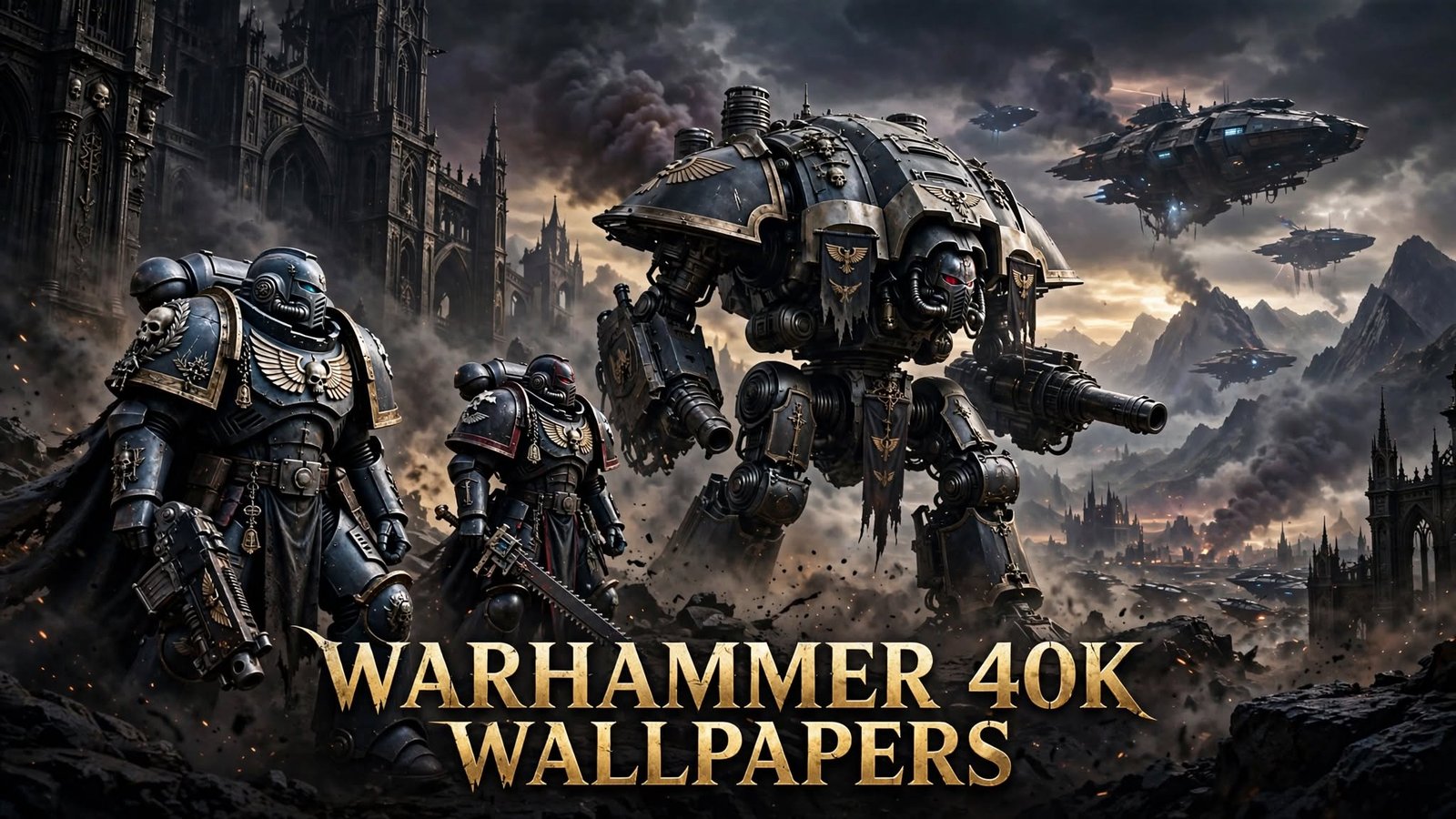
If you want Warhammer 40K wallpapers, you have three realistic routes: Games Workshop’s own Warhammer Community site (which publishes free official desktop and mobile backgrounds), large fan-curated galleries like Alpha Coders or WallpaperFlare (huge selection, mixed licensing), and individual artist portfolios or gaming-press roundups (best for crediting the actual creator). The right choice depends on your screen — a 4K desktop needs a different file than an iPhone lock screen — and on how you plan to use the image, since personal desktop use and commercial or public reuse are not the same thing.
This guide walks through where to look, which resolution fits your setup, how official art differs from fan art, how to download safely, and how to actually set the wallpaper once you have it.
Table of Contents
Where to Find Warhammer 40K Wallpapers
Official Warhammer sources. Warhammer Community, the official Games Workshop news hub, periodically publishes wallpaper roundups with direct “download for desktop” and “download for mobile” buttons — including a dedicated page of Horus Heresy legion-themed backgrounds. This is the safest place to start if you specifically want art that’s confirmed to come from Games Workshop.
Official video-game pages. Studios behind 40K games sometimes release press kits containing high-resolution key art and screenshots. Focus Entertainment’s presskit for Warhammer 40,000: Space Marine II, for example, is built specifically for media use — it’s not labeled a “wallpaper pack,” but the imagery is official and high-resolution.
Reputable wallpaper websites. Large aggregators such as Alpha Coders, WallpaperFlare, WallpaperCave, HDQwalls, Wallpapersden, and Wallpapers.com host thousands of Warhammer 40K images sorted by resolution and orientation. These are almost entirely user-submitted or scraped fan content, not official Games Workshop material, so treat them as a fan-art buffet rather than a licensed store.
Artist portfolios. Platforms like ArtStation and DeviantArt host individual concept artists and illustrators who post original 40K-inspired work (including official concept artists sharing personal portfolio pieces). This is the best route if you want to credit and support a specific creator.
Fan-art communities. Subreddits and Discord communities dedicated to Warhammer 40K frequently share original fan art, though quality, resolution, and licensing clarity vary artist to artist.
Wallpaper applications and live-wallpaper platforms. For animated backgrounds, the Steam Workshop for Wallpaper Engine is the main hub for 40K content — almost all of it fan-made.
Game screenshot collections. In-game photo mode captures from titles like Space Marine 2 and Darktide are a growing, often-overlooked source of high-resolution, game-accurate backgrounds.
Community-created wallpaper packs. Some fans bundle sets of their own edits or curated collections. Be selective here: a handful of sites make sweeping “complete official archive” claims that can’t be verified against any Games Workshop source — treat those claims skeptically rather than at face value.
Read More: https://gamespuma.com/company-heroes-40k/
Popular Warhammer 40K Wallpaper Themes
Search demand and gallery browsing cluster around a fairly predictable set of factions and visual motifs:
- Imperium of Man: Space Marines generally, plus specific chapters — Ultramarines, Blood Angels, Dark Angels, Space Wolves, Black Templars, Imperial Fists — along with Adeptus Mechanicus, Astra Militarum (Imperial Guard), Adepta Sororitas, Grey Knights, and Adeptus Custodes.
- Chaos: Chaos Space Marines, Death Guard, Thousand Sons, World Eaters, and Chaos Daemons.
- Xenos factions: Orks, Aeldari, Drukhari, Necrons, T’au Empire, Tyranids, and Genestealer Cults.
- War machines: Imperial Knights and Chaos Knights.
- Iconic figures: The Emperor of Mankind, the Primarchs, and the Chaos Gods.
- Visual moods: gothic architecture, grimdark battle scenes, 40K landscapes, miniature photography, and video-game key art.
If you’re not sure which faction to search for, browsing by “theme” (grimdark battle scene vs. gothic architecture vs. single-character portrait) is often more productive than browsing by faction name alone, since the same faction can look completely different across a moody landscape shot versus a close-up character portrait.
Warhammer 40K Wallpapers by Device
Windows, macOS, and laptops generally want landscape images matching your screen’s native resolution — most modern laptops sit at 1920×1080 or 2560×1440.
Gaming and ultrawide monitors need wider aspect ratios (21:9 or 32:9) rather than a standard 16:9 image stretched to fit, which distorts characters and text.
Dual-monitor setups benefit from either a single ultra-wide panoramic image spanning both screens or two complementary (not identical) images.
Android phones, iPhones, and tablets need portrait-oriented images, and lock screens versus home screens often crop differently — a lock screen usually needs more “safe space” at the top and bottom to avoid clock and widget overlap, while a home screen needs contrast that keeps app icons legible.
The core rule across every device: match orientation (landscape vs. portrait) and aspect ratio to your actual screen before you fall in love with an image, since a beautiful widescreen battle scene will crop badly onto a phone.
Best Resolutions for Warhammer 40K Wallpapers
| Resolution | Common name | Typical use |
|---|---|---|
| 1920×1080 | Full HD | Standard laptop/desktop monitor |
| 2560×1440 | QHD / 1440p | Higher-end desktop monitor |
| 3840×2160 | 4K UHD | 4K desktop monitor |
| 3440×1440 | Ultrawide QHD | 21:9 ultrawide monitor |
| 1080×1920 | Full HD portrait | Most Android phones |
| 1440×2560 | QHD portrait | Higher-end Android phones |
A few terms worth knowing:
- Aspect ratio is the width-to-height relationship (16:9, 21:9, 9:16). Mismatched ratios cause cropping or stretching.
- Upscaling artificially enlarges a smaller image — it fills the screen but doesn’t add real detail, and can look soft or blocky.
- Compression shrinks file size, sometimes at the cost of visible artifacting in dark, detail-heavy Warhammer 40K art.
- Only call an image “4K” or “HD” if its actual pixel dimensions support that — a 1280×720 image relabeled “4K” is misleading, and it’s worth checking an image’s real dimensions before downloading rather than trusting a gallery’s category tag.
Official vs. Fan-Made Warhammer 40K Wallpapers
| Factor | Official (Games Workshop / Warhammer Community) | Official game press kit | Fan-made / aggregator sites | AI-generated |
|---|---|---|---|---|
| Typical image quality | High, curated | High, curated for press use | Wildly variable | Variable, often stylistically inconsistent with GW art |
| Licensing clarity | Clear — check current Warhammer Community terms | Intended for media/press use | Usually unclear per individual upload | Often unclear, sometimes trained on copyrighted material |
| Download availability | Direct, free | Requires visiting the press kit page | Very high volume, easy to find | Scattered across generator sites and galleries |
| Commercial-use restrictions | Assume personal use only unless stated otherwise | Generally intended for press/media coverage, not general reuse | Assume restricted unless the artist says otherwise | Legally unsettled; treat as restricted |
| Creator attribution | Games Workshop / Warhammer Community | Studio/publisher (e.g., Focus Entertainment) | Sometimes credited, often not | Rarely meaningful attribution |
| Risk of reposted/mislabeled artwork | Low | Low | Higher — art gets recirculated without original source | Moderate — can be mislabeled as “official” |
| Best use case | Personal desktop/phone background | Editorial or press coverage | Casual personal backgrounds | Experimental personal use, with caution |
How to Download Warhammer 40K Wallpapers Safely
- Open the original, full-size image rather than a gallery thumbnail — thumbnails are compressed and will look blurry once enlarged.
- Check the actual resolution before downloading, not just the label the site gives it.
- Confirm the file extension (JPEG, PNG, WebP) matches what you expect; be wary of files that download as executables or archives when you expected an image.
- Avoid misleading “Download” buttons — some ad-heavy sites surround the real download link with fake buttons or pop-ups.
- Skip suspicious installers or browser extensions that a wallpaper site prompts you to install “to continue.”
- Be cautious with wallpaper apps that request permissions unrelated to displaying an image, such as contacts, SMS, or call logs.
- Check image credits and license notes when a source provides them — it’s the fastest way to know whether reuse beyond your own screen is allowed.
- Run a scan on downloaded files if a site felt untrustworthy, before opening anything beyond a standard image file.
How to Set a Warhammer 40K Wallpaper
- Windows: Right-click the desktop → Personalize → Background, then choose the image and pick Fill, Fit, Stretch, Tile, Center, or Span (for dual monitors).
- macOS: System Settings → Wallpaper, select the image, and choose Fill Screen, Fit to Screen, Stretch to Fill Screen, or Center.
- Android: Long-press the home screen → Wallpapers (or open the image in Gallery/Photos and choose Set as wallpaper) → crop for home screen, lock screen, or both.
- iPhone: Settings → Wallpaper → Add New Wallpaper, select the photo, and adjust the position with pinch-to-zoom before setting it for the Lock Screen, Home Screen, or both.
- Tablets: Follow the same path as the matching phone OS (Android or iPadOS), since tablet wallpaper settings mirror the phone experience.
Quick definitions: Fit shows the whole image with possible letterboxing; Fill crops the image to cover the screen with no gaps; Stretch distorts the image to match the screen exactly (usually avoid this for detailed 40K art); Center keeps the image at its native size in the middle of the screen; Crop manually selects which part of the image is kept; Blur background fills empty space with a blurred version of the same image rather than a solid color.
How to Choose the Best Warhammer 40K Wallpaper
Work through these in order:
- Favorite faction or character — start with what you actually care about seeing every day.
- Screen size, resolution, and aspect ratio — rule out anything that doesn’t match, before falling in love with an image.
- Portrait vs. landscape — phones need portrait; most monitors need landscape.
- Icon and widget readability — busy, high-contrast art can make desktop icons or phone widgets hard to read; simpler compositions or darker corners (where icons usually sit) work better.
- Color balance and mood — grimdark 40K art tends to be dark, which suits dark-mode interfaces but can wash out mid-tone icons.
- Static vs. animated — animated wallpapers look great but cost more system resources (see below).
- Personal vs. commercial use — if this is for a personal device, most sources are fine; if it’s for a stream overlay, YouTube thumbnail, product, or anything monetized, that’s a different licensing question entirely.
Warhammer 40K Live and Animated Wallpapers
A live wallpaper is an animated or video-based background instead of a static image; an interactive wallpaper additionally reacts to mouse movement, clicks, or audio.
- Where they run: Windows via Wallpaper Engine (a paid third-party app on Steam) is the dominant platform for 40K live wallpapers; some Android launchers also support live wallpapers natively.
- Resource use: Because they’re constantly rendering, live wallpapers use more CPU/GPU and battery than a static image — noticeable on laptops or phones when battery life matters.
- Animated vs. video vs. interactive: an animated wallpaper is typically a short looping scene; a video wallpaper is a straightforward looping video file; an interactive wallpaper adds real-time responsiveness, which uses the most resources.
- Privacy and security: only install live-wallpaper apps or files from reputable sources (like the official Wallpaper Engine Steam Workshop), since executable-based wallpaper tools carry more risk than a static image file.
- Is there an official 40K live wallpaper? No confirmed official Games Workshop live-wallpaper product exists; virtually all animated 40K wallpapers found on Wallpaper Engine’s Workshop are fan-made, often built by remixing other artists’ 2D illustrations into a moving scene — which raises its own permission questions if the original artist wasn’t credited or asked.
Warhammer 40K Wallpaper Ideas for Gaming Setups
- Minimalist grimdark desktop: a single dark, high-contrast image with plenty of negative space for icons.
- Space Marine setup: chapter-colored accents (Ultramarine blue, Blood Angel red) matched to RGB peripherals.
- Chaos-themed setup: heavy reds and corrupted iconography for a moodier build.
- Necron-themed dark setup: cold greens and near-black tones that pair well with OLED monitors.
- Adeptus Mechanicus cyber-gothic setup: brass and red tones that suit a “tech-priest” aesthetic.
- Ultrawide cinematic background: a single panoramic battle scene stretched properly (not distorted) across a 21:9 display.
- Dual-monitor composition: two thematically related but distinct images rather than one image awkwardly split in half.
- Matching desktop and phone backgrounds: the same faction or color palette across devices for a cohesive setup.
- Streamer/content-creator setups: keep overlay areas (chat box, webcam corner) clear of busy detail, and remember that publicly broadcasting fan art on a monetized stream is a different use case from a private desktop — check the source’s terms, or use officially sanctioned art, before building it into a monetized layout.
Common Warhammer 40K Wallpaper Problems
- Blurry images from enlarging a small file.
- Wrong aspect ratio causing stretching or heavy cropping.
- Cropped characters (heads or key details cut off at screen edges).
- Low-resolution thumbnails mistaken for full-size downloads.
- Broken download links on outdated fan pages.
- Watermarked images that a site never removed.
- Missing mobile-sized versions of a desktop image.
- Fake “official” artwork mislabeled to seem Games Workshop-approved.
- Wallpaper apps requesting excessive, unrelated permissions.
- Confusion about what’s actually allowed once you download an image.
- Live wallpapers causing slowdowns, fan noise, or battery drain.
Frequently Asked Questions
Where can I find Warhammer 40K wallpapers? Start with Warhammer Community for official art, then browse fan-curated galleries like Alpha Coders or WallpaperFlare for a much larger selection, keeping in mind the licensing differences covered above.
Are Warhammer 40K wallpapers free? Most are free to download for personal use, though some aggregator sites gate higher resolutions behind a sign-up or “free trial” flow — read the fine print before entering payment details.
Are official Warhammer 40K wallpapers available? Yes — Warhammer Community publishes official desktop and mobile wallpapers directly, including themed sets like Horus Heresy legion backgrounds.
Can I use Warhammer 40K artwork as my desktop background? Personal desktop use is generally the least restrictive use case, but it’s still worth checking the specific source’s terms rather than assuming.
Can I use Warhammer 40K wallpapers commercially? Generally, no, not without explicit permission — commercial use (products, paid content, resale) is a different question from personal display, and this article isn’t a substitute for checking the actual license or asking the rights holder.
What is the best resolution for a Warhammer 40K wallpaper? Match your screen exactly: 1920×1080 for standard monitors, 2560×1440 or 3840×2160 for higher-end and 4K displays, 3440×1440 for ultrawide, and 1080×1920 or 1440×2560 for most phones.
Where can I find Warhammer 40K phone wallpapers? Fan galleries typically tag images by orientation (“phone wallpapers” or “portrait”), and Warhammer Community’s official downloads also include mobile-formatted versions.
Where can I find Space Marine wallpapers? Both official Warhammer Community roundups and fan galleries carry extensive Space Marine and chapter-specific (Ultramarines, Blood Angels, etc.) collections.
Are fan-made Warhammer wallpapers safe to download? From established, reputable galleries, generally yes — the bigger risks are less-known sites with aggressive pop-ups, fake download buttons, or bundled installers, not the images themselves.
Can I use Warhammer 40K wallpapers on YouTube or Twitch? Treat this as commercial/public use rather than personal use — check the source’s terms or use officially sanctioned imagery before building it into a monetized stream or video.
How do I make a wallpaper fit my screen? Use your OS’s built-in Fit, Fill, or Crop option rather than a manual stretch, and start with an image whose aspect ratio already matches your screen when possible.
Are Warhammer 40K live wallpapers safe? From the official Wallpaper Engine Steam Workshop, generally yes, though live wallpapers do use more CPU/GPU/battery than a static image — avoid live-wallpaper apps from unfamiliar third-party sites.
Which Warhammer 40K faction is best for a wallpaper? There’s no objective answer — Space Marines and their chapters are the most commonly searched, but Necrons, Aeldari, and Chaos factions all have strong, distinctive visual identities that work well as backgrounds.

Written by Daniel Carter
Daniel Carter is a dedicated gaming writer who enjoys turning complex gaming topics into clear, useful, and engaging content. He covers game guides, tips, reviews, features, and the latest developments across the gaming world. His approach focuses on research, accuracy, and practical value, helping readers discover new games, improve their gameplay, and stay informed about the industry. For Daniel, great gaming content is not just about information—it is about making every article genuinely worth reading.
2 thoughts on “Warhammer 40K Wallpapers: Best Desktop, Mobile, and 4K Backgrounds”