In this article
The quickest way to check Fortnite server status is to open Epic Games Public Status at status.epicgames.com. Epic lists Fortnite there as a group of separate services, so one glance shows whether login, matchmaking, game services or the Item Shop has a problem. When every Fortnite line says Operational and you still cannot connect, the fault is far more likely to sit inside your own setup than at Epic.
Treating that page as step one saves real time. Plenty of players restart routers, reinstall the game or tweak DNS settings while Epic is simply running planned maintenance. This guide shows you how to read the official Fortnite server status page, how to separate a genuine outage from a local network fault, and how to convert Epic’s UTC timestamps into your own clock time.
Table of Contents
Current Fortnite Server Status (Dated Snapshot)
This is the only part of the article tied to one moment, which is why it sits apart from the evergreen sections and carries its own date.
Last checked: November 12, 2026. The copy of Epic’s page we read had been generated at about 22:58 UTC on November 10, 2026, so please treat everything below as a dated snapshot, not a live reading.
What that snapshot of Epic’s page showed:
- The page banner read “All Systems Operational.”
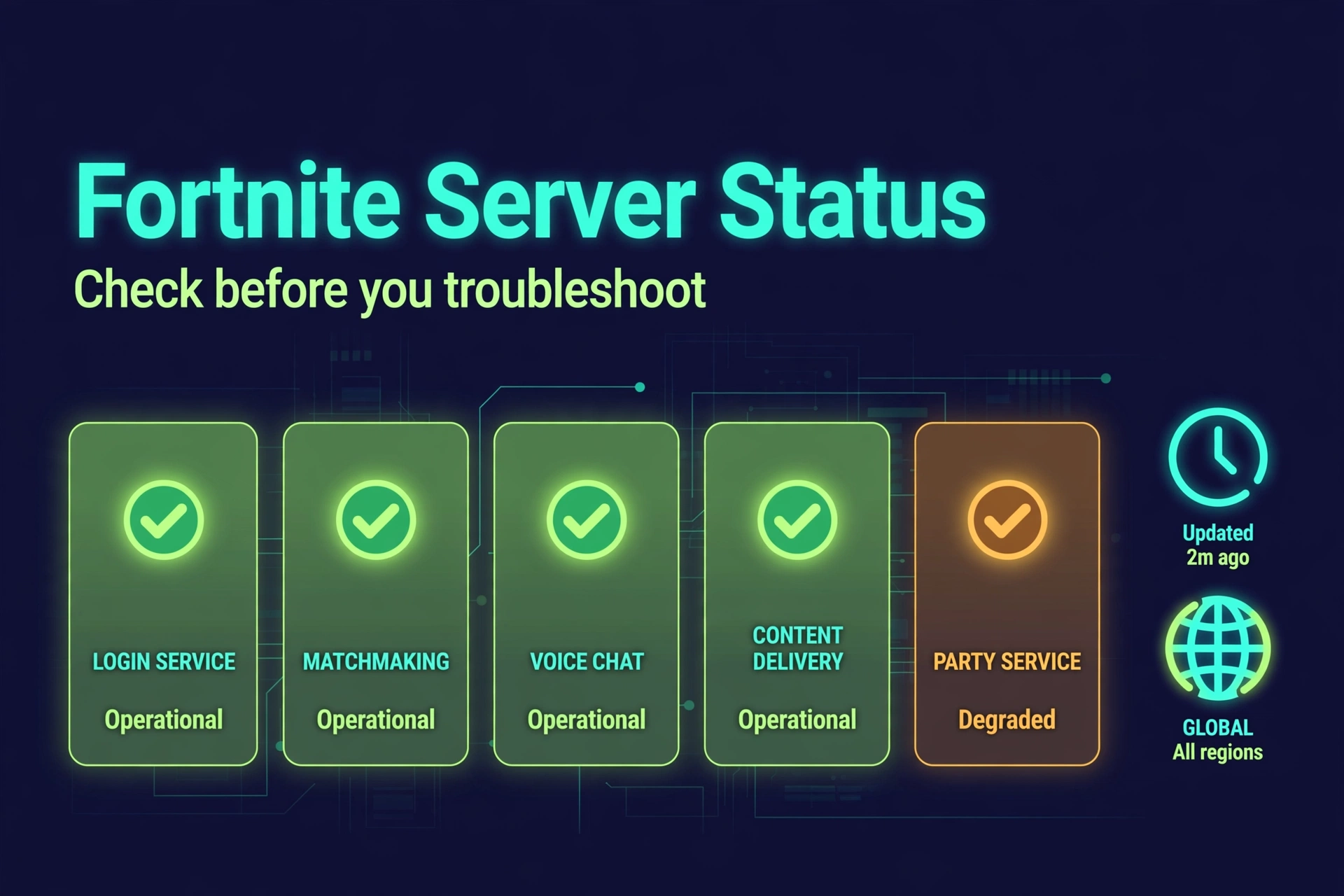
- Every service under the Fortnite heading was marked Operational: Website, Game Services, Login, Parties, Friends, and Messaging, Voice Chat, Matchmaking, Stats and Leaderboards, Item Shop and Fortnite Crew.
- LEGO Fortnite and Fortnite Festival each carried their own Matchmaking entry, also Operational.
- No Fortnite incident was open. The latest Fortnite entry was the v43.00 update downtime on November 1, 2026, which the timeline shows in progress from 05:00 UTC and completed at 08:12 UTC.
- The newest entries on the page belonged to Epic Online Services, not Fortnite: a maintenance window on November 10 from 06:00 to 07:30 UTC, and a session-search issue that was resolved at 22:41 UTC the same day.
An Operational label does not promise that every player is trouble-free, and the Fortnite server status can change within minutes of any snapshot. Open the live page before you rely on this section.
Is Fortnite Down Right Now?
Status checked: November 12, 2026 (the snapshot described above).
In that snapshot, the Fortnite server status on Epic’s page showed no outage, no degraded Fortnite service and no maintenance in progress. It also listed no upcoming Fortnite maintenance in the copy we read. That is a statement about Epic’s dashboard at that moment, not about your Wi-Fi, your console’s network or a fault Epic has not posted yet.
To answer “is Fortnite down” for yourself in under a minute:
- Open status.epicgames.com and read the banner at the top.
- Scroll to the Fortnite group and read the label beside each service.
- Look through the incident list for anything marked Investigating, Scheduled or In progress.
- Compare what you find with the error on your screen.
How to read the result:
- Everything Operational: Epic reports no known fault, so move on to the local checks later in this guide.
- A service is not Operational: open the incident and read Epic’s own wording, because it names what is affected.
- Maintenance or a scheduled window: the downtime is planned, so wait for Epic to mark it Completed.
How Fortnite Server Status Works
Fortnite server status is not one big on/off switch. Epic’s page breaks Fortnite into separate components, and each can carry its own label at the same moment. Login can be fine while matchmaking struggles, or the Item Shop can pause while everything else runs. Reading Fortnite server status well therefore means reading it service by service.
Epic does not publish a glossary for these entries, so the descriptions below are practical interpretations of the service names. The incident text on Epic’s page is always the authority.
| Service on Epic’s page | What it generally covers | What you might notice if it is affected |
|---|---|---|
| Login | Signing in to your Epic account in Fortnite | Sign-in errors, or stalling at the start |
| Game Services | Core backend features the game depends on | Errors that do not fit one feature |
| Parties, Friends, and Messaging | Social features | Invites or friends lists failing |
| Voice Chat | In-game voice | Voice refusing to connect |
| Matchmaking | Placing you into matches | Endless searching, or no match found |
| Stats and Leaderboards | Progress and ranking data | Stats not updating |
| Item Shop | The daily store | Shop not loading, or purchases failing |
| Fortnite Crew | The subscription service | Crew benefits not appearing |
| Website | The Fortnite website | Pages not loading in a browser |
| LEGO Fortnite and Fortnite Festival | Mode-specific matchmaking entries | Trouble joining that mode only |
Epic can add, rename or retire entries at any time, so the live page, not this table, is the source of truth.
Why can one service fail while another stays healthy? They are listed as separate components, and an incident often names only some of them. A 2019 Epic incident report, for example, listed Game Services, Login, Parties, Friends, and Messaging, Voice Chat, Matchmaking and the Item Shop as affected, while the Website, Stats and Leaderboards and Fortnite Crew entries were not named. The lesson is to read which services an incident names before deciding how it touches you.
One more detail: Epic Online Services (EOS) appears as its own group on the same page. It runs online features such as sessions and lobbies for many games and apps built with Epic’s tools, so check whether an entry actually names Fortnite before assuming it affects your game.
What the Fortnite Server Status Labels Mean
Every Fortnite server status update on Epic’s page uses the same small vocabulary. The page shows a legend with five states: Operational, Degraded Performance, Partial Outage, Major Outage and Maintenance. Epic does not print definitions beside them, so the readings below are everyday interpretations rather than official wording.
| Label | Plain-language reading | What to do |
|---|---|---|
| Operational | Epic is reporting no known problem for that service | If you still struggle, look at your own connection |
| Degraded Performance | The service is up but may be slow or inconsistent | Retry later and read the incident note |
| Partial Outage | Part of the service is failing, or only some players are hit | Check which feature the incident names |
| Major Outage | The service is broadly unavailable | Wait, and follow Epic’s updates |
| Maintenance | Planned work is under way | Wait for Epic to mark it Completed |
Labels can also lag behind reality. On August 28, 2026, Notebookcheck reported that Epic’s dashboard first showed every system as operational while complaints were piling up on Downdetector and social media. A green label therefore means “no problem posted yet,” which is not quite the same as “no problem exists.”
7 Easy Ways to Check Fortnite Server Status
Work through these in order. The first four are official or near-official; the rest help you cross-check.
Method 1: Epic Games Public Status (your primary source)
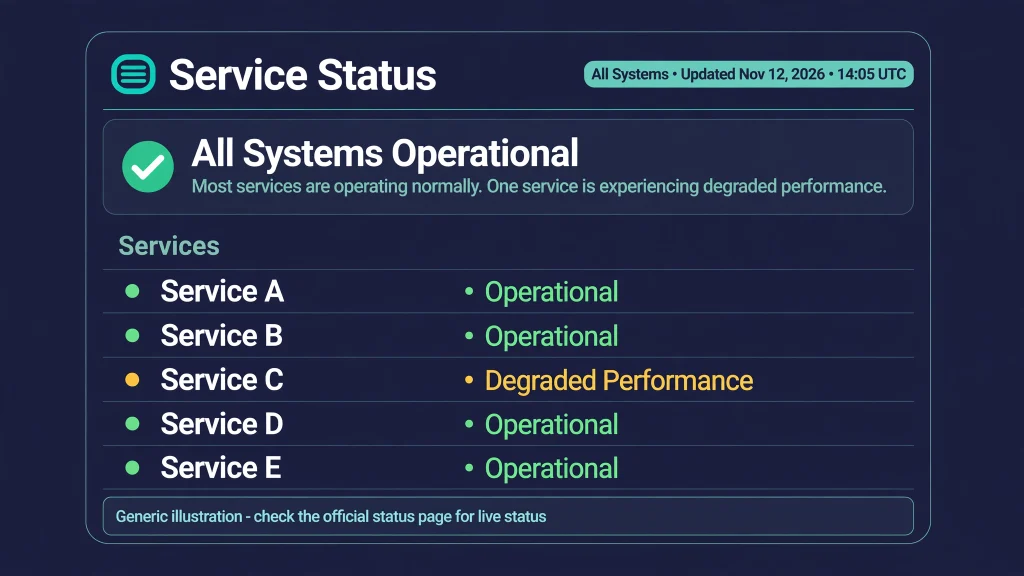
Bookmark status.epicgames.com. Epic’s own Fortnite support page lists it first among the official channels for live issues. It shows the current label for each service, a running list of incidents with timestamps in UTC, and scheduled maintenance. For any Fortnite server status question, this is where the answer starts.
Method 2: Let Epic notify you
The status page has a Subscribe option. According to the page, email alerts fire when Epic creates, updates or resolves an incident, text messages fire when one is created or resolved, and there are also Slack and webhook options plus Atom and RSS feeds (Atom feed, RSS feed). Subscribing turns your Fortnite server status check from something you remember to do into something that finds you.
Method 3: Follow FortniteStatus on X
Epic’s support pages point players to @FortniteStatus on X for service updates. Use it for short Fortnite server status announcements: planned downtime start times, matchmaking pauses, emerging issues and “we’re back” confirmations. Think of it as the quick bulletin, while the status page is the detailed record.
Method 4: Read Fortnite Support’s live issues page
Epic’s Fortnite Live Issues and Bugs page sends you to the same two official channels for the freshest information. It is a handy reminder of where to look for Fortnite server status context when a problem is bigger than a single error code.
Method 5: Check your platform’s own network status
Fortnite runs on PC and several consoles, and a console network problem can look exactly like a Fortnite server status problem. The official pages are PlayStation Service Status, Xbox Status and Nintendo Network Status. Only blame a platform when its own page shows a problem.
Method 6: Glance at a third-party outage tracker
Sites such as Downdetector collect reports from players. A sudden spike suggests many people are hitting the same wall. It is unofficial, Epic does not run it, and a spike can come from anything players report, including problems on their side. Treat it as a clue about Fortnite server status, and use it to decide whether to look harder at Epic’s page, not as proof of an outage.
Method 7: Test another device or network
Try Fortnite on a different network, such as your phone’s mobile hotspot, or try another game online on the same connection. If it works there and the Fortnite server status on Epic’s page is clear, Epic’s servers are probably fine and your home network is the suspect. This single test settles more “is it me?” arguments than anything else.
Official Fortnite Server Status vs Third-Party Reports
Not every source deserves the same trust when you are judging Fortnite server status. Here is how they compare:
| Source | What It Tells You | Reliability / Role |
|---|---|---|
| Epic Games Public Status | Official service health and maintenance | Primary source |
| FortniteStatus | Official communications and incident updates | Primary supporting source |
| Fortnite Support | Known issues and troubleshooting | Official supporting source |
| Third-party outage tracker | User reports and possible outage patterns | Supplemental |
| Social media / Reddit | Player experiences | Unofficial |
Third-party reports can hint at a widespread problem, but they do not prove that Epic’s servers are down. Community-run sites are useful for plenty of Fortnite questions, as GamesPuma’s guides to Fortnite Tracker and FortniteDB show for stats and Save the World data, but status is a different job. When the official page and the crowd disagree, believe the official page for what Epic has confirmed, and use the crowd as an early warning that something may be coming.
Scheduled Maintenance vs Unplanned Outage
| Situation | Meaning | What Players Should Do |
|---|---|---|
| Scheduled Maintenance | Planned server or service downtime | Wait for Epic’s maintenance updates |
| Unplanned Outage | Unexpected service disruption | Monitor official status updates |
| Partial Outage | Some services affected | Check which service is impacted |
| Local Connection Problem | The issue may be limited to you or your network | Troubleshoot your local connection |
Planned work shows up in the Fortnite server status record as a Scheduled entry first. Epic announces planned downtime on its status page ahead of time. For the v43.00 update, the notice appeared on October 30, 2026 and said downtime would begin at 1 AM Eastern, which is 5 AM UTC, with matchmaking switched off 30 minutes earlier. Updates, new seasons and backend changes are the usual reasons for planned downtime, but only Epic’s announcement can confirm that a given window is happening.
Unplanned outages arrive without that warning. Epic’s incident entries move through stages such as Investigating, then updates, then Resolved, so the wording and timestamps tell you how far along the fix is.
How Long Does Fortnite Maintenance Last?
There is no single answer, and anyone quoting a fixed duration is guessing. Fortnite server status entries record both a start and an end, which is why they beat any rule of thumb. Two real entries from Epic’s page show why:
- The v43.00 update downtime on November 1, 2026 shows In progress at 05:00 UTC and Completed at 08:12 UTC, a span of about 3 hours and 12 minutes.
- The Epic Online Services maintenance on November 10, 2026 warned of up to 90 minutes of degraded availability, and its entry shows it ran from 06:00 to 07:30 UTC.
Those are examples, not rules. A posted window gives you an expected shape, but the work can finish early or run long, and the “Completed” mark on Epic’s entry is what settles it.
How to Check When Fortnite Will Be Back Up
When a Fortnite server status entry includes a time, you will find it in one of four places:
- Epic Games Public Status: the incident or maintenance entry, with UTC timestamps.
- FortniteStatus on X: short posts that sometimes carry expected timing and “back online” confirmations.
- Fortnite Support pages: known-issue information and links back to the official channels.
- In-game messages: when the game shows a notice about downtime or a problem.
An estimated end time is not a guarantee. If no restoration time is listed, do not invent one. Keep watching the status page, or let a subscription alert you when the entry changes to Completed or Resolved.
Fortnite Server Status During Updates
A finished download is not the same thing as a finished maintenance window. Epic’s scheduled entries move from Scheduled to In progress to Completed, and matchmaking can be switched off ahead of the main downtime, as it was 30 minutes before the v43.00 start. You might have the new version installed while Epic is still working on the servers behind it.
So during an update, check Fortnite server status with two questions: is the maintenance entry marked Completed, and are all the Fortnite services back to Operational? Only when both are true should you expect a normal session. If the entry still says In progress, refreshing the game will not help.
Time-Zone Conversion: Turn UTC Into Your Local Time
Every Fortnite server status timestamp on Epic’s page is written in UTC, and Epic sometimes adds a US Eastern time in the notice text. UTC does not change with the seasons, but your local time might. Here is a worked example using the real v43.00 downtime on November 1, 2026, which began at 05:00 UTC and was marked Completed at 08:12 UTC:
| Region | Zone on that date | Start (05:00 UTC) | Completed (08:12 UTC) |
|---|---|---|---|
| UTC | UTC | 05:00, Nov 1 | 08:12, Nov 1 |
| US Eastern | EDT, then EST after clocks fell back at 06:00 UTC | 1:00 AM, Nov 1 | 3:12 AM, Nov 1 |
| US Pacific | PDT (clocks fell back at 09:00 UTC) | 10:00 PM, Oct 31 | 1:12 AM, Nov 1 |
| UK | GMT | 5:00 AM, Nov 1 | 8:12 AM, Nov 1 |
| Central Europe | CET | 6:00 AM, Nov 1 | 9:12 AM, Nov 1 |
| India | IST (UTC+5:30) | 10:30 AM, Nov 1 | 1:42 PM, Nov 1 |
| Pakistan | PKT (UTC+5) | 10:00 AM, Nov 1 | 1:12 PM, Nov 1 |
| Australia (Sydney) | AEDT (UTC+11) | 4:00 PM, Nov 1 | 7:12 PM, Nov 1 |
| Australia (Brisbane) | AEST (UTC+10) | 3:00 PM, Nov 1 | 6:12 PM, Nov 1 |
| Australia (Perth) | AWST (UTC+8) | 1:00 PM, Nov 1 | 4:12 PM, Nov 1 |
This example sat right on the US clock change, which is why Eastern time appears twice. For any new entry, check your own region’s offset on that exact date and add it to the UTC time. If no maintenance is scheduled right now, there is nothing to convert, so use this table as a method, not a calendar.
Fortnite Server Status for Pakistan Players
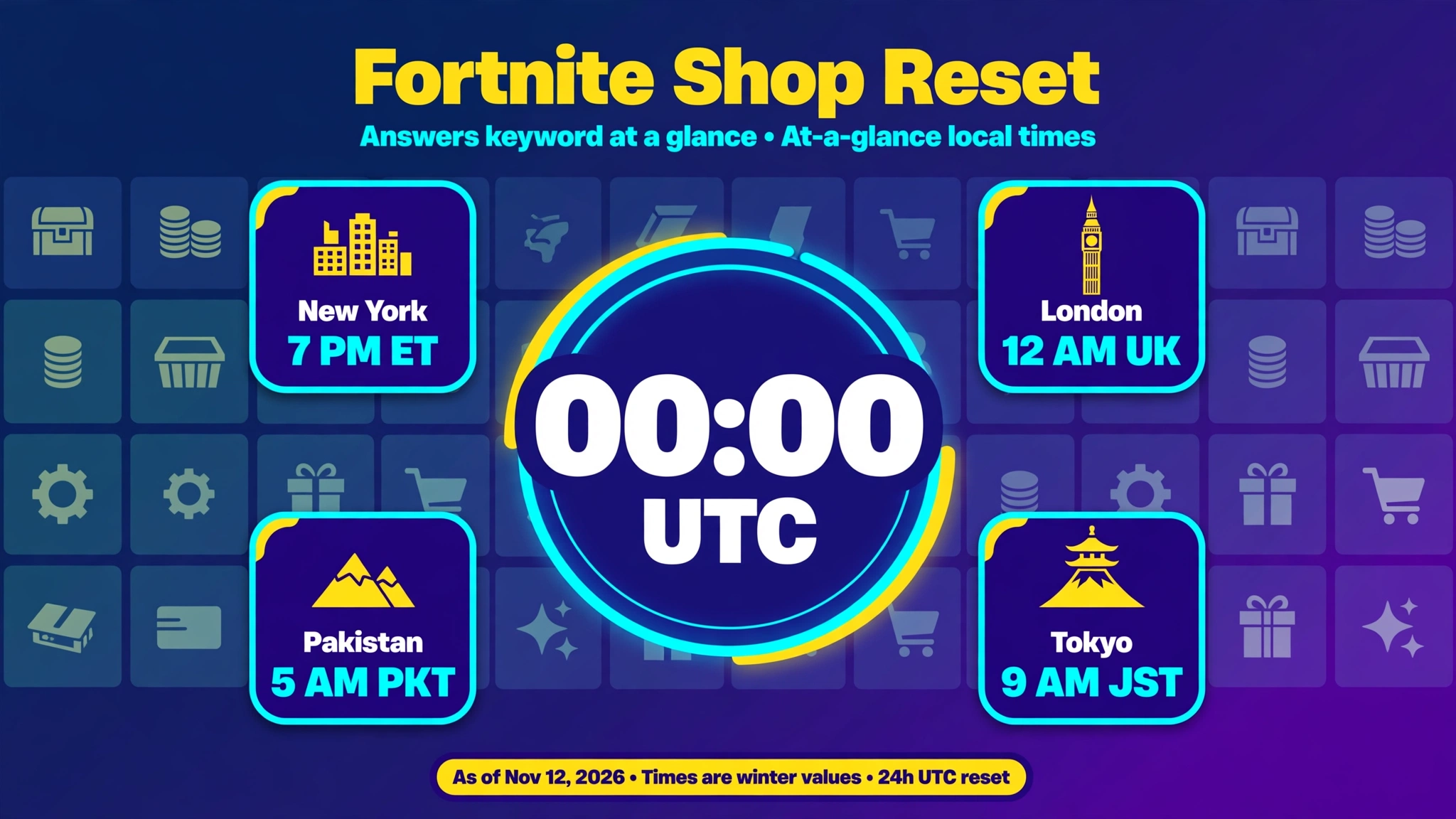
Epic’s page does not show a separate Pakistan view, so there is no Pakistan-only Fortnite server status to look for; the same official page serves everyone. What matters is local-time reading. Pakistan Standard Time is UTC+5, so add five hours to any UTC time on Epic’s page.
- A maintenance start of 05:00 UTC is 10:00 AM in Pakistan.
- A completion mark of 08:12 UTC is 1:12 PM.
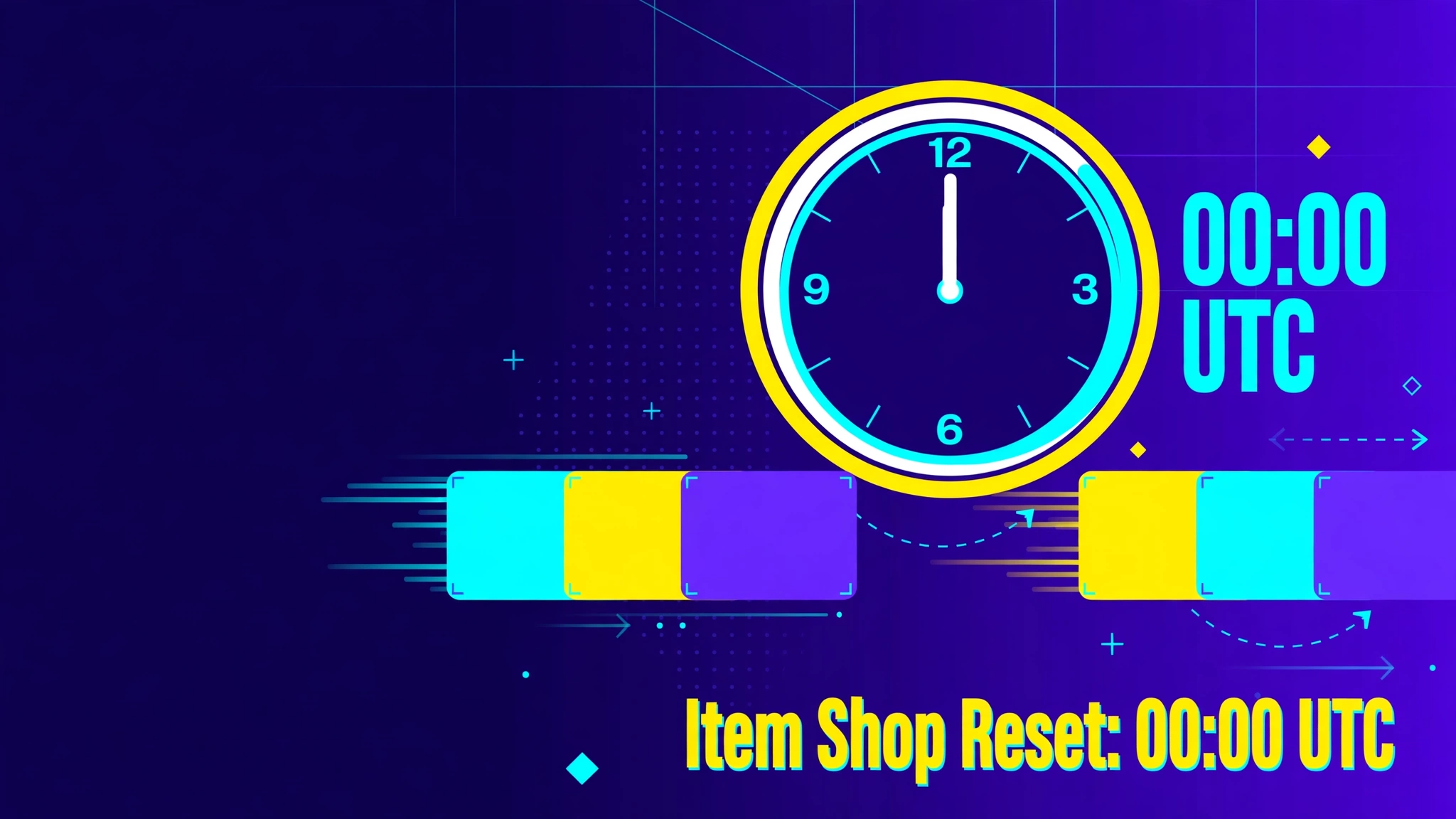
- A 00:00 UTC timestamp, the moment GamesPuma’s guide says the Item Shop changes each day, is 5:00 AM. The Fortnite Item Shop time guide walks through that rotation by time zone.
A window that opens in the early hours UTC lands in Pakistan’s morning, while one that opens late in the UTC day lands at night, so a posted time can fall inside your play session even when it is quiet elsewhere. Always convert before deciding to wait.
Fortnite Server Status vs Local Connection Problems
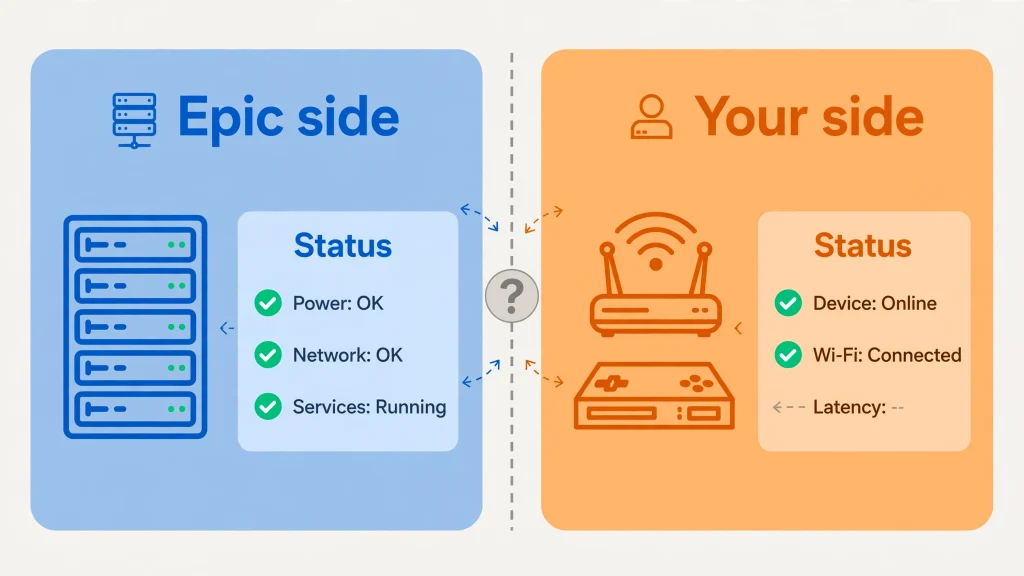
A frightening error does not prove that Fortnite’s servers are down, and good Fortnite server status habits start with remembering that. “Servers not responding,” a failed login, a matchmaking timeout, high ping or random disconnects can all come from either side. Epic’s own connection troubleshooting guide lists unable to matchmake, unable to join parties and packet loss or high latency among the symptoms of a connection issue.
Epic or Fortnite-side signs:
- Epic’s status page shows a non-Operational service or an open incident.
- A scheduled maintenance entry is In progress.
- FortniteStatus has posted about the same issue.
Local or network-side signs:
- Epic’s page shows everything Operational.
- Other devices or other networks can reach Fortnite fine.
- Other online games or websites also struggle on your connection.
- Your platform’s own status page shows a problem.
When the evidence points to your side, Epic’s official troubleshooting list is the safest place to start. Its steps include restarting your modem or router, switching to a public DNS, syncing your device clock, clearing your device cache, updating Windows, disabling proxy servers and flushing your DNS. If none of that helps, Epic suggests contacting your hardware manufacturer. Stick to steps from official sources, and avoid unofficial server tools, modified game files or other shortcuts.
Region-Specific and Platform-Specific Issues
Some problems hit only part of the player base. Epic’s incident history includes entries titled for Xbox login problems and for PlayStation 4 and PlayStation 5 login problems, and another that mentioned players in a single region. Treat those as past examples that show how targeted an incident can be, not as a claim about today.
A global Fortnite server status that reads Operational can still sit alongside a narrow, targeted problem. The practical rule: do not call a problem regional or platform-specific without evidence. If Epic’s page names a platform or region, believe it. If it does not, check your platform’s own status page. Epic’s connection guide also tells Xbox players who see “Error Connecting to Epic Services Queue” to contact Microsoft Support, a reminder that some errors involve the platform rather than Epic.
Fortnite Servers Not Responding: A Simple Decision Path
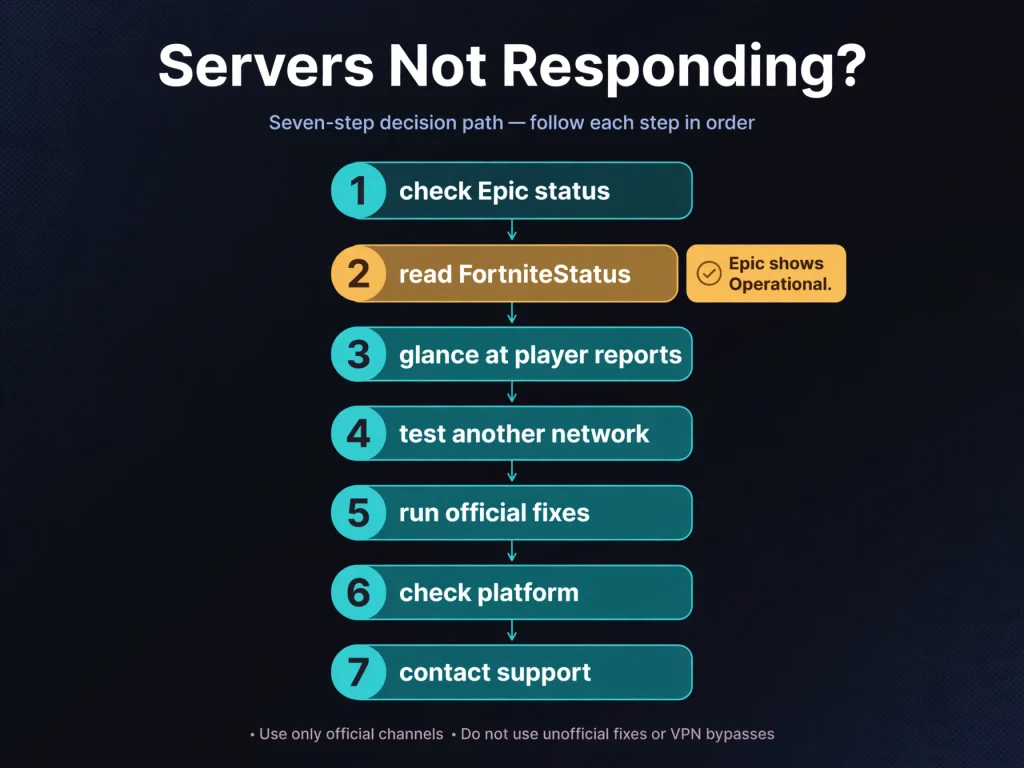
This message is generic. It tells you that the game could not hold a stable connection, not why. Follow this path:
- Check Epic Games Public Status. Confirm the Fortnite server status first, looking for a non-Operational Fortnite service or active maintenance.
- Read FortniteStatus. See whether Epic has posted about the problem.
- Glance at player reports. A tracker spike suggests other people have it too, though it is not proof.
- If Epic shows Operational, suspect your own connection. Test another device or network.
- Run safe, official fixes. Restart the game, then your device, then your modem or router, and work through Epic’s connection troubleshooting list.
- Check platform services. Console players should open their network’s status page.
- Contact support if needed. Reach Epic Support, or your platform’s support, with the details of what you tried.
What to Do If Fortnite Is Down
- Confirm the outage in the official Fortnite server status record rather than a trending hashtag.
- Read which services are affected and whether Epic has given a time.
- Subscribe to updates so you hear when it changes.
- Skip drastic steps like reinstalling the game during a confirmed outage; the fix is on Epic’s end.
- Check back after the entry shows Resolved or Completed, then confirm the Fortnite services are Operational.
Frequently Asked Questions
What is the Fortnite server status right now?
Only Epic’s live page can tell you. Our dated snapshot, taken November 12, 2026, showed every Fortnite service as Operational, but it may be out of date by the time you read this. Open status.epicgames.com for the current reading.
How do I check Fortnite server status?
To check Fortnite server status, start with Epic Games Public Status, then cross-check @FortniteStatus on X and Epic’s Fortnite support pages. Use a third-party tracker only as an early warning, and test another network if the official sources look clear.
Is Fortnite down right now?
It is down only if Epic’s page shows a non-Operational Fortnite service or maintenance in progress. If it shows Operational and you cannot play, the cause is more likely local, or it could be a problem Epic has not posted yet.
Why are Fortnite servers not responding?
The message is generic. Causes include planned maintenance, an unplanned incident, a platform network problem or an issue on your own connection. Check Epic’s status first, then work inward.
How long does Fortnite maintenance usually last?
It varies. Epic’s November 1, 2026 v43.00 downtime ran about 3 hours and 12 minutes by the timestamps on its page, while a November 10 Epic Online Services window lasted 90 minutes. Treat any estimate as a guide, not a promise.
How can I tell if Fortnite is down for everyone?
Check Fortnite server status for a non-Operational label or an open incident on Epic’s page, then look for a post from FortniteStatus and a matching spike on a tracker. One source alone is a hint; official confirmation settles it.
Where can I see official Fortnite server updates?
Epic Games Public Status and the @FortniteStatus account on X, plus Epic’s Fortnite support pages. You can also subscribe to email, text, Slack, webhook, Atom or RSS updates from the status page.
Can Fortnite matchmaking be down while other services work?
Yes. Epic lists Matchmaking as its own component, separate from Login and others, so one can show a problem while the rest read Operational.
What should I do if Fortnite servers are operational but I cannot connect?
Test another device or network, then follow Epic’s connection troubleshooting steps such as restarting your router, switching to a public DNS and syncing your clock. Check your platform’s network status too.
When will Fortnite servers be back up?
Look at the incident or maintenance entry on Epic’s page and at FortniteStatus for any posted time. If none is given, keep monitoring rather than guessing, because an estimate is not a guarantee.
Sources and References
- Epic Games Public Status: service labels, incident timelines and maintenance entries, read on November 12, 2026 (page data through 22:58 UTC on November 10, 2026)
- Fortnite Live Issues and Bugs, Epic Games Support
- How to troubleshoot connection issues, Epic Games Support
- @FortniteStatus on X
- PlayStation Service Status
- Xbox Status
- Nintendo Network Status
- Downdetector: Fortnite (third-party)
- Notebookcheck: Fortnite down as server outage triggers login and matchmaking errors (August 28, 2026)

Written by Daniel Carter
Daniel Carter is a dedicated gaming writer who enjoys turning complex gaming topics into clear, useful, and engaging content. He covers game guides, tips, reviews, features, and the latest developments across the gaming world. His approach focuses on research, accuracy, and practical value, helping readers discover new games, improve their gameplay, and stay informed about the industry. For Daniel, great gaming content is not just about information—it is about making every article genuinely worth reading.