In this article
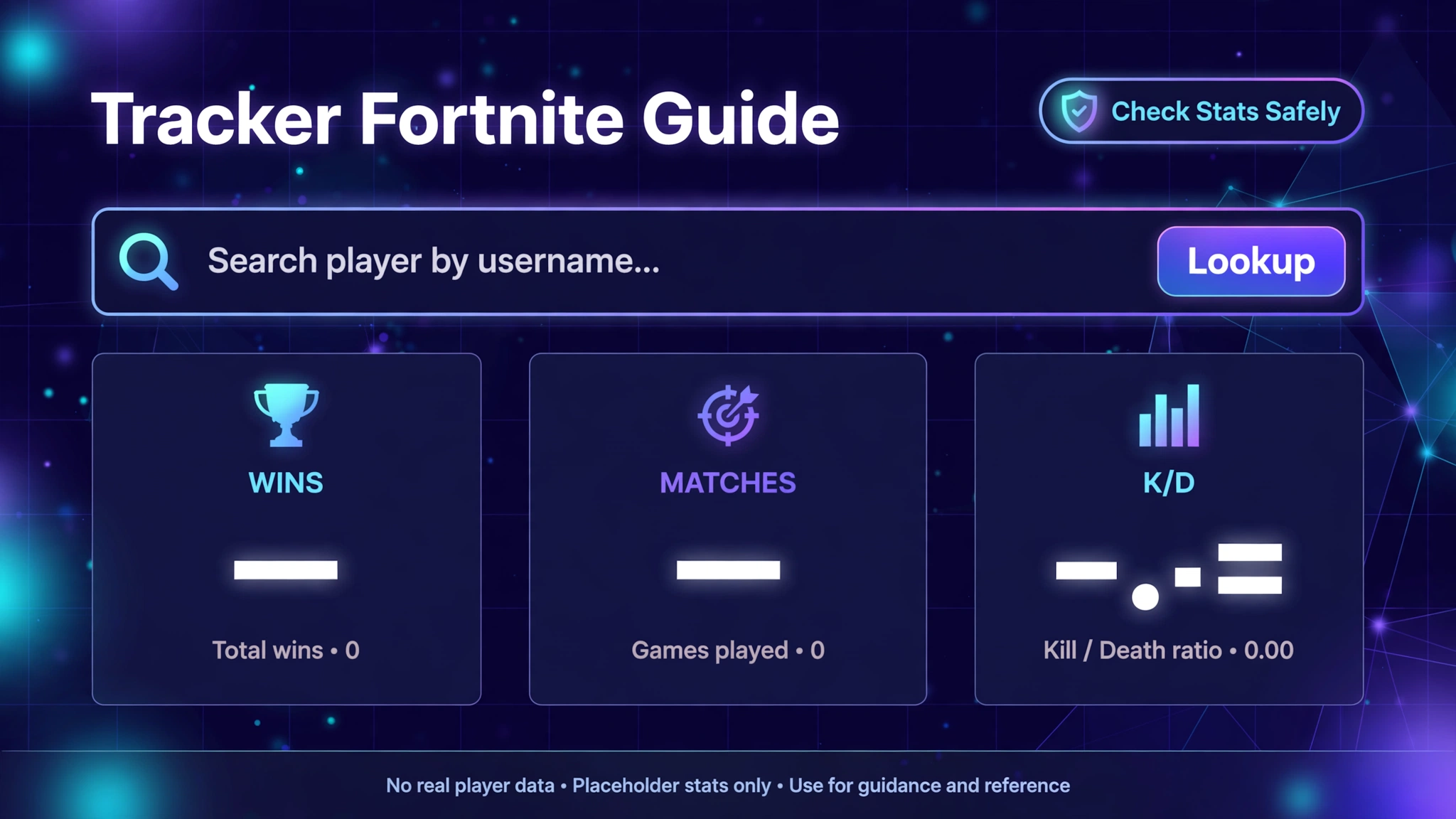
When players search tracker fortnite, they usually want one of two things: a website where they can look up Fortnite player stats, or a plain explanation of what “Fortnite Tracker” actually is. This guide covers both, using sources checked on 8 November 2026.
What is Fortnite Tracker? It is a third-party stats service operated by Tracker Network, the company behind tracker.gg. It takes publicly readable Fortnite data and presents it as player profiles, match lists, ranked history, leaderboards and event pages. Epic Games makes Fortnite, but Epic does not operate Fortnite Tracker, and the service’s own disclaimer, as quoted by independent reviewers, says Epic has not endorsed it.
The phrase is awkward because tracker fortnite reverses the brand name, yet Google clearly treats it as the same need. In current results, the dominant meaning of tracker fortnite is Fortnite Tracker from Tracker Network, surrounded by rival stat sites, companion apps and a few unrelated pages that borrow the name. The sections below keep them apart so you always know which service you are looking at.
Table of Contents
What Is Tracker Fortnite? Fortnite Tracker and the Pages Around It
Fortnite Tracker is the Fortnite section of Tracker Network, a stats company that covers many competitive games. Tracker Network’s X profile describes tracking leaderboards and stats for more than 200 million players across titles such as Fortnite, Warzone and Destiny 2, and the dedicated Fortnite Tracker account is labelled as coming from Tracker Network. Players reach it through a website, an Android and iOS app, and a Windows overlay built with Overwolf, which Tracker Network says is not available for console play.
The simplest mental model for tracker fortnite is a viewer sitting on top of someone else’s data. Epic runs the game and the accounts. Tracker Network reads what is public and arranges it into pages. When the two disagree about your own account, Epic’s records win.
Searches for tracker fortnite also surface several look-alike things, so it helps to separate them:
- Fortnite Tracker / Tracker Network: the stats service this article is about.
- Epic Games / Fortnite: the game itself, your account, the in-game Career tab and Epic’s competitive site.
- Other stat trackers: for example Fortnite.GG, whose about page states that it is not affiliated with Epic Games.
- Same-name apps: a free iOS app called “Tracker for Fortnite” is published by KissApp, a different publisher from Tracker Network.
- The Creative “Tracker” device: a Fortnite Creative device that map builders use to set custom objectives. It has nothing to do with player statistics.
What Can You Track With Fortnite Tracker?
Feature lists for tracker fortnite go stale quickly, so this section sticks to items that more than one current source describes.
- Player profiles. Recent reviews describe tabs such as Overview, Events, Matches, Playlists, Seasons and Bests, filterable by platform, game mode and season.
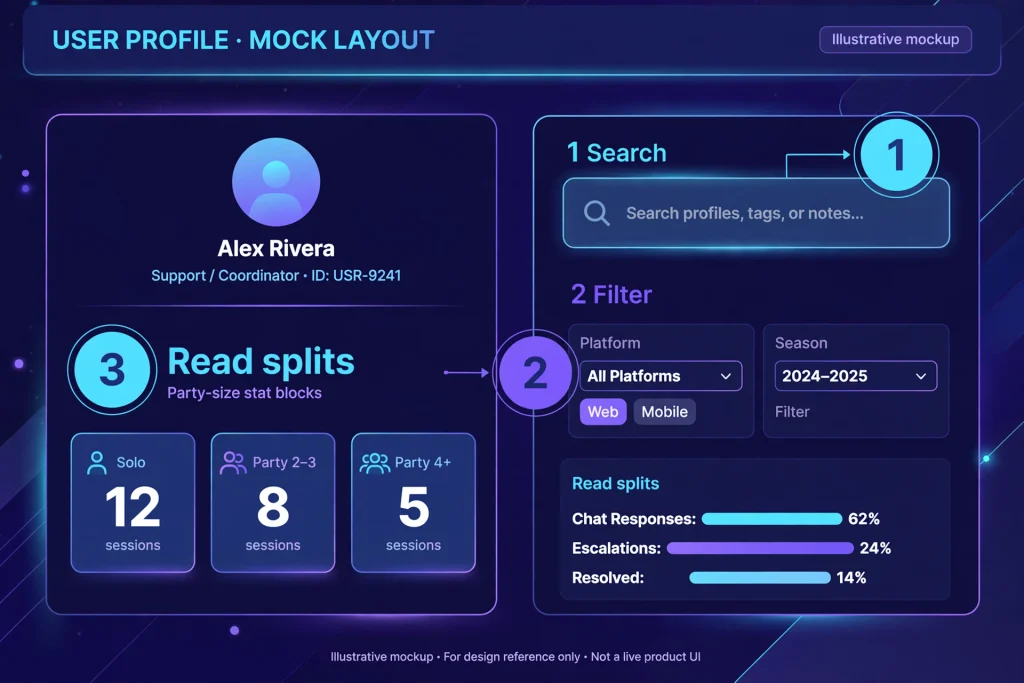
- Party-size splits. Solo, duos, trios and squads are shown separately, with wins, win percentage, eliminations, K/D, top-10 and top-25 finishes, plus a percentile against other tracked players.
- Ranked history. Current and best rank appear alongside a per-season table.
- A recent match list. Useful, but with timing caveats explained later in this guide.
- Leaderboards and event pages. These include competitive events and their standings.
- Item shop and news sections. Mentioned in 2026 reviews of the site.
- Mobile extras. Tracker Network’s app listing mentions an all-time overview, recent matches, events, leaderboards, saved favorites and, for signed-in users, session reports.
One honest limitation: automated requests to fortnitetracker.com were blocked during research, so interface details come from Tracker Network’s own app listings and social pages plus recent independent reviews. Treat tab names as “reported” and confirm them on your own screen.
How to Check Fortnite Stats on Tracker Fortnite, Step by Step
The sequence is similar on most devices, although layouts differ between phone and desktop and change over time.
- Switch on Public Game Stats. In Fortnite, open Settings, choose Account and Privacy, scroll to Gameplay Privacy and turn Public Game Stats on. Epic documents this toggle in an article written for tracker-style sites.
- Open Fortnite Tracker. Use the website or Tracker Network’s mobile app.
- Search by name. Reviews say you can look up an Epic display name, gamertag, PSN ID or account ID. A lookup does not require signing in.
- Choose the correct profile. The next section explains how to avoid grabbing a namesake.
- Start with the current season. Lifetime totals can hide how you play today.
- Apply filters. Narrow by platform, mode and season, then read one party size at a time.
- Cross-check against the Career tab. Epic advises waiting at least 15 minutes after a match before expecting updated numbers.
Signing in with Epic is offered for claiming your own profile, but a plain lookup does not need it, and tracker fortnite never needs your Epic password.
Tracker Fortnite Stats Explained
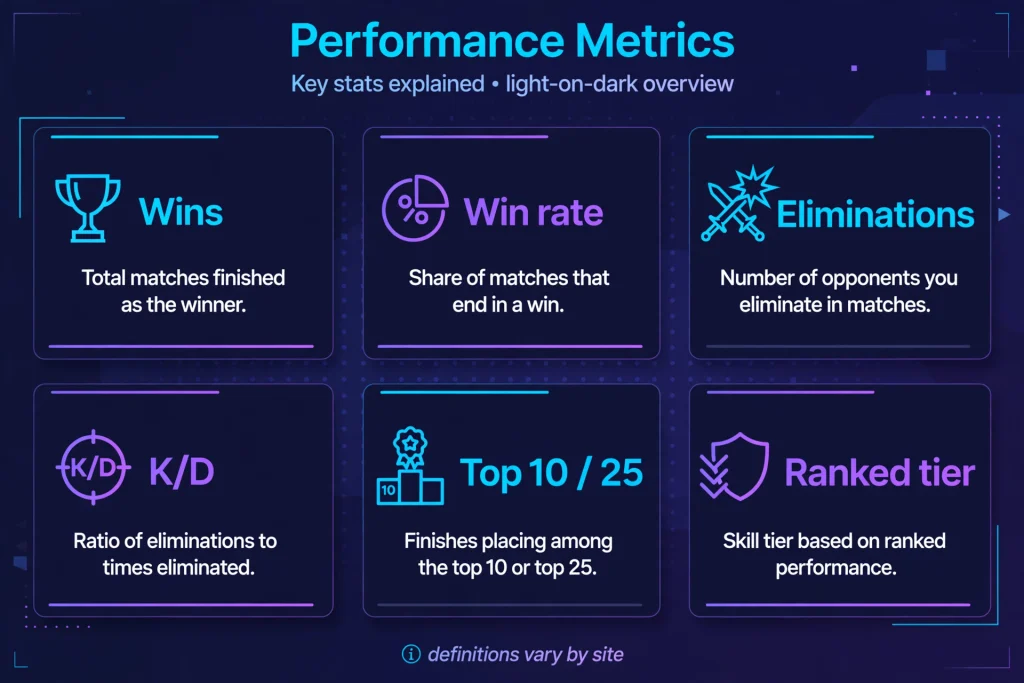
Epic’s in-game Career tab, as described on Epic’s competitive site, covers a short list: Victory Royales, top-10 and top-25 finishes, matches played, average eliminations and total eliminations, filtered by mode, match type, party size and time frame. Everything beyond that, such as K/D, win percentage or percentile, is calculated by a third-party site. That is why definitions matter.
| Statistic | What It Means | Why It Matters |
|---|---|---|
| Matches played | How many games are counted under your current filters | Small samples swing wildly, so check this before trusting any ratio |
| Wins (Victory Royales) | Games where you or your team finished first | The headline figure, but heavily shaped by mode and party size |
| Win rate | Wins measured against matches played | Fairer than raw wins when two players have different playtime |
| Eliminations | Opponents you knocked out | A volume number that grows with playtime |
| K/D | Eliminations compared with deaths, as the site calculates it | Epic does not display it, and some sites may define it differently, so read the label |
| Top 10 / Top 25 finishes | Matches that ended in the upper placement bands | Shows consistency when wins are rare |
| Ranked tier and history | Your ranked division, listed season by season | Ranks reset between seasons, so compare like with like |
| Percentile | Where a stat sits against other players the site tracks | Only meaningful relative to that site’s own pool |
| Power Rankings | A competitive rating; Epic and Tracker run separate systems | The two scales are unrelated, so never mix them |
The classic mistake when reading tracker fortnite numbers is comparing a squads K/D with a solo K/D. Different party sizes mean different lobbies and different pressure. Also remember that a mode may be excluded from totals: Tracker’s own notes, as quoted by reviewers, say Blitz Royale results are no longer counted in overall profile stats. If one number looks strange, check the filter before blaming the data.
How to Find a Fortnite Player on Tracker Fortnite
Searching is easy. Picking the right profile is the real work. Display names are not unique across platforms, and a player may use one name on Epic, another on PlayStation and a third on Xbox. Search the exact spelling, check which platform the result is attached to, and compare a few recent details with what you know about the player before reading anything into the numbers.
Several things can legitimately hide a player:
- Public Game Stats is off. Epic’s help article explains that this setting controls whether third-party sites can show stats.
- The account is below the age threshold. Independent reviews report that Tracker Network cannot retrieve stats for accounts under 13.
- The name changed recently. Search the current display name and, if possible, an older one.
- Tournament results are different. Tracker Network’s support guidance states it is not possible to make Fortnite tournament information private.
A missing profile on tracker fortnite is usually a settings or spelling issue rather than a glitch. If you want to see a friend’s numbers, ask them to check their own toggle rather than trying workarounds.
Tracker Fortnite Leaderboards and Rankings
Leaderboards are one of the features that separate a full stats service from a simple lookup box, and for tracker fortnite users they are often the second stop after a profile. Tracker Network’s mobile app listing says players can be ranked by rating, wins, Hype and other measures, with filters that let you look at your region. The Fortnite section of the site also has event pages that track competitive tournaments.
Two ranking systems cause most of the confusion, so keep them apart:
- Epic’s Power Rankings live on Epic’s competitive site and are Epic’s own competitive rating. Epic describes the system as an Elo-style rating built from a player’s best tournament results.
- Fortnite Tracker’s Power Rankings are a separate system. A Fortnite Tracker page for Epic’s version says the two are not connected and that Epic refreshes its standings weekly, according to coverage of that page.
Rankings can also be built differently on other sites. Fortnite.GG says its leaderboards are updated each time someone views their stats, which means a position there reflects people who were looked up, not necessarily every player. Treat any ranking as a snapshot, check which season and mode it covers, and avoid using a single number to judge skill. Regional boards, seasonal resets and mode filters all change what a “top player” means.
Tracker Fortnite vs Official Fortnite Stats
Both sources have a role. Epic holds the real account and the official in-game view. A third-party tracker adds depth, comparison and history that the in-game view does not offer.
| Feature | Fortnite / Epic Games | Fortnite Tracker |
|---|---|---|
| Player stats | Career tab with a short set of metrics and filters for mode, match type, party size and time frame | Calculated extras such as K/D, win percentage and percentile, split by party size |
| Match history | In-game Career area includes recorded games for your own account | A match list that can lag or group games, and only for public profiles |
| Leaderboards | Event leaderboards and Power Rankings on Epic’s competitive site | Its own leaderboards, event pages and a separate Power Rankings system |
| Competitive data | Official tournament schedules, results and Power Rankings | Event standings and tournament pages built on public information |
| Official account information | Yes, through your Epic account | No. It is a viewer, not an account authority |
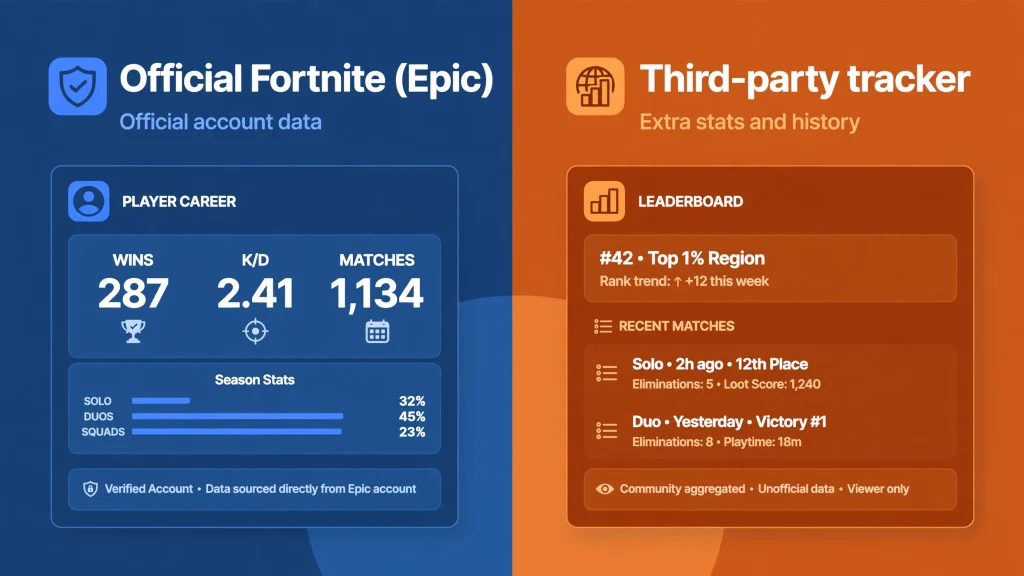
So which should you trust? For anything about your account, purchases, settings or eligibility, Epic is the only authority. For comparing yourself over time or scouting a competitor’s public numbers, tracker fortnite is useful but secondary, because it can only show what it was able to read and when.
Is Tracker Fortnite Accurate?
It can be accurate for what it displays, but it should never be treated as perfect or complete. Several limits apply.
It depends on public data. The service can only show stats a player has made visible. Epic’s help article describes the Public Game Stats setting as the control for third-party sites, and says Epic cannot control what those sites do.
Timing is imperfect. Epic itself says in-game stats can take a while to update and suggests waiting at least 15 minutes. A third-party viewer sits downstream of that. Tracker’s own note, as quoted by reviewers, adds that matches may appear grouped together and suggests leaving the page open while playing so games are caught individually.
Modes and definitions differ. A site may exclude a mode from totals, label a ratio differently or calculate a percentile against its own pool. Two sites can show different K/D values for the same player without either being “wrong.”
Names and platforms shift. Display-name changes and cross-platform play can make a profile look thin or split.
The technical plumbing is not public. I did not find Epic documentation that explains how a service like tracker fortnite pulls its numbers, so this article does not speculate about it. One independent test in September 2026 reported that Epic’s public Data API covers island analytics rather than player stats, but that is a third-party finding and not an Epic statement about trackers.
The practical rule is simple. Use tracker fortnite for trends and comparisons, and use Epic’s Career tab to check a number you care about.
Is Tracker Fortnite Safe to Use?
Used the right way, yes. Looking up stats does not require your Epic password, and reviewers consistently describe lookups as login-free. The risk comes from imitation and oversharing, not from the lookup itself.
What gets shown publicly. If Public Game Stats is on, your stats can appear on a profile that anyone can search by your display name. Tournament results are public regardless of that toggle.
What never to share. No legitimate stats site needs your Epic password, two-factor codes or recovery codes. If a page asks for any of them in exchange for “unlocking” stats, close it.
Spotting imitations. Search results also return pages with garbled names and a separate domain, fortnitetracker.gg, that I could not connect to Tracker Network. Type the address you trust yourself, check the domain carefully, and be wary of pages promising free items or account upgrades.
Controlling your data. Switching Public Game Stats off stops further access. Epic notes that if data is still visible on a third-party site afterwards, you must contact that site’s support to have it removed, because Epic does not control those sites.
Using tracker fortnite safely comes down to three habits: check the domain, keep credentials to yourself and decide deliberately whether your stats should be public. Don’t exaggerate the danger, either. A public stats page shows gameplay numbers, not your email address or payment details.
Why Can’t I Find My Fortnite Profile?
If tracker fortnite cannot find you, work through this table from top to bottom.
| Problem | Likely Reason | Safe Next Step |
|---|---|---|
| Player not found | Typo, wrong platform or a recent name change | Re-enter the exact name and try the other platform or an older name |
| Profile exists but stats are empty | Public Game Stats is off | Turn it on in Settings, Account and Privacy, Gameplay Privacy |
| Numbers look old | Update delay between Epic and the viewer | Wait at least 15 minutes, then refresh |
| Matches merged or missing | The viewer groups games it checks infrequently | Keep the page or app open while you play |
| One mode missing from totals | The site may exclude certain modes | Check the mode filter and the site’s notes |
| Account cannot be retrieved at all | Reported age restriction for accounts under 13 | Use the in-game Career tab instead |
| Site will not load | Outage or a local network problem | Try another device, then check Tracker Network’s official channels |
I did not verify a dedicated public status page for Fortnite Tracker, so the safest “official” sources for outages are Tracker Network’s own social accounts and Epic’s official Fortnite channels. Avoid third-party “fix” downloads, and never type your Epic credentials into a page that claims to repair a profile.
Tracker Fortnite for Different Players
Casual players can use tracker fortnite to see whether they improved this season instead of guessing. A few filtered views are enough. Younger fans who like the game but don’t need stats can try our printable Fortnite coloring pages as an offline alternative.
Competitive players can use tracker fortnite to review event pages and leaderboard standing, remembering that Epic’s official competitive site is the authority for tournament information.
Friends can compare numbers, ideally in the same mode and party size so the comparison means something.
Content creators can use public profiles for research, but should avoid exposing private details or implying that a stat line proves skill.
Competitive researchers can study public leaderboards and event standings, noting each site’s method and update timing.
None of these uses justify judging someone by a single ratio. K/D, wins and rank all depend on mode, lobby and playtime.
Tracker Fortnite Alternatives That Currently Exist
Several services overlap with tracker fortnite, though none is identical.
- Epic’s Career tab. Free, official and limited, and the best check for your own account.
- Epic’s competitive site. The official place for Power Rankings, event leaderboards and tournament schedules.
- Fortnite.GG. A separate site that splits stats by mode, including sections for Battle Royale, Blitz, OG, Reload and Ranked, and that states it has no affiliation with Epic Games.
- Tracker Network’s mobile app. The same service in app form rather than a rival.
I looked for other names to list, but only mentioned services I could confirm in current results, and none of them replaces tracker fortnite feature for feature. If you use any other site, apply the same safety checks.
How to Get the Most From Fortnite Tracker
- Compare like with like. Match mode, party size and season before drawing conclusions.
- Watch trends, not single sessions. A bad night barely moves a season total.
- Use two sources for important numbers. Check a figure on tracker fortnite against the Career tab.
- Keep Public Game Stats a conscious choice. Review it whenever your situation changes.
- Save favorites. The mobile app lists a favorites feature for quick access to profiles you follow.
- Link out sensibly. If you are exploring your account further, see our guide to Fortnite account value, our overview of the Fortnite age rating, and our Fortnite database for item and cosmetic details.
- Pair stats with practice. Numbers show what happened, not why. For gameplay help, browse our Fortnite guides.
Conclusion
Tracker fortnite almost always points to Fortnite Tracker, the stats service from Tracker Network that reads public Fortnite data and presents it as profiles, match lists, ranked history and leaderboards. It is independent of Epic Games, free to look up without an account and genuinely useful for comparison. It is also limited by public settings, update timing and its own definitions.
Treat it as a helpful mirror rather than a judge. Keep Public Game Stats under your control, never hand your credentials to any stats page, and confirm anything important in Epic’s own tools. Used that way, tracker fortnite gives you a clearer picture of how you actually play.
Frequently Asked Questions
What is Fortnite Tracker?
Fortnite Tracker is a third-party Fortnite stats service from Tracker Network. It displays public player data such as profiles, ranked history, match lists and leaderboards.
Is tracker fortnite free?
Looking up a player does not require an account, according to current reviews. Tracker Network also lists optional premium features in its app, so check what a feature costs before paying.
How do I check my Fortnite stats?
Open the Career tab in Fortnite for the official view, or search your name on Fortnite Tracker after enabling Public Game Stats in Settings, Account and Privacy, Gameplay Privacy.
Can I search for another Fortnite player?
Yes, if that player has public stats. Search the exact display name and confirm the platform before reading the results.
Why can’t I find my Fortnite profile?
The most common reasons are a disabled Public Game Stats setting, a typo, a platform mismatch, a recent name change, or a reported age restriction for accounts under 13.
Is tracker fortnite accurate?
It is useful but not guaranteed. Update delays, grouped matches, mode exclusions and differing definitions can all cause numbers to differ from what you expect.
Is tracker fortnite safe?
A normal lookup does not need your Epic password. Avoid look-alike sites, never share passwords or 2FA codes, and confirm the domain you are on.
Does tracker fortnite show match history?
It shows a recent match list, though matches can appear grouped or delayed, and the list is only available for public profiles.
Does tracker fortnite show Fortnite rankings?
It has leaderboards and ranked history, and it runs its own Power Rankings alongside a page for Epic’s separate official system.
Is Fortnite Tracker official?
No. It is operated by Tracker Network, and reviewers quote its disclaimer saying Epic Games has not endorsed it.
Sources and References
Official and near-official sources
- Epic Games Help: “How do I view my statistics in Fortnite?” https://www.epicgames.com/help/c-202300000001636/c-202300000001721/how-do-i-view-my-statistics-in-fortnite-a202300000014308
- Epic Games Help: “How to enable or disable public match statistics (for Fortnite tracker, etc.)” https://www.epicgames.com/help/en-US/c-202300000001636/c-Trending_0/how-to-enable-or-disable-public-match-statistics-for-fortnite-tracker-etc-a202300000014048
- Epic Games Help: “How can I manage my privacy settings in Fortnite?” https://www.epicgames.com/help/en-US/c-Category_Fortnite/c-Fortnite_Gameplay/how-can-i-manage-my-privacy-settings-in-fortnite-a000087559
- Fortnite Competitive: “How to check Fortnite stats” https://www.fortnite.com/competitive/discover-competitive/how-to-check-fortnite-stats
- Epic Developer Documentation: “Career tab” https://dev.epicgames.com/documentation/fortnite/career-tab
- Tracker Network support post: “How to make your account Private/Public” https://feedback.tracker.gg/t/how-to-make-your-account-private-public/54773
- Tracker Network: Apps page https://tracker.gg/apps
- Tracker Network: Fortnite app page https://tracker.gg/fortnite/app
- Tracker Network (@trackernetwork) on X: https://x.com/trackernetwork?lang=en
- Fortnite Tracker (@FortniteTracker) on X: https://x.com/FortniteTracker?lang=en
- Google Play: “Tracker Network for Fortnite” https://play.google.com/store/apps/details?id=network.tracker.app&listing=fortnite&hl=en_US
- App Store: “Tracker Network Stats” https://apps.apple.com/us/app/tracker-network-stats/id1287696482
- App Store: “Tracker for Fortnite” (KissApp) https://apps.apple.com/us/app/-/id1400133670
- Fortnite.GG: Fortnite Stats Tracker https://fortnite.gg/stats
Secondary sources
- NeuralBoost: “How to check Fortnite stats: Career tab, trackers” (updated 1 November 2026). Used to cross-check quotations from Epic and Tracker Network pages that could not be opened directly. https://neuralboost.gg/blog/how-to-check-your-fortnite-stats-career-tab-epics-api-and-the-privacy-setting-that-hides-them
- GameForst: “Fortnite Tracker Explained: Is It Worth Using in 2026?” https://gameforst.pages.dev/blog/fortnite-tracker-guide/
- PC Gamer: “The best Fortnite stat trackers and how to use them” https://www.pcgamer.com/best-fortnite-stat-trackers
- Fortnite Wiki: “Tracker (Device)” https://fortnite.fandom.com/wiki/Tracker_(Device)

Written by Daniel Carter
Daniel Carter is a dedicated gaming writer who enjoys turning complex gaming topics into clear, useful, and engaging content. He covers game guides, tips, reviews, features, and the latest developments across the gaming world. His approach focuses on research, accuracy, and practical value, helping readers discover new games, improve their gameplay, and stay informed about the industry. For Daniel, great gaming content is not just about information—it is about making every article genuinely worth reading.