
PoE 1 Trade is how Path of Exile 1 players find gear, buy upgrades, sell loot and swap currency with each other, and the official place to start is the Grinding Gear Games trade website at https://www.pathofexile.com/trade. The game has no traditional auction house, so the website only finds listings; the actual exchange still happens in the game. This guide shows you how to use PoE 1 Trade from your first search to your first sale, in plain language.
If you are new, the short version is simple: Path of Exile 1 trade works best when you choose your league, search for an item, compare several listings, contact the seller (or use an instant buyout), and check the trade window before you accept. Everything below covers Path of Exile 1 only, so PoE 1 Trade instructions here should not be applied to the sequel. Path of Exile 2 has its own trade page and economy, and we point out the difference so you do not mix them up.
Table of Contents
What Is PoE 1 Trade?
PoE 1 Trade is the player-to-player market of Path of Exile 1. Most items in the game are not bound to your account, so weapons, armour, gems, maps and currency can all change hands. Because the game does not use a universal gold coin for pricing, stackable currency items such as Chaos Orbs and Divine Orbs act as money.
In practice, PoE 1 Trade has two layers, and keeping them apart clears up most beginner confusion about Path of Exile item trading:
- Discovery: the official website indexes items that players have publicly listed, so you can search by item, modifiers, league and price.
- Exchange: the item and payment change hands inside the game, either in a trade window or through the newer asynchronous system explained later.
A listing is an advertisement, not a completed sale. The seller may be offline, may already have sold the item, or may have changed their price. Treat every result as a lead, not a guarantee.
One exception matters: players in Solo Self-Found (SSF) leagues cannot trade, so PoE 1 Trade does not apply to them.
How to Access the Official PoE 1 Trade Website
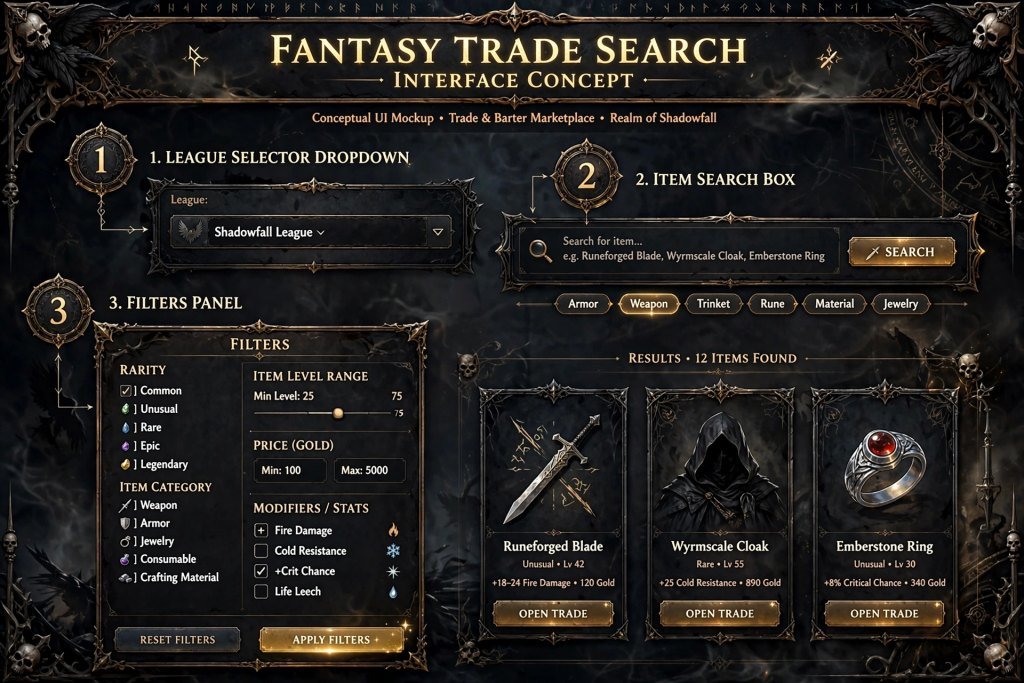
The official PoE 1 Trade website, often called the PoE trade website, lives on the same pathofexile.com domain as the game’s forums and your account page. Here is the safest way to reach it:
- Open your browser and type pathofexile.com/trade yourself, or navigate from the official Path of Exile homepage. Do not follow trade links from strangers.
- Check that the address is on the pathofexile.com domain before you do anything else.
- Sign in with your normal Path of Exile account when the site asks. You never need to give your password to anyone else.
- Confirm that you are on the PoE 1 Trade page for Path of Exile 1 and not the Path of Exile 2 page. The two games use separate trade pages with different addresses.
- Pick your league from the league selector before you search.
That last step is the one beginners skip. The Path of Exile trade site searches one league at a time, and an item listed in a different league cannot be bought by your character.
It also helps to know what the official site is not. It is a search service for listings, not a database of item modifiers, a live price tracker or a guarantee of what an item will sell for. Community tools handle those jobs, and we compare them later in this guide.
How to Search for Items on PoE 1 Trade
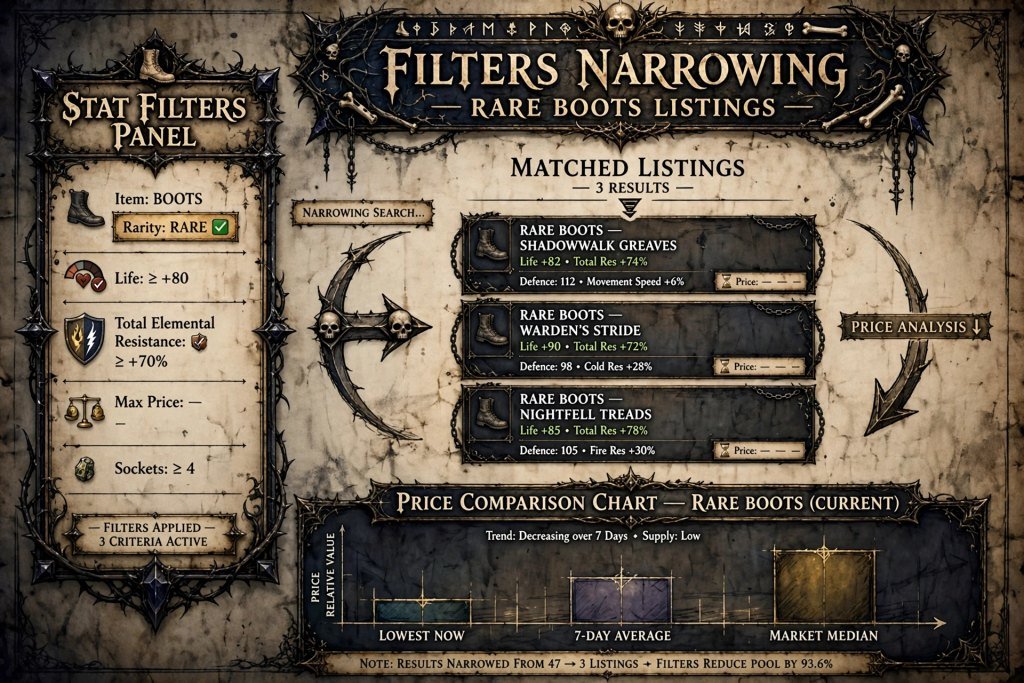
A good PoE 1 Trade search follows the same logic every time: choose the league, describe the item, add only the filters that matter, and compare several results before you contact anyone.
Start With a Name or a Category
Items with fixed names are the easiest to find. Type the name of a unique item or a skill gem into the search field and press Enter. For rare items, which have random names, pick a category instead, such as boots, rings or body armour, and describe what you need with filters.
Gems deserve a special note. Because gems are available at level 1 from an NPC, you are usually searching the Path of Exile trade site for gems with specific level, quality or corruption status. Corrupted gems are often much cheaper, because they can no longer be improved further. If you do not want a corrupted gem, set the corruption field to “No.”
Add Stat Filters
Stat filters are where PoE 1 Trade becomes powerful, and they are the core skill behind Path of Exile item trading. Open the filter panel, choose the option to add a stat filter, type the modifier you want and set a minimum or maximum value. Make sure you pick the correct modifier type, such as explicit or enchantment, so the search matches the line you are looking at on the item.
The panel offers different search modes. The default mode requires every stat you listed to match. Other modes, such as a count-based search, are useful when you want items that satisfy several of a longer list of desirable stats.
Use Pseudo Stats for Resistances
Almost every build needs resistances, so this tip saves real time. The site includes “pseudo” stats, which are not real modifiers on the item but combined searches the site calculates for you. A total elemental resistance pseudo stat adds up fire, cold and lightning resistance together.
Here is why that matters. If you search for 35 percent in each of three resistances, you will miss an item with 44, 34 and 40, even though its total is higher. Searching for a combined total finds both. Use exact per-resistance filters only when your build truly needs specific values.
Online Only, Instant Buyout and Live Search
Three status options change how a PoE 1 Trade search feels:
- Online only: hides sellers who are not currently playing. Keep it on for most searches.
- Instant buyout: limits results to asynchronous listings, so you can buy without whispering anyone. We explain how it works in the buying section.
- Live search: keeps the search active and alerts you when a new matching item is listed. The browser tab must stay open for it to work, and it is handy early in a league when supply is thin.
A Hypothetical Search Example
This example illustrates a method, not current market data. Imagine you need rare boots for a melee character. You choose your league, set the category to boots, and require life, movement speed and a total elemental resistance. The first search returns only a few results at very high prices.
Instead of paying the top price, you relax the movement speed minimum a little and drop the filter you can fix elsewhere. Now dozens of listings appear, and the cheaper ones still meet your real needs. Starting strict and then loosening the least important filter is the fastest way to find value with PoE 1 Trade.
Two small facts help while you compare. Crafted modifiers on an item can usually be removed and replaced at a crafting bench, so focus on the modifiers that cannot be changed. And sockets, links and colours can usually be adjusted after purchase, unless the item is corrupted.
Sorting and Reading Results
Results are sorted by price from lowest to highest by default. On items with variable rolls, clicking a stat on a listing re-sorts the results by that stat, which is useful when one roll matters more than the rest. Always read the modifiers, not just the price.
How to Buy Items Using PoE 1 Trade
There are two routes for buying through PoE 1 Trade: the traditional whisper method and asynchronous trading.
The Whisper Method
- Decide which stats are essential and which are optional.
- Search in the correct league and category, then compare several listings.
- Click the whisper button on the listing you want. This copies a pre-written message to your clipboard.
- Paste the message into the in-game chat and send it.
- If the seller is available, they will usually send you a party invite.
- Prepare your payment first. Take the currency out of your stash and split the stack so you can offer the exact amount.
- Travel to the seller’s hideout and wait for them to open the trade. The usual etiquette is that the buyer waits and the seller starts the trade.
- In the trade window, inspect both the item and the currency before you accept.
Sellers can be slow, busy or gone. If nobody replies within a few minutes, move on to the next listing instead of waiting indefinitely. It is common to message a few sellers at once, as long as you politely tell the others once you have bought elsewhere.
Asynchronous Trading and Instant Buyout
Since patch 3.27, PoE 1 Trade also supports asynchronous trading, so the seller does not need to be present. When a listing supports this method, the website shows a “Travel to Hideout” button. The game takes you to the seller’s hideout, where you can buy the item through the vendor Faustus without any back-and-forth chat.
Buying this way has a gold cost, which is shown on the trade website and on the item tooltip. If you want to avoid whispering altogether, use the instant buyout filter described earlier. It is the easiest way for a beginner to complete a PoE 1 Trade purchase.
For a wider look at buying and selling across both games, read our Path of Exile trade guide.
How to Sell Items With PoE 1 Trade
Selling means making your items publicly visible with a price so the trade website can index them. You have two practical options.
Public premium stash tab. This is the long-standing method. Put items in a premium stash tab, set the tab to public, and price the items. Buyers then find them through PoE 1 Trade. Forum listings still exist but are largely a relic, so most players use a tab.
Merchant’s Tab and Faustus. This is the asynchronous method. You need a Merchant’s Tab, and you invite Faustus to your hideout (he becomes available around Act 6 of the campaign). You then place an item in the tab and price it. After about 30 seconds the item locks and is listed on the official trade website, and buyers can travel to your hideout and buy it while you are away. There is no fee to list an item, and each item is priced individually. Premium stash tabs bought before late August 2025 can be converted to Merchant’s Tabs from your account page, and new ones can be bought in the shop.
Whichever method you pick for selling with PoE 1 Trade, the account and interface rules can change, so confirm your options in the game before you plan a sale.
Selling Etiquette That Helps
- Keep prices current and remove items you have already sold.
- Reply quickly and politely when someone whispers you.
- Send the party invite and let the buyer come to you.
- Check the offered currency in the trade window before you accept.
How to Price-Check Items in PoE 1 Trade
Price checking is the habit that makes every PoE 1 Trade purchase and sale safer. It answers one question: what would a buyer realistically pay for an item like this today? Use this process:
- Search for comparable items. Use the same base type or unique name and the two or three modifiers that matter most.
- Compare roll quality. Two items with the same modifier can differ greatly in value depending on how high the roll is. An item database can show the possible range for each modifier.
- Check the other properties. Look at item level, quality, corruption, influence, sockets and links where they apply.
- Consider build demand. An item that fits a popular build sells faster and higher than a niche one.
- Read the market depth. Many similar listings suggest high supply, so the top of the price range may not sell.
- Set your price. For a quick sale, aim near the lower end of genuinely comparable listings.
Asking Price vs. Real Sale Price
The trade site shows asking prices, not completed sales. A listing can sit at an optimistic price for days. Treat the cheapest few comparable listings as the most realistic signal, and treat a suspiciously low price with caution, because it may be mispriced, out of date or bait.
Rarity Is Not Value
A unique item is not automatically expensive, and a well-rolled rare can be worth far more. Value comes from demand and roll quality, not from the item’s colour.
PoE 1 Trade Currency: Bulk Exchange and the Currency Exchange
A PoE currency trade is a swap of one currency item for another, and the right tool depends on the amount and the item. There are three common routes:
- Bulk item exchange on the trade website. The official site has a separate bulk exchange area. You pick what you want and what you are offering, and it lists players who accept that swap. This is for non-equipment items such as currency, maps and fragments, and you can set a minimum quantity.
- The in-game Currency Exchange. Introduced with the Settlers of Kalguur league, this market is reached through Faustus. You choose what you want (“I Want”) and what you offer (“I Have”), set a ratio and pay a gold fee. Orders can fill while you play. Closing an order does not refund the gold, and the feature is limited to leagues where trading is allowed.
- Direct trades with other players. You whisper a seller, go to their hideout and complete the swap in a trade window.
The Currency Exchange does not handle equippable gear, and any PoE currency trade you plan should start by checking which tool accepts your item. Path of Exile 1 trade for gear still runs through the main PoE 1 Trade search, which covers weapons, armour and jewellery. If you want a full explanation of currency items and what they do, our PoE currency guide covers that in depth.
Why Currency Rates Move
Exchange ratios are never fixed. They shift with league age, farming supply, build popularity and patches. Early in a league, rates can swing quickly. Do not rely on a ratio you saw in an old video or article. Check live listings in your own league before every large PoE currency trade, and remember that buying in large bulk from one seller can cost an extra premium for the convenience.
Understanding Leagues and Trade Filters
League selection decides which market you are shopping in, which makes it one of the most important PoE 1 Trade settings. Path of Exile 1 has permanent Standard leagues and a temporary challenge league that usually runs for a few months. Each has its own economy, so the same item can have a very different price in each.
A new challenge league starts with everyone at zero, so currency is scarce and prices are driven by early supply. Standard has a long-established economy and a large pool of items. When a challenge league ends, characters and stash contents move to the matching permanent league.
At the time of writing, secondary sources report that Curse of the Allflame (patch 3.29) launched on July 24, 2026 as the current challenge league, and we found no official end date. League details change, so always confirm the active league in the selector before you search. Do not apply Path of Exile 2 league information to PoE 1 Trade.
The Filter Groups That Matter
- Type and category: narrows results to a slot or base type.
- Stat filters: modifiers with minimum and maximum values.
- Defence and damage filters: armour, evasion, energy shield and damage ranges.
- Requirements and sockets: level requirements, sockets and links.
- Trade filters: maximum price, online status and instant buyout.
The most common mistake is over-filtering. Each extra requirement removes listings, so six strict stat filters often return nothing or only luxury prices. Build in layers: start with the two or three modifiers your build truly needs, check the results, then add more only if you still see too many options. When you switch to a different type of item, clear the old fields first.
Common PoE 1 Trade Mistakes
Most PoE 1 Trade losses come from small slips rather than clever scams. Watch for these:
- Searching the wrong game or league. You see items you cannot buy.
- Misreading modifiers. A similar-looking item can have a weaker roll or a worse modifier type.
- Comparing unlike items. Corrupted and uncorrupted items, or different bases, are not comparable.
- Trusting one asking price. Always compare several listings.
- Contacting stale listings. The item may have sold or the seller may be offline.
- Misunderstanding currency amounts. Check the currency type and stack size in the trade window.
- Rushing the trade window. Slow down for the last two seconds.
- Using unverified third-party sites. Stick to the official domain for logins.
The prevention step for nearly all of them is the same: pause, compare, and verify before you click accept.
Is PoE 1 Trade Safe?
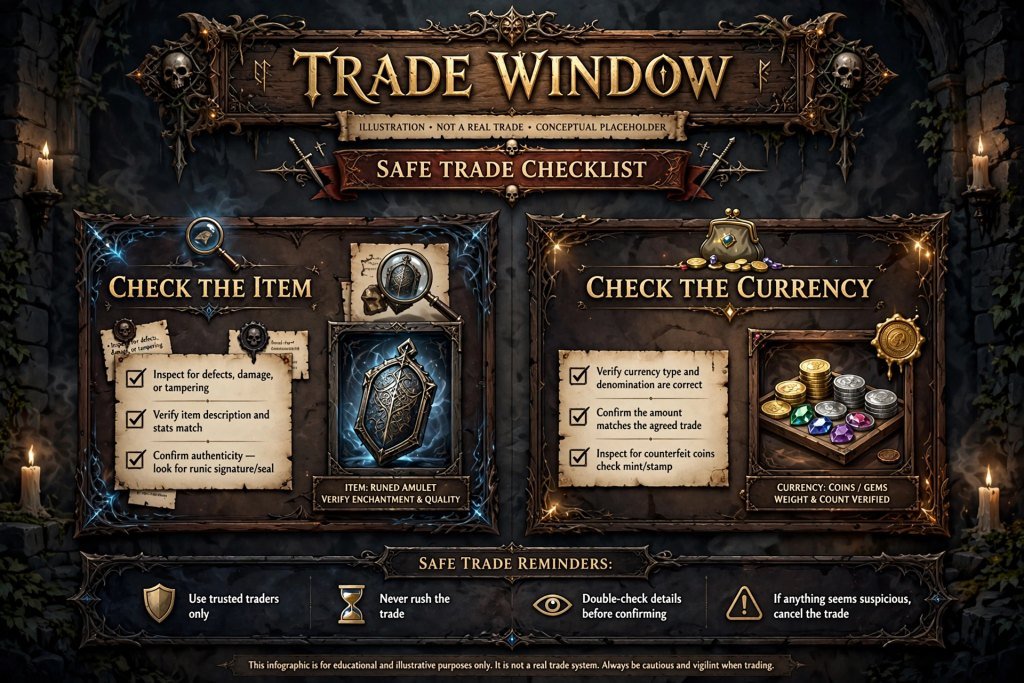
PoE 1 Trade is a long-running, official service, but no trade is risk-free, and the safety habits are your responsibility. Use these:
- Inspect the item and the currency before accepting. Hover over both and confirm the modifiers, the currency type and the amount.
- Watch for last-second changes. If the trade window changes after you have started checking, cancel and begin again.
- Make sure the item matches your search. Only buy what you came for.
- Never share your password or authentication codes. No legitimate trade needs them.
- Avoid suspicious downloads and fake sites. Use the official pathofexile.com domain.
- Be sceptical of deals that look too good. An item priced far below the rest deserves extra checking.
The asynchronous system also adds some protection, because the game itself warns you in some situations if the price you are about to pay differs from the one you selected. Even so, read prompts carefully rather than clicking through them.
Official Trade Website vs. Third-Party Tools
The official PoE trade website behind PoE 1 Trade is for finding listings and contacting sellers. Other tools solve different problems, and mixing them up leads to mistakes.
| Resource | Main purpose | What to remember |
|---|---|---|
| Official trade website | Search listed items and use the bulk exchange | Run by GGG; listings can be out of date |
| Item database (for example, poedb) | See possible modifiers and ranges | Not a marketplace |
| Price-checking tools | Estimate item value quickly | Estimates only; confirm on the official site |
| Currency tracking sites | Show approximate exchange rates | Can lag behind the live market |
Some community add-ons add shortcuts to the trade website, such as opening a search from a build page. These are not official, so confirm that a tool supports Path of Exile 1, comes from a reputable source and never asks for your password. Use third-party tools as helpers, not as a substitute for checking the listing yourself. Path of Exile 2 players need different tools, and our guide to PoE2 price-checking tools covers them.
Troubleshooting PoE 1 Trade
Most PoE 1 Trade problems have a quick fix, and the table below lists the usual ones.
| Problem | What to try |
|---|---|
| No search results | Remove the most restrictive filter, lower minimum values and confirm the league |
| Too many results | Add one essential stat filter, sort by price and set a maximum price |
| Seller does not answer | Wait a few minutes, then try another listing or use instant buyout |
| Listing looks unavailable | The item may have sold; move to the next one |
| Prices look inconsistent | Compare several similar listings and ignore outliers |
| Hard to read modifiers | Check an item database for ranges and tiers |
| Wrong league or game | Re-select the right league and search again |
| Site will not load | Confirm the official domain and your login, then check GGG announcements for outages |
If a seller invites you to a party and then goes quiet, wait briefly, leave the party and move on. Do not wait in someone’s hideout indefinitely.
Frequently Asked Questions About PoE 1 Trade
What is the official PoE 1 Trade website?
It is pathofexile.com/trade, run by Grinding Gear Games. You sign in with your Path of Exile account, choose your league and search publicly listed items. It is separate from the Path of Exile 2 trade page.
How do I buy items in Path of Exile 1?
Select your league, search with a few meaningful filters, compare listings and use the whisper button or an instant buyout. For a whisper, wait in the seller’s hideout for the trade request and check the trade window before accepting.
How do I sell items using PoE 1 Trade?
List items publicly with a price, either in a public premium stash tab or through a Merchant’s Tab and Faustus. Buyers then find the items on the trade website. Keep prices current and reply quickly.
Is the official PoE trade website free to use?
Searching the website does not require payment. Some selling tools, such as premium or Merchant’s Tabs, are bought in the shop, and asynchronous buying uses in-game gold. Costs can change, so check the in-game interface.
Why can I not find an item?
Your filters are probably too strict, or the league is wrong. Remove the least important filter, lower minimum values and confirm the league matches the one you play. Clear old fields when you change item type.
How can I estimate an item’s price?
Search for similar items with comparable modifiers and compare the lowest realistic listings. Consider roll quality, other properties and build demand, and remember that listings show asking prices, not guaranteed sale prices.
Is Path of Exile 1 trading different from Path of Exile 2?
Yes. The games have separate trade pages, leagues and economies. Check that you are on the PoE 1 Trade page before searching, and do not apply Path of Exile 2 instructions to Path of Exile 1. If you play the sequel, use our Path of Exile 2 trade guide instead.
Can I complete a trade directly from a listing?
Not in the usual case. A listing only helps you find and contact the seller. The exchange completes in the game, either in a trade window or through an asynchronous purchase from the seller’s hideout.
Key Takeaways
- The official PoE 1 Trade website is https://www.pathofexile.com/trade.
- A listing is not a completed sale; the exchange happens in the game.
- Always select the correct league and the correct game before you search.
- Start with a few meaningful filters, then tighten in layers.
- Use pseudo stats for resistances and compare several listings before you buy.
- Asking prices are not sale prices, so compare before you pay or list.
- Use the bulk exchange or the in-game Currency Exchange for a PoE currency trade, and the main PoE 1 Trade search for gear.
- Inspect the item and currency in the trade window before you accept.
Conclusion
PoE 1 Trade is easy to start and rewarding to master. The basic loop is short: pick the right league, search with a few useful filters, compare listings, contact the seller or use an instant buyout, and check the trade window before accepting. Selling follows the same logic in reverse, with accurate prices and quick replies.
The newer asynchronous options and the in-game Currency Exchange make trading more convenient, but the fundamentals still protect you. Prices move, listings go stale, and a calm check catches most problems. Your next step is simple: open the official Path of Exile trade site, choose your league and price-check one item from your own stash. A few minutes of practice with PoE 1 Trade will make your next upgrade and your next sale much faster.
Research and Source-Verification Notes
Sources actually consulted (title, URL):
- PoE Vault, “How to Trade in Path of Exile” (updated March 2026): https://www.poe-vault.com/guides/how-to-trade-in-path-of-exile (full page read: search filters, pseudo stats, live search, instant buyout, Faustus, selling, the official /trade URL, SSF restriction)
- PoE Wiki, “Asynchronous trading”: https://www.poewiki.net/wiki/Asynchronous_Trade (search-result text only; direct fetch was blocked): Faustus in Act 6, 30-second lock, “Travel to Hideout”, Merchant’s Tab requirement, 3.27.0 introduction
- PoE Wiki, “Merchant’s Tab”: https://www.poewiki.net/wiki/Merchant_Tab (search-result text only): shop price, conversion of older premium tabs, no selling fee, buyer gold cost, not available in SSF
- PoE Wiki, “Currency Exchange Market”: https://www.poewiki.net/wiki/Currency_Exchange_Market (search-result text only): “I Want” / “I Have”, gold fee, no refund on closing an order, trade-enabled leagues
- Maxroll, “Currency Exchange Market”: https://maxroll.gg/poe/currency/currency-exchange-market (search-result text only)
- Prima Games, “Settlers of Kalguur Currency Exchange Market”: https://primagames.com/?p=273181 (search-result text only)
- GGG forum thread on bulk currency trading: https://pathofexile.com/forum/view-thread/2757950 (confirms a bulk item exchange on the official trade site)
- Designbeep, “POE Trade”: https://designbeep.com/2026/07/09/poe-trade/ (search-result text only; confirms no automated auction house)
- PC Gamer, “How to trade with other players in Path of Exile”: https://www.pcgamer.com/uk/Path-of-exile-how-to-trade (search-result text only)
- Mobalytics, “3.29 Curse of the Allflame: Release Date”: https://mobalytics.gg/poe/guides/3-29-curse-of-the-allflame-release-date and Season Timer: https://seasontimer.live/poe/ (league launch July 24, 2026; no official end date seen)
- GamesPuma homepage and existing post: https://gamespuma.com/ and https://gamespuma.com/poe-1-trade/ (internal URLs, existing content, and slug)

Written by Daniel Carter
Daniel Carter is a dedicated gaming writer who enjoys turning complex gaming topics into clear, useful, and engaging content. He covers game guides, tips, reviews, features, and the latest developments across the gaming world. His approach focuses on research, accuracy, and practical value, helping readers discover new games, improve their gameplay, and stay informed about the industry. For Daniel, great gaming content is not just about information—it is about making every article genuinely worth reading.