In this article
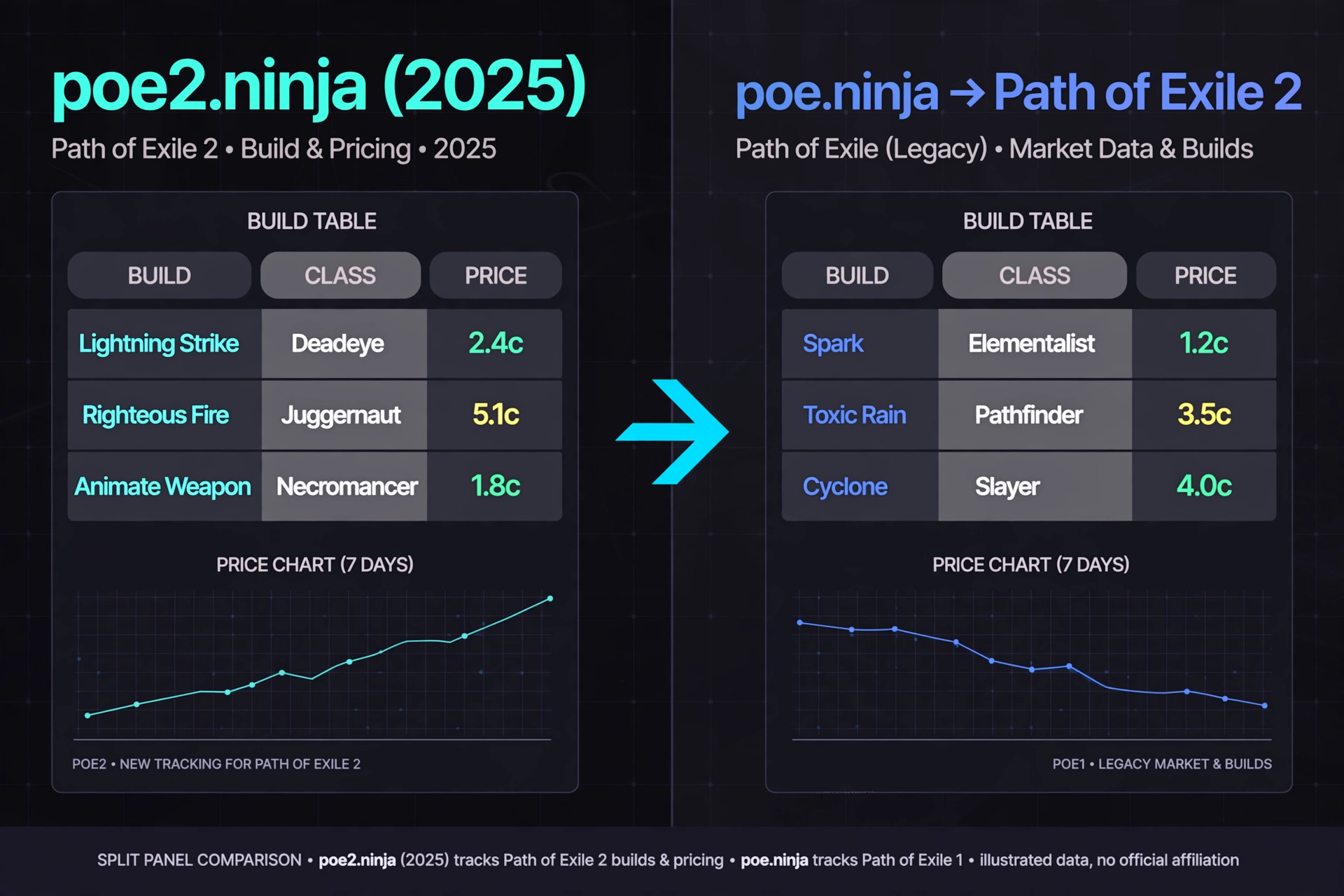
PoE2 Ninja is the Path of Exile 2 section of poe.ninja, the community-built tracker for character builds and market prices. The old poe2.ninja address is no longer a separate site. According to the site’s own announcement, it was merged into poe.ninja on August 23, 2025, and a game selector in the top bar now switches between Path of Exile and Path of Exile 2.
This guide explains what the PoE 2 side offers, how to use it step by step, how to read its numbers, and where its data can mislead you. Everything below reflects the site’s official posts and documentation as of October 10, 2026.
Table of Contents
What Is PoE2 Ninja?
PoE2 Ninja is a free community tool that shows what other Path of Exile 2 players are doing and what things cost. It has two main halves. Builds lets you explore characters and see how popular different classes, skills and items are. Economy tracks currency and unique item prices.
The project is run by a developer who has been building poe.ninja since 2016. The standalone poe2.ninja site existed from December 2024, but its first real content, the Builds section, launched on February 10, 2025. Then, in August 2025, the two sites became one.
Two clarifications matter for readers:
- It is not official. The site states that it is not affiliated with or endorsed by Grinding Gear Games, the studio behind Path of Exile 2.
- The name has changed in practice. People still search for “poe2 ninja” or “poe2.ninja,” but the destination is poe.ninja, with PoE 2 pages under the /poe2 path, such as poe.ninja/poe2/builds and poe.ninja/poe2/economy.
Old links should keep working because redirects were added when the sites merged. One small leftover: the merge post noted that Path of Building links for PoE 2 would temporarily keep using poe2.ninja URLs. If you see one, that is expected.
What Can You Use PoE2 Ninja For?
The site’s release notes describe these PoE 2 features.
Builds. Browse characters that the site tracks, and filter by class, items, keystones and other dimensions. Each filter shows the percentage of characters using it. The site also has a passive skill tree heatmap.
Character pages. Open any character to see equipment, passives, skill gems and stats, which are simulated through Path of Building. Hover a defensive stat and the site traces it back to the items and passives behind it. Offensive stats work similarly for each main skill’s damage.
Economy. Currency prices come from the in-game Currency Exchange. Unique item prices were added in May 2026 across eight categories, with price history and a trade button.
Planning tools. There is a passive skill tree, a Tree Version History page for comparing patches, and a hosting service for Path of Building codes.
Character Trade Search and Build Planner export. You can jump from an equipped item to a pre-filled search on the official trade site. You can also export a character as a Build Planner file for the game.
The practical value is speed. Instead of reading five build guides, you can check what a large sample of players actually runs, then go deeper on a single character.
How to Use PoE2 Ninja
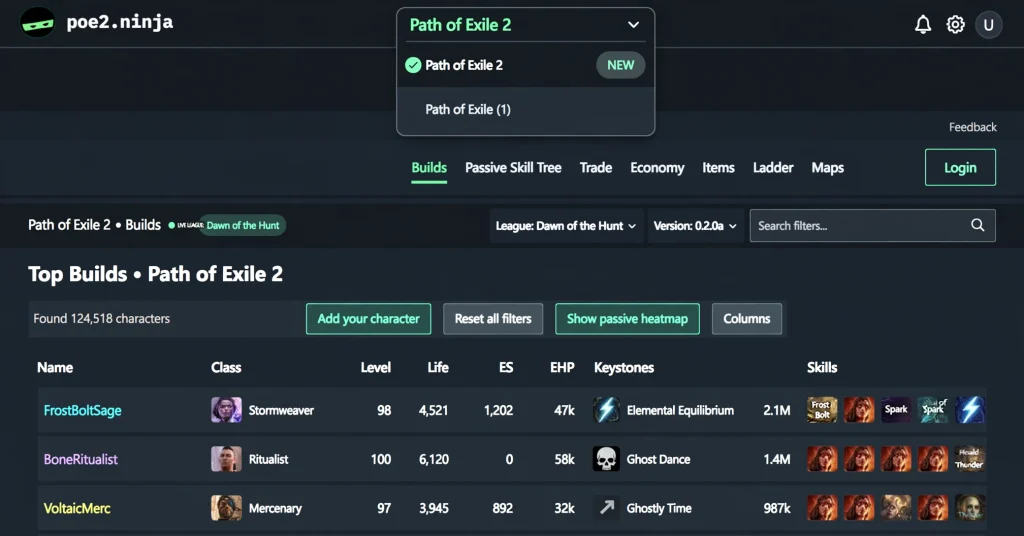
The steps below follow the site’s own descriptions. Menu labels can change, so treat them as a map, not a script.
- Go to poe.ninja and select Path of Exile 2. The top-bar game selector remembers your last choice. All main navigation links keep you inside the selected game.
- Choose Builds or Economy. Builds is for characters and meta. Economy is for prices. Builds lives under poe.ninja/poe2/builds and Economy under poe.ninja/poe2/economy.
- Pick the league that matches how you play. Each league has its own economy, so a price from one league does not transfer to another.
- Narrow the data. In Builds, click a class, item or keystone to filter. After you filter by something, the site offers a button to exclude it, which helps when you want builds that avoid a particular item.
- Customize the table. The Columns button lets you choose which data to show, sort and filter. Hover a DPS value to see attack or cast rate, crit, hit chance and projectile counts.
- Open a character. Look at the gear, passives and gems, then hover stats to see where the numbers come from.
- Take it into the game or into planning. Export to Path of Building or a Build Planner file, or open the passive tree to compare.
If your own character is not listed, you can connect your account on the site’s account page. Grinding Gear Games’ OAuth character APIs made this possible in April 2025, so high-enough-level characters can appear in Builds even if they are not on the ladder.
How to Find PoE2 Builds on Ninja
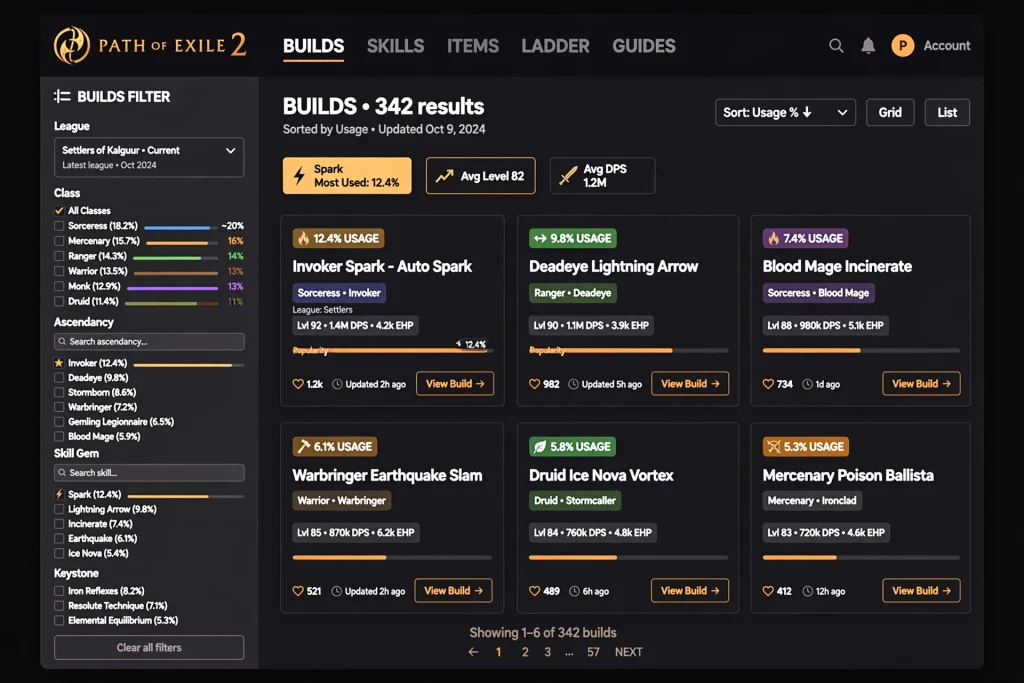
Builds is the part of PoE2 Ninja most players use first. The site describes it as a way to slice and dice character data, whether you want what is currently popular or something unusual.
A sensible search routine looks like this:
- Start broad. Select an ascendancy and see which main skills show up most.
- Add one filter at a time. Choose a main skill, then a defining item. The percentages update so you can see how common each combination is.
- Use traits to match your playstyle. The Main Skill Traits filter, added in September 2026, can separate Delivery (totem, trap, mine, and triggered in PoE 2), Damage Type, and Crit (a skill with 20% crit chance or more counts as Crit). That makes it easier to compare crit and non-crit versions of the same skill.
- Sort by what suits your budget or goals. Sort by DPS, or by other columns you enable, rather than just popularity.
Beginners should read popularity with care. A build that many players run is not automatically the strongest or the easiest. High usage can reflect streamer influence, a recent patch, or simple copying. Treat the list as a starting point for research, not a ranking of quality.
How to Compare Classes and Build Statistics
The percentages shown beside classes, ascendancies, skills and items describe how many tracked characters use each one. They are a snapshot of tracked characters, not a measurement of how good something is.
To compare meaningfully:
- Compare within the same league and the same time window. A fresh league and a late league behave differently.
- Hold one variable fixed. If you want to compare two ascendancies, filter to the same main skill.
- Look at the spread, not just the top. The DPS tooltip shows that two builds with equal DPS can be a fast crit attack or a slow non-crit spell, so the number alone hides a lot.
The Time Machine, introduced in April 2025, was described as saving a snapshot of the meta daily in the first week and weekly after that. It is a handy way to see how a build’s share changed over time, though you should check the live site to confirm its current behavior.
How to Read PoE2 Ninja Statistics
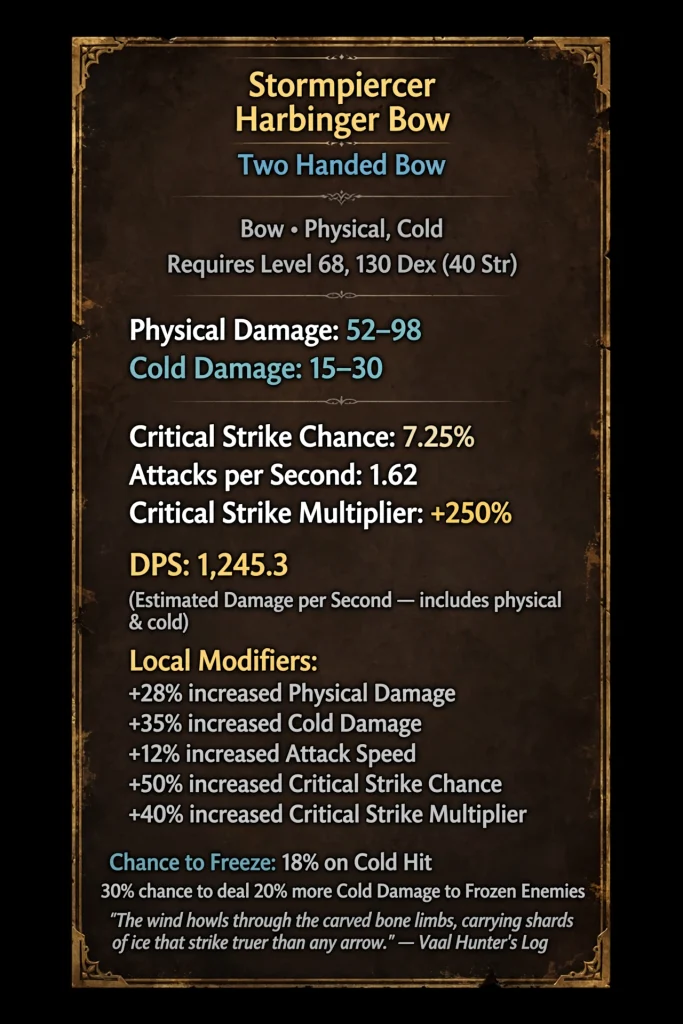
Here is what the main numbers on PoE2 Ninja mean.
Usage percentages. The share of the currently filtered characters that use an item, skill or keystone. When you apply a filter, the percentages recalculate within that narrower group.
Passive tree heatmap. It shows the percentage of characters that have taken each node. Dark or bright nodes are common choices, not necessarily correct ones.
DPS. Calculated with Path of Building Community Fork, according to the site’s documentation. It is a simulation using a standard configuration, so it can differ from what you see in your own game.
Offensive and defensive breakdowns. Hover a stat and you see its base value, the sources feeding it, and the increased and more multipliers applied. For armour and evasion, the site draws damage reduction and evade chance as graphs using the same default enemy values that Path of Building uses.
Blank values. The site leaves stats blank when they do not apply, such as hit chance for spells, instead of showing a misleading number.
One more limit: the character list comes from Grinding Gear Games’ ladder API, which lists top characters. The site’s documentation tells players who cannot find their character to check the minimum level on the official ladder page. In short, you are looking at higher-level, ladder-visible characters plus those who connected their accounts, not every player.
PoE2 Ninja Economy and Item Prices
The Economy section covers two kinds of data.
Currency. The Path of Exile 2 economy overviews use data from the in-game Currency Exchange. The site’s launch post says it covers 14 currency categories, with values normalized against Chaos Orbs, Divine Orbs and Exalted Orbs. The Economy page itself says this is different from Path of Exile 1, where economy data is based on stash-tab trading.
Unique items. Added in May 2026, this covers eight categories: Weapons, Armours, Accessories, Flasks, Charms, Jewels, Maps and Sanctum Relics. Each unique has a detail page with up to 120 days of price history. Tables include listing count, required level and a seven-day price sparkline, and weapons get an estimated DPS. A Trade button opens a pre-filled search on the official trade site with the instant buyout filter.
Three limits are worth keeping in mind:
- Prices can lag. Currency Exchange data is aggregated and provided by Grinding Gear Games in hourly chunks, so prices may be up to an hour behind.
- Unique prices are estimates. At the time of the unique items post, there was no River API for Path of Exile 2, so unique prices were estimated from the official trade API, which the author called the best signal available.
- Prices are league-specific. A new event league starts with a fresh economy. Patch 0.5.5 introduced the Forbidden Rites event league on September 4, 2026 with a new economy, while the Runes of Aldur league remained available, according to the official patch notes.
Use PoE2 Ninja to decide what to farm, craft or hold. Use an in-game overlay when you need to price a single drop quickly.
Price-Check Overlay: https://gamespuma.com/poe2-price-checker/
PoE2 Ninja vs PoE Ninja
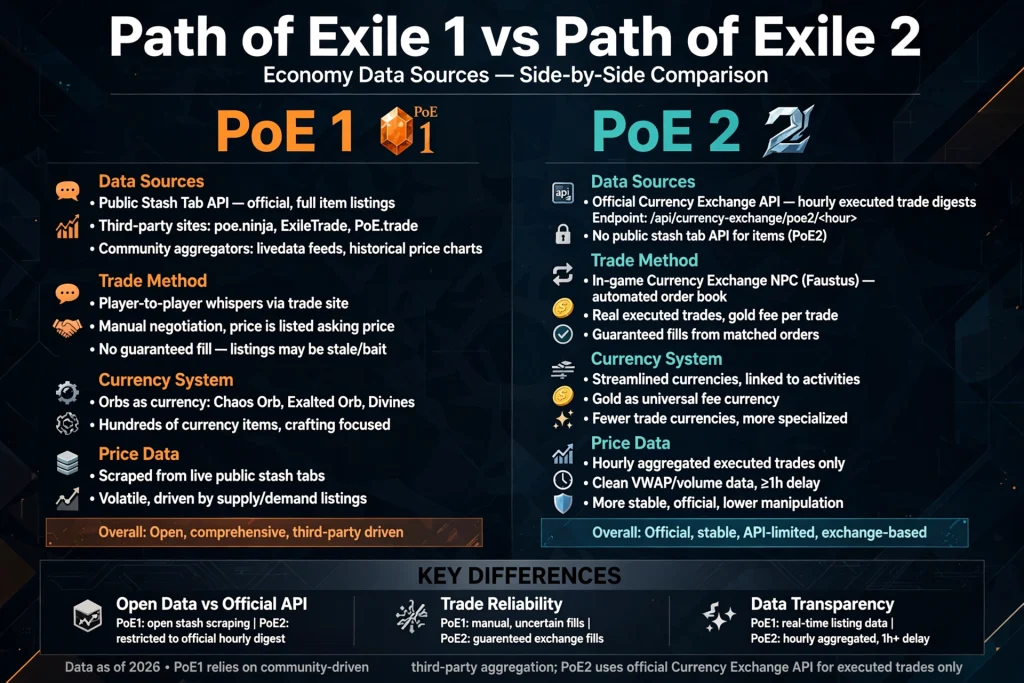
Because both games now live on the same domain, the question is really “PoE 1 section vs PoE 2 section.” Here is how they differ, based on the site’s own statements.
| Area | Path of Exile 1 section | Path of Exile 2 section |
|---|---|---|
| Address pattern | poe.ninja/poe1/… | poe.ninja/poe2/… |
| Economy source | Stash-tab based trading | In-game Currency Exchange (hourly aggregation) |
| Unique item prices | Not covered in this guide | Estimated from the official trade API |
| Atlas Trees | Yes (added March 2026) | Not listed in the site’s release notes |
| Console characters | Xbox and PlayStation characters can be added (July 2026) | Not mentioned |
| Trade search from characters | Yes (April 2026) | Yes (May 2026) |
| Defensive and offensive breakdowns | Yes | Yes |
| Triggered delivery tag | No | Yes |
Do not carry PoE 1 assumptions into PoE 2. Items, passives, skills and prices are different between the games, and the site keeps navigation within the game you chose.
Is PoE2 Ninja Free?
The site’s pages describe a “Support the site” page that asks for monthly Patreon support, and none of the pages reviewed mention a paywall or subscription for builds or economy data. Based on that, you can use it without paying. We could not verify future pricing, so check the site if that matters.
Is PoE2 Ninja Accurate?
Accuracy has two parts: whether the numbers are computed correctly, and whether the sample represents everyone.
On the first, DPS and defensive stats come from Path of Building simulations, and the site documents that. Economy figures come from Grinding Gear Games data (the Currency Exchange) or the official trade API, with the lag described above.
On the second, the sample is limited. Characters come from the ladder API and connected accounts. The overview also skips characters that have been stripped of gear and, in hardcore leagues, characters after they die. So the tool shows what the tracked, still-interesting characters look like, which is useful but not the whole community.
Some third-party guides claim prices update every few minutes. The official Economy page says hourly chunks, so trust the site’s own statement.
PoE2 Ninja Alternatives
None of these replace PoE2 Ninja entirely, but each does something it does not do as well.
- Exiled Exchange 2. An overlay for price-checking items inside the game. The community wiki describes it as a Path of Exile 2 overlay for price checking, a fork of Awakened PoE Trade.
- PoE2 Scout. Listed in community tool lists as a unique and currency price history site for PoE 2.
- PoE2DB. A database and wiki-style reference for game data, such as item and skill details.
- Path of Building (PoE 2 version). An offline build planner for theorycrafting your own character.
- Maxroll and Mobalytics. Guide sites with tier lists and written builds, listed among community websites for PoE 2.
- The official trade site. The source for real listings and the page PoE2 Ninja links to from its trade buttons.
A reasonable workflow is to scout builds on PoE2 Ninja, model them in Path of Building, price-check drops with an overlay, and buy through the official trade site.
Offical Trade Site: https://gamespuma.com/path-of-exile-2-trade/
Common Mistakes When Using PoE2 Ninja
Selecting the wrong game. Check the top-bar selector, since the site covers both games.
Comparing different leagues. Prices and build shares from one league do not apply to another, especially after an economy reset.
Treating popularity as strength. Usage shows what people play, not what is best.
Trusting an hour-old price for a fast trade. Use the trade site or an overlay when timing matters.
Reading estimated unique prices as exact. They are estimates derived from the trade API.
Copying a high-end item exactly. The site’s trade search notes that top-end gear rarely has a cheap twin, and it suggests loosening the search by broadening the base type, lowering the Min slider, or dropping the least important mods. The Min slider defaults to 80%.
Ignoring patch changes. After a patch, older statistics can be outdated. The Tree Version History page compares any two passive tree versions side by side, with changed nodes highlighted in yellow, removed nodes in red and added nodes in green.
Path of Exile 2 patch: https://gamespuma.com/poe2-patch-notes/
Conclusion
PoE2 Ninja is now the PoE 2 section of poe.ninja, and it is still one of the most useful ways to research Path of Exile 2. Builds shows what tracked players run, character pages explain how their numbers are built, and Economy tracks currency and unique prices. Go to poe.ninja, pick Path of Exile 2, choose your league, and treat the results as research rather than rules. Pair it with Path of Building and a price-check overlay, and verify anything time-sensitive on the site itself, since Path of Exile 2’s content, league lineup and 1.0 plans continue to change.
7. FAQ Section
What is PoE2 Ninja?
It is the Path of Exile 2 section of poe.ninja, a community site for build statistics and economy data. It began as the separate poe2.ninja and was merged into poe.ninja in August 2025.
Is poe2.ninja still a separate website?
No. The official merge post says poe2.ninja was integrated into poe.ninja and that redirects were added so existing bookmarks and links keep working.
Is PoE2 Ninja an official Path of Exile website?
No. The site states it is not affiliated with or endorsed by Grinding Gear Games.
What is PoE2 Ninja used for?
Researching builds, inspecting characters, tracking currency and unique item prices, and exploring the passive tree.
How do I use PoE2 Ninja?
Open poe.ninja, select Path of Exile 2 in the top bar, then choose Builds or Economy. Filter by class, skill or item, then open a character for detail.
Does PoE2 Ninja show item prices?
Yes. It tracks currency from the in-game Currency Exchange and, since May 2026, unique items across eight categories.
Is PoE2 Ninja free?
The pages reviewed describe voluntary Patreon support and no paywall. Check the site for current details.
What is the difference between PoE Ninja and PoE2 Ninja?
They are now sections of one site, one for each game. The PoE 1 economy is stash-based, while the PoE 2 economy uses Currency Exchange data.
How often is PoE2 Ninja updated?
The Economy page says Currency Exchange data arrives in hourly chunks, so prices may be up to an hour behind. The site does not state a single schedule for Builds in the pages reviewed.
Are PoE2 Ninja statistics accurate?
The stats are simulated with Path of Building and the data comes from official APIs, but they cover tracked characters, not every player. Use them as a guide.
Why isn’t my character listed?
The site uses the official ladder API for top characters. You can check the minimum level on the official ladder page, or connect your account on the site.
Can PoE2 Ninja help me choose a build?
Yes, for research. Filtering and comparing show what is common and how builds work, but you still need to judge fit for your budget and playstyle.
Sources and Fact-Check References
All consulted October 10, 2026.
- Merging poe2.ninja into poe.ninja (poe.ninja/posts/merging-poe2ninja-into-poeninja): merge date, game selector, redirects, PoB link note, non-affiliation.
- Launching Path of Exile 2 Builds (poe.ninja/posts/launching-builds): Builds features, heatmap, character view, excluded characters, PoB hosting, site history.
- Dawn of the Hunt, Add your character, Time Machine (poe.ninja/posts/dawn-of-the-hunt): OAuth, Time Machine, account list.
- Path of Exile 2: New Economy Section (poe.ninja/posts/poe2-economy-and-rise-of-the-abyssal) and the Economy page (poe.ninja/poe2/economy/): 14 categories, normalization, hourly aggregation, difference from PoE 1.
- Unique Items in the Economy Section (poe.ninja/posts/poe2-unique-items): categories, estimates, history, Trade button.
- Character Trade Search (poe.ninja/posts/poe2-character-trade-search): trade dialog, Min slider.
- Build Planner Export (poe.ninja/posts/poe2-build-planner-prototype): .build files, items not yet included.
- 0.5 Passive Tree and Tree Version History (poe.ninja/posts/poe2-tree-version-history).
- Defensive Stat Breakdowns (poe.ninja/posts/defensive-stat-breakdowns) and Offensive Stats and Main Skill Traits (poe.ninja/posts/offensive-stats-and-main-skill-traits).
- poe.ninja Docs (poe.ninja/docs, /docs/dps-calculation, /docs/character-not-listed-poe2): DPS via PoB Community Fork, ladder-based listing.
- Support page (poe.ninja/support): Patreon support.
- All Posts (poe.ninja/posts): PoE 1-only features and dates.
- Official PoE forum, 0.5.5 patch notes (pathofexile.com/forum/view-thread/4000864): Forbidden Rites, fresh economy, Runes of Aldur still available.
- PoE2DB Tools (poe2db.tw/Tools) and PoE2 community websites list (poe2wiki.net): alternatives.
- Prima Games price checker article: Exiled Exchange 2 in-game use.
- Third-party guides (poetrades.net, pathofexile2.games-wiki.wiki, thegamercodex.com, dtf.ru) were reviewed for gap analysis only. Their update-speed claims conflict with the official page and are not used.

Written by Daniel Carter
Daniel Carter is a dedicated gaming writer who enjoys turning complex gaming topics into clear, useful, and engaging content. He covers game guides, tips, reviews, features, and the latest developments across the gaming world. His approach focuses on research, accuracy, and practical value, helping readers discover new games, improve their gameplay, and stay informed about the industry. For Daniel, great gaming content is not just about information—it is about making every article genuinely worth reading.

If you want to get a great deal from this article then you have to apply these strategies to your won website.
Interesting take about สล็อต.
Also visit my blog post – สล็อตเว็บตรง
Thank you for your comment! We appreciate you taking the time to visit GamesPuma. We’re always happy to hear feedback from our readers. Best wishes!
Hello, I enjoy reading all of your article post.
I wanted to write a little comment to support you.
Thank you so much for your kind words and support! We’re glad you enjoy our articles. Your feedback means a lot to us and motivates us to keep sharing helpful and informative content. We truly appreciate you being part of the GamesPuma community!
Good day! Do you use Twitter? I’d like to follow you if that would be okay.
I’m definitely enjoying your blog and look forward to new
updates.
Good day! Thank you so much for your kind words and support. We’re delighted to hear that you’re enjoying our blog! 😊 We don’t currently have a Twitter (X) account, but we truly appreciate your interest in following us. Stay tuned to GamesPuma.com for more exciting articles and updates. Thanks for being part of our community!