In this article
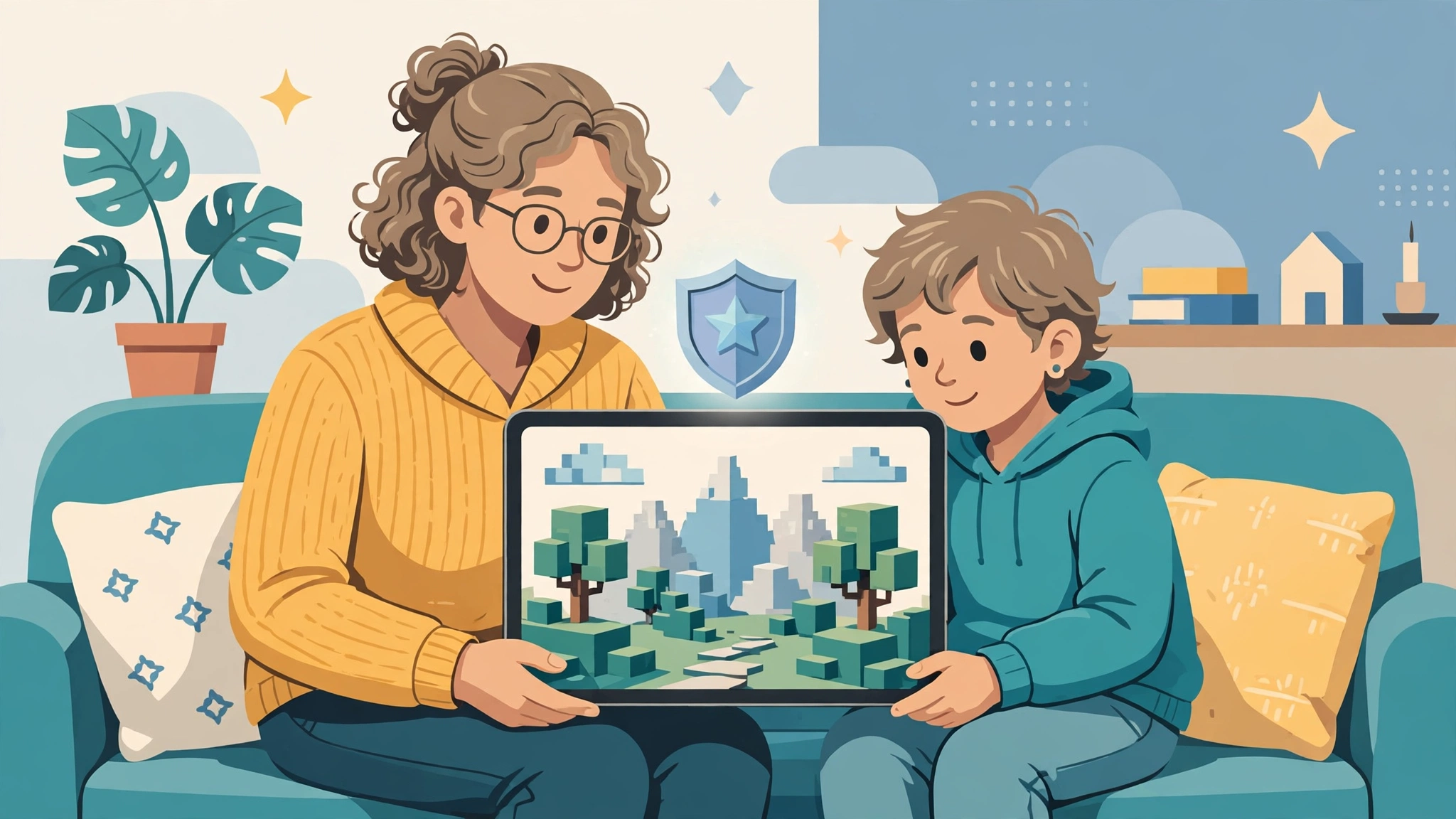
Roblox kids is the search parents run when a child arrives with a request for an account and they want a straight answer, not a sales pitch. The short answer is this: Roblox can be a reasonable place for children when the account reflects the child’s real age, a parent account is linked, and the settings are reviewed instead of left on their defaults. It is not a guaranteed-safe space, and no control or filter removes every risk.
There is a second reason the phrase matters in 2026. Roblox announced in April 2026 that “Roblox Kids” is now the official name of an account type for ages 5 to 8, sitting next to “Roblox Select” for ages 9 to 15. This guide therefore uses roblox kids in two ways: as the everyday topic of children using the platform, and as the name of that specific account tier. Wherever the difference affects your decision, the text will say which one it means.
Table of Contents
What Is Roblox?
Roblox is a free-to-join online platform where people play, build, and share 3D experiences created by other users and studios. It is not one game. It behaves more like a very large arcade whose machines are built by thousands of independent creators, and one account with one customizable avatar can walk into any of them. Parents researching roblox kids questions often assume Roblox is a single product with a single rulebook, which is the first misunderstanding worth clearing up. Roblox’s own safety FAQ describes the spread as running from obstacle courses and racing games to creative simulations such as tending a virtual garden or running a virtual shop.
For roblox kids, that structure is the single most important thing to grasp. There is no single “Roblox content” to approve or reject. What your child sees depends on the specific experience they open, who else is inside it, and which type of account they hold. If you want a broader orientation before reading on, the GamesPuma beginner’s guide to how Roblox works explains accounts, avatars, and experiences in plain language.
Children typically use Roblox in three ways. They play experiences alone or with friends, they customize an avatar with clothing and accessories, and some move on to building their own experiences with Roblox Studio, the creation tool. Roblox says the same age-based communication limits apply to young creators as to players, and that communication is turned off for creators under 9.
Why Is Roblox Popular Among Kids?
Several things pull children toward the platform, and understanding them makes the safety conversation easier, because you are negotiating with a real interest rather than banning a vague threat.
First, choice. A child who likes racing, cooking simulations, escape puzzles, or pretend-shop games does not need a different app for each. Second, the avatar. Dressing a character is a form of self-expression that costs nothing to start, and for many roblox kids it is half the appeal. Third, the social layer. Friends can jump into the same experience, coordinate, and chat about it afterwards, which is why playing together has become a normal after-school habit. Fourth, creation. Roblox invites players to become makers, and the distance between “I played this” and “I could build this” is short.
One more pull deserves a mention: for many roblox kids, knowing the game everyone at school is talking about is a form of social currency, and that pressure can make “no” feel harder to accept than it should.
That popularity also explains why Roblox attracts scrutiny. A platform that large, with that much user-made content and that many young users, has to work harder than most to keep age groups apart. In April 2026, CBS News reported that the company’s new age-based accounts arrived after a wave of lawsuits from families alleging the platform had not done enough to protect children. Whatever one makes of those cases, they are part of the honest context for any parent weighing Roblox for kids.
Is Roblox Safe for Kids?
Roblox is not completely safe, and it is not inherently dangerous either. Safety on Roblox depends on five things working together: the child’s age, the account settings, the experiences they choose, who they can communicate with, and how much a parent stays involved.
What Roblox itself says is revealing. Its Safety FAQ states plainly that no system is perfect, and recommends that parents talk to children about online safety rather than relying on tools alone. Its age-check page makes the same point, advising families to pair age checks with parental controls and regular conversation. That candor is worth taking at face value: the platform’s own position is that its protections are layers, not guarantees.
The layers that exist today are real. Chat requires an age check, and conversations are restricted to similar age groups and “trusted friends.” Chat filters are designed to block personal information, links, images, videos, and attempts to pull a conversation onto another app. Games available in Roblox Kids and Roblox Select accounts pass an extra review that includes creator verification. But Roblox also admits that some inappropriate content may still slip through those accounts, which is why reporting tools and parental oversight remain part of the design.
Put differently, roblox kids safety is a sliding scale, not a switch.
So the useful way to ask “is Roblox safe for kids” is not yes or no. It is: safe enough for this child, at this age, with these settings, and with this level of supervision? The rest of this guide helps you answer that for your own family.
What Age Is Roblox Suitable For?
Roblox does not publish one universal “right age.” Instead, it sorts users into age-based accounts and attaches content maturity labels to experiences. Treat both as starting points for your own judgment, not as certificates of safety.
How Roblox Kids and Select Accounts Divide the Ages
Parents comparing roblox kids age rules with the label system often expect one rating to do all the work, but Roblox uses two separate tools. Here is how the Roblox age rating system works in practice for children, as described on Roblox’s official pages in October 2026:
- Roblox Kids (ages 5 to 8): Only experiences labeled Minimal or Mild that have passed Roblox’s selection process are playable. Communication is off by default. The app shows a distinct blue background so parents can recognize the tier at a glance.
- Roblox Select (ages 9 to 15): Experiences can be labeled up to Moderate, again only if they have passed selection. Experience chat is on between age-appropriate users and trusted friends, direct one-to-one chat in games is off by default, and parents can adjust these settings.
- Standard account (16 and up): Users move to a standard account at 16 and can access all experiences except those with restricted themes, which are reserved for older, ID-verified adults.
Accounts progress automatically: a Roblox Kids account becomes a Roblox Select account at 9, and a Roblox Select account becomes a standard account at 16. Roblox adds that exact ages, games, and features vary by region, so check what applies where you live.
Placement relies on an age check. A child who has not completed one has limited access to games and no communication. The check can use facial age estimation, which Roblox says is handled by a vendor called Persona and deleted after processing, or ID verification for users 13 and older. Roblox reports a mean absolute error of 1.4 years for under-18 users in third-party testing, which means estimates can miss. If your child is misplaced, a linked parent can correct the birth date, though Roblox says that correction can be made only once.
The maturity labels themselves are straightforward. Minimal may contain occasional mild violence, light unrealistic blood, or occasional mild fear. Mild allows repeated mild violence, heavier unrealistic blood, and mild crude humor. Moderate adds moderate violence, light realistic blood, and moderate fear. Restricted covers strong violence, realistic blood, romantic themes, alcohol, and strong language. A label is a creator-answered, platform-reviewed description. It is not a promise about every moment inside an experience.
Roblox Parental Controls Explained
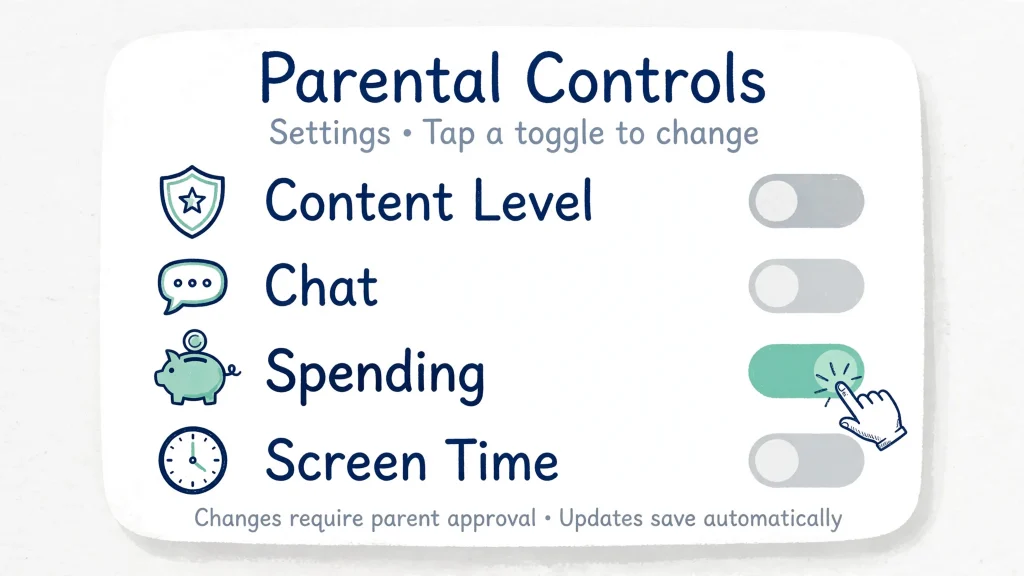
Most roblox kids parental controls live in a single area of Settings, and they work best when you link your own parent account to your child’s account. Roblox says this lets you manage most settings remotely from your own device, and it also sends you updates as your child ages into new settings. Parents who prefer not to create an account can instead approve requests directly on the child’s device, using a one-time onboarding flow and an optional Parent PIN.
Linking your accounts. Have your child open Settings, choose Parental Controls, and select Add parent. You then verify your own age with a government-issued ID or a credit card and tap Agree to link. If you later need to unlink, you lose the ability to approve actions, control privacy settings, and set screen time or spending limits.
Content maturity. From your linked account, go to Settings, then Parental Controls, select your child, open Content restrictions, and choose Content maturity. A slider lets you move below Roblox’s default ceiling for Roblox Kids accounts and for Roblox Select users under 13. You can also block individual experiences, allow specific ones your child has requested, and decide whether experiences themed on sensitive issues are reachable.
Roblox chat settings. Under Communication you can switch Experience chat and Direct chat on or off. Roblox Kids accounts start with chat off, and if you enable it for a child under 9, that child can only talk with users under 13 or trusted friends. Voice chat is limited to certain regions, is off for under-13s, and, where available, only works with trusted friends for anyone under 18.
Roblox privacy settings and visibility. You can decide who may see your child’s inventory (everyone, connections, or no one), limit who can join their private servers, and review or block anyone on their friends list from inside parental controls.
Roblox screen time. Daily limits are available for Roblox Kids accounts and for Roblox Select users aged 9 to 12. Once the limit is reached, the child sees a message and cannot use Roblox for the rest of that day. For teens 13 to 15, Roblox suggests a conversation instead of a hard cap.
Spending. A monthly spending limit covers Robux and experience subscriptions, and resets at the end of each calendar month. High-spend notifications are on by default for linked parents at 100, 250, and 500 dollars, or the local equivalent. Robux transfers between users require parent approval for younger users and are capped at 500 Robux a day and 1,000 a month.
No setting is a force field. Roblox’s own pages repeatedly say controls should sit beside conversation. They are most useful as a shared agreement you revisit as your child grows, not a lock you fit once and forget.
Are Roblox Games Appropriate for Kids?
Not all of them, and that is exactly why the label system exists. Every experience on Roblox is created by a user or studio, so themes range from gentle pet-care and tycoon games to survival and horror-flavored experiences. Roblox games for children are therefore a subset of the platform, not the whole of it.
Choosing games for roblox kids is easier when you treat the label as a first filter rather than a final verdict, and Roblox narrows the subset in several ways. Experiences in the Kids and Select catalogs must carry an appropriate label, come from creators who have completed ID verification and two-step verification, and be observed in real time as older users play them. By default, those catalogs also exclude experiences built around sensitive issues, social hangouts, or free-form drawing. Experiences labeled “Content May Vary,” meaning the creator has not completed the full questionnaire, are not available to anyone under 9, and a parent must allow them for ages 9 to 15.
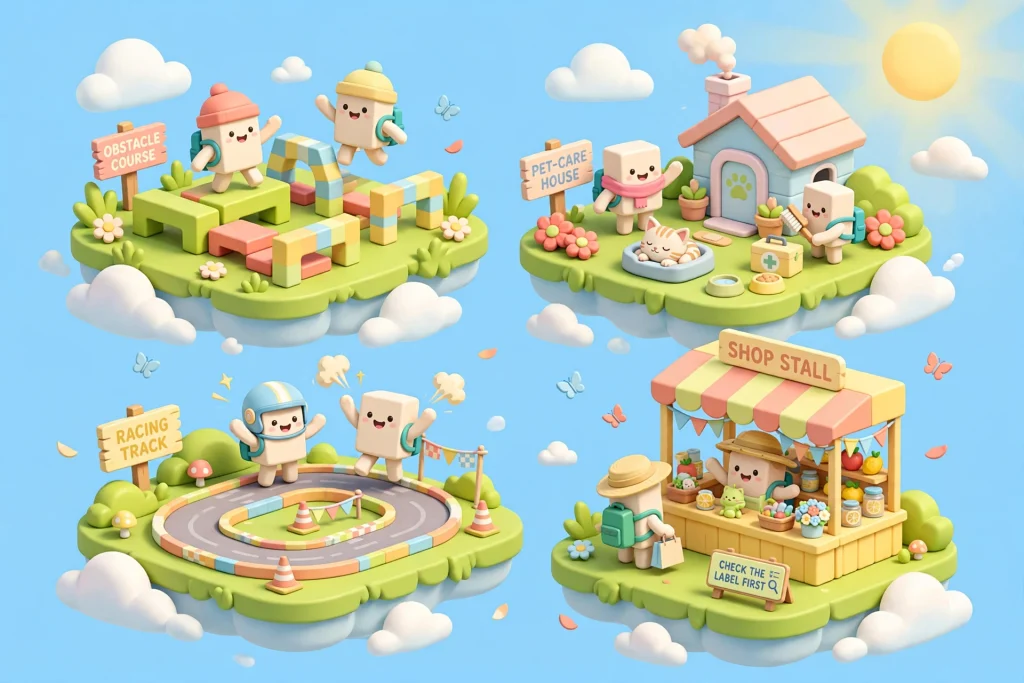
A practical way to judge an experience before approving it:
- Read the detail page. Check the maturity label and the content descriptors the creator selected. Roblox notes that these descriptors can differ between experiences.
- Watch a few minutes yourself. Join the experience on your own account, or sit beside your child while they play it.
- Look at the social features. Is there open chat, a private-server option, or a trading economy? Each adds exposure you may or may not want.
- Check the spending prompts. Many experiences sell passes and perks. A game that nudges constantly toward purchases deserves a closer look.
- Revisit it later. Experiences are updated by their creators, so a game that suited your child in spring may feel different by autumn.
If a favorite experience falls outside your child’s catalog, they can send a request, and you can allow or decline it from your parent dashboard. For help finding experiences worth that effort, the GamesPuma guide to choosing the right Roblox games explains how to browse the catalog sensibly.
Potential Risks of Roblox for Children
Roblox Kids Safety Risks to Plan For
Honest coverage of Roblox kids safety has to name the risks without turning them into a panic. Most children play without serious incident, but these are the problems worth planning for.
Inappropriate content. Despite moderation, Roblox concedes that some content may slip past its protections. A child may meet an experience, an avatar, or a username that does not belong in their age group. GamesPuma’s dedicated guide to inappropriate content on Roblox and how to stay safe goes deeper on the warning signs and the reporting steps.
Unwanted communication. Age checks and age-group limits reduce who can contact a child, but they do not eliminate contact from people the child accepts as friends, or from users who misrepresent themselves in other ways. Roblox says it monitors even unfiltered trusted-friend chats for child endangerment.
Attempts to move the conversation elsewhere. Roblox warns that taking a conversation to another app removes the protections that exist on its platform, and can make investigation harder for Roblox and law enforcement. Teach children that “let’s talk somewhere else” is a signal to stop and tell you, whoever says it.
Requests for personal information. Roblox filters are built to block email addresses and phone numbers, yet a child’s judgment is the real last line. Rehearse what they should never share: full name, school, address, photos, and passwords.
Scams and suspicious links. “Free Robux” offers are the best-known trap, and Roblox says plainly that sites claiming to give away Robux are scams. Gifts or gift cards from strangers deserve the same suspicion. GamesPuma’s explainer on what Roblox allows and what is a scam when people ask about free Robux is a useful read to share with older children.
Cyberbullying. Exclusion, name-calling, and pressure can happen on any social platform. Blocking and reporting are available, but a child has to feel safe enough to use them.
Excessive play. Experiences are built to be replayed, and some reward daily returns. Without limits, a child’s sleep, homework, and offline friendships can quietly pay for it.
Unwanted purchases. Robux are easy to spend. A monthly limit and spending alerts exist for exactly this reason. Roblox also states that all users may see clearly labeled ads and that there is no opt-out, though ads to under-18s are non-personalized.
Benefits of Roblox for Kids
The benefits of roblox kids play are real, but they are possibilities, not guarantees, and they depend on how a child uses the platform.
Creativity. Building an avatar look, a small world, or a first game with Roblox Studio rewards imagination. A child who moves from playing to making is practicing design thinking whether or not they realize it.
Problem-solving. Many experiences are puzzles, obstacle courses, or resource-management challenges that ask a player to try, fail, and adjust.
Collaboration. Cooperative experiences encourage children to divide roles and communicate toward a shared goal. For Roblox for kids, Roblox’s trusted friends design also allows parents and siblings to play together, which turns the platform into something a family can share.
Game design literacy. Some children become curious about how games are made, and Roblox Studio offers a gentle entry point into scripting and level design.
Friendship. Roblox says most of its users play with friends they already know in real life, and a shared game can be a comfortable way to stay connected between school days.
None of this means Roblox teaches a skill automatically. A child can spend hours on the platform consuming passively. The benefits show up most when a parent notices what the child enjoys, asks about it, and nudges them toward creating and cooperating rather than only scrolling or spending.
How Parents Can Make Roblox Safer for Kids
Run through this list whenever you review roblox kids settings, and think of safer Roblox use as a short routine rather than a one-time project. This nine-point checklist covers account, communication, privacy, spending, supervision, and conversation.
- Use the child’s real age. Complete the age check so the account lands in the correct tier. A wrong age can place a child in settings that do not fit.
- Link a parent account. This unlocks remote control and update emails, and it is the foundation for almost everything else.
- Choose the content ceiling deliberately. Decide whether the default maturity level suits your child or whether the slider should sit lower.
- Set communication to match the child. For roblox kids under 9, chat is off until you choose otherwise. For older children, decide about Experience chat, Direct chat, and the Chat tab separately.
- Review friends and trusted friends regularly. Parents cannot remove a friend from a child’s account once added, so if someone should not be there, block them instead.
- Cap spending. Set a monthly limit and keep alerts on.
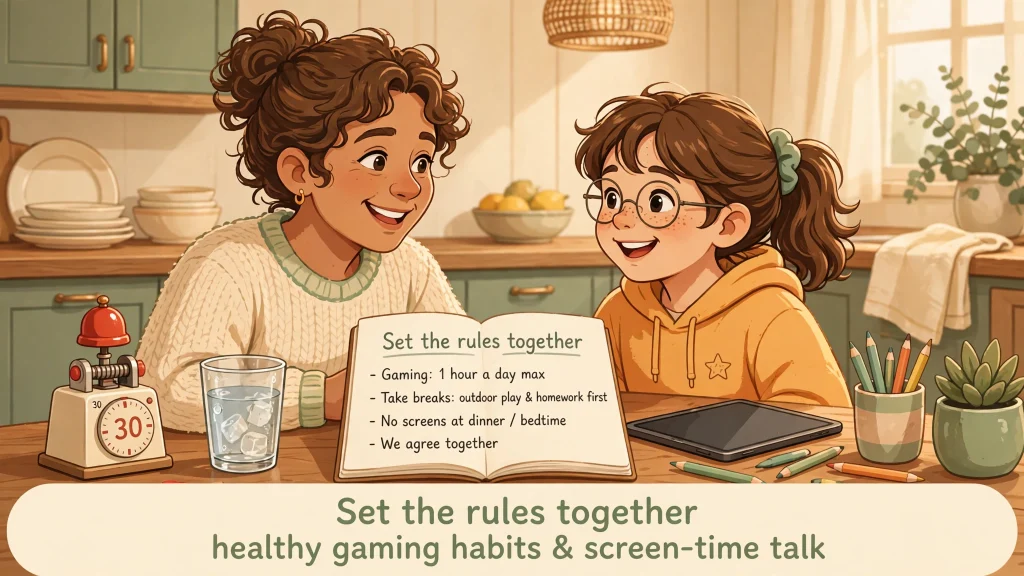
- Agree on screen time together. Roblox notes that children are more likely to follow boundaries that the family set jointly.
- Play alongside your child. Join as a trusted friend, which Roblox permits for linked, age-checked parents.
- Keep the conversation going. Make it clear that your child can tell you about anything strange without losing access as punishment.
How to Set Up Roblox for a Child
Setting up roblox kids accounts takes a handful of focused steps, and the sequence below follows Roblox’s official parental controls and age-check pages as they stood in October 2026. Menu labels can shift, so treat them as a map, not a script.
- Create the child’s account at roblox.com or in the app, using the child’s real birth date.
- Complete the age check. Open Settings, then Account info, then Age Group, and choose Continue with selfie. Roblox advises that the child, not the parent, should be in front of the camera. Parents are encouraged to try the process on their own account first to understand it.
- Create or sign in to your own parent account. Make sure you have a government-issued ID or credit card ready for verification.
- Link the accounts. On the child’s account, go to Settings, then Parental Controls, then Add parent, and enter your email. Follow the email, verify your age, and select Agree.
- Set the controls. From your own device, open Settings, then Parental Controls, and choose the child. Set content maturity, communication, spending limits, and screen time.
- Set up a Parent PIN if you will approve requests on the child’s device, so your child cannot approve their own requests.
- Review what your child can see. Look at their friends, favorite experiences, and any pending requests in your dashboard.
- Play together once. A half hour in an experience your child chose will teach you more than any settings screen.
For roblox kids who already have an account, start at step 2. A child who skipped the age check will see limited game access and no chat until it is done.
Roblox Screen Time and Healthy Gaming Habits
Healthy habits matter at least as much as settings for roblox kids, and Roblox screen time is easiest to manage when the rules are visible, predictable, and made with the child rather than for them. Roblox’s own guidance notes that children are more likely to adhere to boundaries that families set together.
Start with the built-in tool: a daily time limit for Roblox Kids accounts and Select accounts aged 9 to 12. Then add habits that no setting can enforce. Keep devices out of the bedroom overnight, so sleep is not negotiated at midnight. Agree on natural stopping points, such as the end of a round, instead of cutting off a game mid-match. Schedule play after homework and meals, and protect at least one screen-free activity every day.
Younger roblox kids benefit from shorter, more frequent sessions with a clear timer. Teens aged 13 to 15 do not get a native time cap from Roblox, so the family agreement carries more weight. Watch for warning signs, such as irritability when play ends, skipped meals, or falling interest in offline friends, and respond with curiosity, not punishment.
Keep a regular check-in. Ask what they built, who they played with, and what the funniest moment was. Children who narrate their play are far more likely to mention the one strange thing that bothered them.
What Should Parents Do If Something Goes Wrong?
When roblox kids run into trouble, calm matters more than speed. Stay calm first. A child who senses panic may hide the next problem.
- Stop the contact. Block the user. As a parent, you can do this from your linked account: open Settings, then Parental Controls, choose your child, go to Communication, and use the profile’s three-dot menu.
- Report it. Inside an experience, open the menu at the upper left, select the shield-shaped Report icon, choose whether you are reporting an experience or a person, add detail, and submit. For a profile, open it, use the three dots next to the chat button, and choose Report. Chats and catalog items have their own report options.
- Keep the evidence. Take screenshots of messages and profiles and note usernames and times before blocking, where it is safe to do so. This is practical common sense rather than an official Roblox requirement.
- Escalate when needed. If a message involves threats, sexual content, or pressure to move to another app, contact your local law enforcement or child-protection reporting service as well. Roblox provides region-specific illegal-content reporting forms for the EU, UK, Australia, and California.
- Support your child. Reassure them that telling you was the right thing. Roblox links to a helpline directory built with a partner, Throughline, for broader emotional support.
If an inappropriate experience reached your child despite their settings, block it and report it. Roblox says user reports go directly to its review systems. For a calm, step-by-step walkthrough of what to say to your child and how to report, see GamesPuma’s guide to handling inappropriate content on Roblox.
Roblox Kids: Final Verdict for Parents
Roblox kids is a question of fit, not a yes-or-no verdict. In its favor, the platform now offers real structure: age-based accounts, age-checked chat, filtered messaging, a curated game catalog for under-16s, and a parental dashboard with content, chat, screen-time, and spending controls. Against that, the content is user-made, scams are persistent, social features still carry risk, and Roblox itself concedes that inappropriate material can slip through.
To summarize roblox kids for a busy parent: the platform offers genuine structure, but it rewards involvement. A sensible path looks like this. For ages 5 to 8, use the Roblox Kids account with chat off, a daily limit, and a parent playing nearby. For ages 9 to 12, keep Select defaults, approve trusted friends deliberately, and keep reviewing the game list. For ages 13 to 15, loosen supervision gradually while keeping spending limits and honest conversation in place. At every age, say clearly what your child can bring to you without fear of losing the game.
If you are buying Robux or gifts, GamesPuma’s step-by-step guide to redeeming a Roblox gift card shows how to do it through the official page rather than a risky third party.
Frequently Asked Questions
Is Roblox safe for kids?
Roblox is safer when the account uses the child’s real age, a parent account is linked, and settings are reviewed. It is not risk-free. Roblox itself says no system is perfect and recommends ongoing conversation alongside its tools.
What age is Roblox suitable for?
There is no single universal age. Roblox places age-checked users in Roblox Kids (5 to 8), Roblox Select (9 to 15), or a standard account (16 and up), and labels experiences Minimal, Mild, Moderate, or Restricted. Ages and features vary by region.
Can parents control what their kids play on Roblox?
Yes, to a meaningful degree. Parents with a linked account can set a maximum content maturity level, block specific experiences, and allow specific experiences outside the child’s default catalog. Some of these controls last through age 15.
Does Roblox have parental controls?
Yes. They cover content maturity, chat, screen time, spending limits, friends, private servers, and inventory visibility. You can use a linked parent account or approve requests on your child’s device.
Can kids chat with strangers on Roblox?
Roblox restricts chat to age-checked users in similar age groups and trusted friends, and Roblox Kids accounts start with chat off. Chat is filtered, but no filter is perfect, so teach children never to share personal information or move conversations to other apps.
Are all Roblox games suitable for children?
No. Experiences are made by many creators and carry different maturity labels. Roblox Kids and Select accounts only play experiences in their reviewed catalogs, unless a parent allows a specific one.
How can parents limit Roblox screen time?
Use the daily limit in parental controls, available for Roblox Kids accounts and Roblox Select ages 9 to 12. Pair it with household rules about bedtime, homework, and offline activities.
Can parents restrict purchases on Roblox?
Yes. Parents can set a monthly spending limit covering Robux and experience subscriptions, and choose spending notifications. Limits reset each calendar month. Gift card redemptions are not affected by the limit.
What should parents do if their child encounters inappropriate content?
Stay calm, block the user or experience, report it through Roblox’s in-app tools, save screenshots, and escalate to local authorities when the material involves threats or exploitation. Then talk with your child about what happened.
Is Roblox free for kids?
Joining and playing is free. Money is only needed for optional extras such as Robux, subscriptions, and in-experience purchases, which is why a spending limit is worth setting.
Sources and References
- Roblox, “Roblox Introduces New Age-Based Accounts and Expanded Parental Controls for Users Under 16” (April 13, 2026): https://about.roblox.com/newsroom/2026/04/introducing-roblox-kids-and-select-accounts
- Roblox, “Parental controls”: https://about.roblox.com/parental-controls
- Roblox, “Safety at Roblox” (Roblox Kids and Roblox Select accounts): https://about.roblox.com/safety
- Roblox, “Safety FAQ”: https://about.roblox.com/safety-faqs
- Roblox, “About Our Secure Age Checks”: https://about.roblox.com/age-estimation
- Roblox, “Reporting a Community Standards Violation”: https://about.roblox.com/reporting-and-blocking
- Roblox Help Center, “Content Maturity Labels”: https://en.help.roblox.com/hc/en-us/articles/8862768451604-Content-Maturity-Labels
- CBS News, “Roblox to introduce age-based accounts in latest effort to shore up safety measures”: https://www.cbsnews.com/news/roblox-age-based-accounts-kids-safety-controls/

Written by Daniel Carter
Daniel Carter is a dedicated gaming writer who enjoys turning complex gaming topics into clear, useful, and engaging content. He covers game guides, tips, reviews, features, and the latest developments across the gaming world. His approach focuses on research, accuracy, and practical value, helping readers discover new games, improve their gameplay, and stay informed about the industry. For Daniel, great gaming content is not just about information—it is about making every article genuinely worth reading.