In this article
Verified against Roblox’s official help pages and creator documentation on November 4, 2026. Prices, subscription perks and transfer limits change, so check the final amount on your own Roblox checkout screen before you pay.
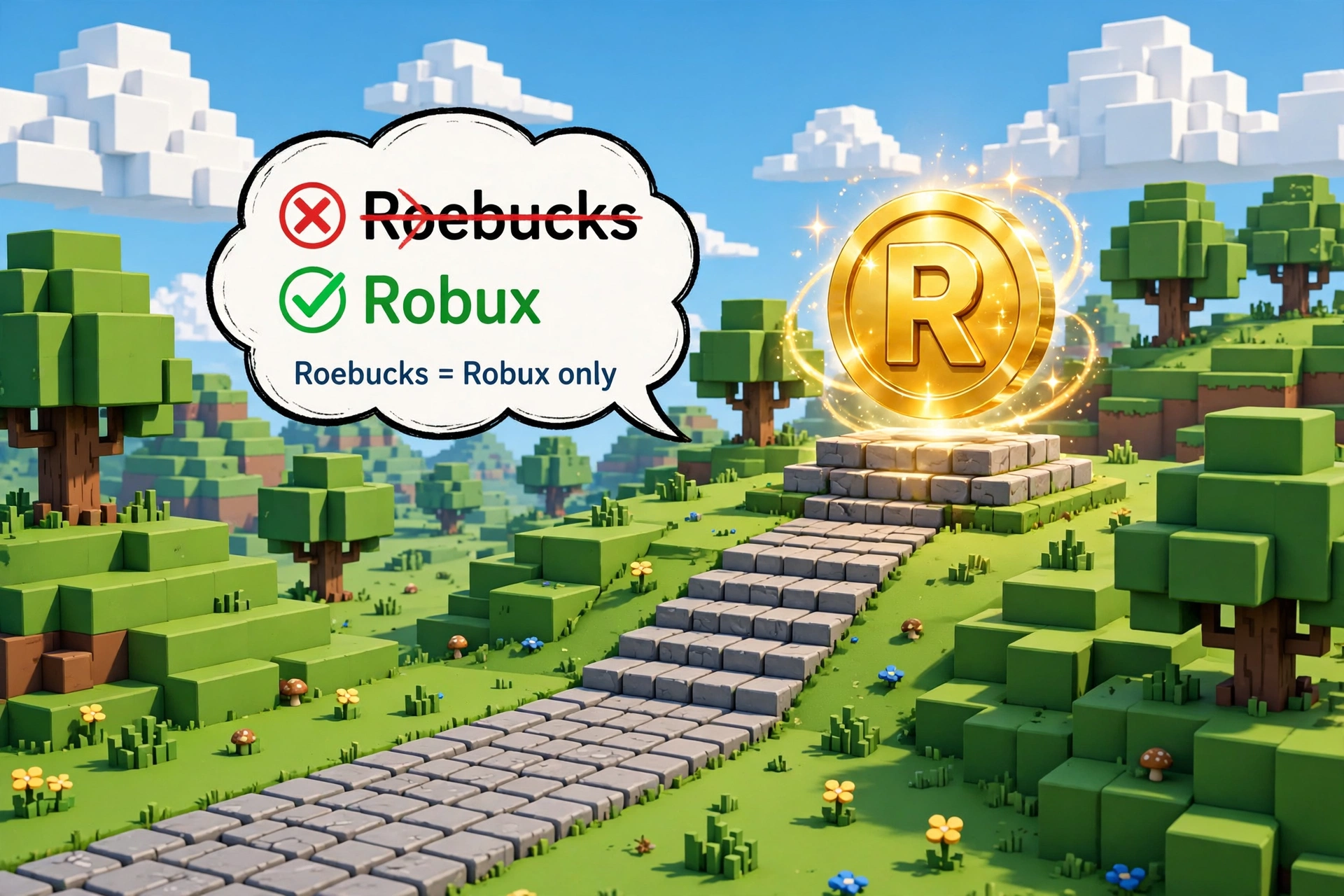
“Roebucks from Roblox” is a misspelling of Robux, the virtual currency at the center of the Roblox platform. There is no separate “Roebucks” currency. People who search for roebucks from roblox usually want to know three things: how to buy Robux, how to earn it, and whether the free generators advertised in videos are real.
The short answers are these. You can buy Robux with real money through official Roblox channels. You can also receive it through gift card credit, a subscription bundle or a transfer from a subscriber, and creators can earn it by selling items in their own experiences.
Free generators are scams. This guide walks through each legitimate route to roebucks from roblox, what it costs, who can use it, and where the traps are.
Table of Contents
What Does “Roebucks from Roblox” Mean?
The spelling mix-up is easy to explain. Say “Robux” out loud and it sounds like “ROH-bucks”, so plenty of players, parents and gift-givers type it the way it sounds. A search for roebucks from roblox is therefore a search for Robux, and the official spelling is Robux: one word, capital R. Nobody needs to feel silly about the slip, because search engines treat it as the same question.
What does deserve caution is how some low-quality websites handle the misspelling. A few pages describe “Roebucks” as a separate currency with its own rules, or claim it can never be bought. Roblox’s own help documentation describes only Robux. Individual games can have their own coins, cash or gems, but each creator designs those, and they stay inside one experience.
They are not roebucks from roblox, and they do not travel from game to game.
What Is Robux in Roblox?
Robux is the platform’s virtual currency. Roblox describes it as what players use to buy avatar clothing and accessories, plus special items and upgrades inside games. In practice, it is the channel through which money moves between players and creators: a player spends Robux in an experience, and the person who built that item collects a share.
Two labels will matter later in this guide. Purchased Robux comes from paying real money or redeeming a gift card. Earned Robux is what creators collect when other people buy their passes, products, avatar items or subscriptions. Only earned Robux can be exchanged for cash, so Robux you bought cannot be converted back into dollars.
Whatever spelling you use for roebucks from roblox, the currency works the same way. Roblox itself is free to download and play. Robux is optional spending on top, which is worth remembering whenever a website implies you need it to enjoy the platform. If you are new to the platform as a whole, our beginner’s Roblox guide explains how accounts, avatars and experiences fit together.
How to Get Roebucks from Roblox: 7 Official Methods
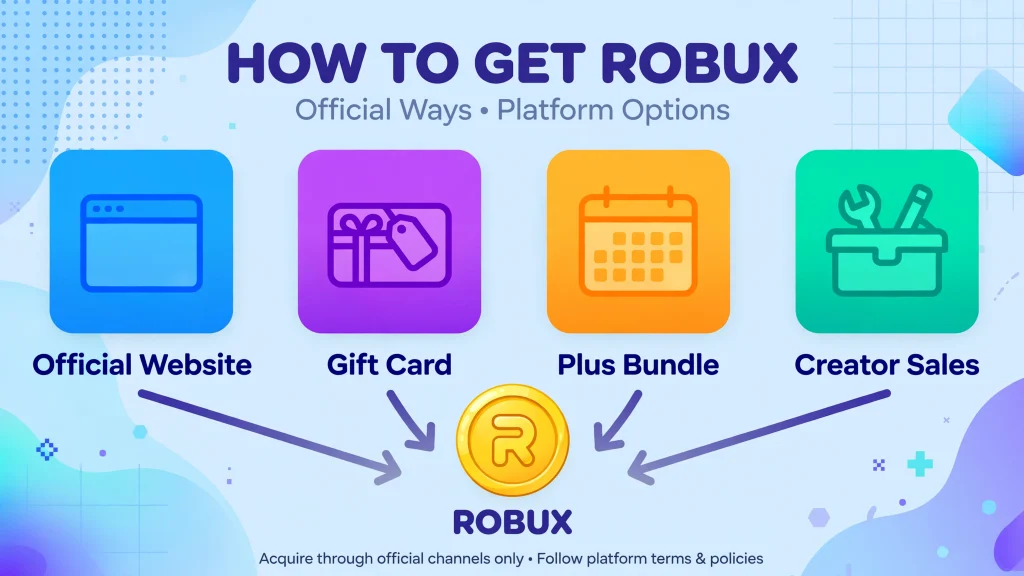
Roblox’s help center says Robux are either purchased with real-world currency or earned as a creator. Within that rule, there are seven official routes to roebucks from roblox, and the table below compares them before the sections that follow go deeper.
| # | Method | Best for | Main limits |
|---|---|---|---|
| 1 | Buy on roblox.com or the computer app | Anyone with a payment method and permission to use it | Roblox says web, computer and gift card purchases can deliver up to 25% more Robux |
| 2 | Buy in a phone or console app | Players who cannot use a browser | Often fewer Robux for the same price, because platform fees are built in |
| 3 | Redeem a Roblox gift card | Gift-givers and people without a card | Value arrives as Roblox credit first, then converts to Robux |
| 4 | Plus bundle (Plus 500, 1000 or 2000) | Regular spenders | Recurring monthly charge; the base Plus plan includes no Robux |
| 5 | Receive a transfer from a Plus subscriber | Friends and family | Age checks, parent approval for younger users, daily and monthly caps |
| 6 | Sell passes, products or subscriptions in an experience | Creators with a game people play | Roblox keeps a 30% marketplace fee; no earnings are guaranteed |
| 7 | Sell avatar items or other Marketplace creations | Designers and builders | Upload fees, moderation review and a smaller share per sale |
Notice what is missing: surveys, “watch this ad” apps, follower swaps and codes from strangers. None of those are Roblox-approved ways to collect roebucks from roblox, and the later scam section explains why they keep appearing anyway.
Official Ways to Buy Roebucks from Roblox (Robux)
Buying is the most direct route to roebucks from roblox. Roblox says you can purchase Robux in its mobile, browser, PlayStation and Xbox apps. It also says that buying on the web, on a computer or with a gift card can give up to 25% more Robux, and that this pricing is meant to stay in place rather than being a short promotion.
Website versus app: why the same price can buy different amounts
Price trackers that read Roblox’s U.S. store report a pattern worth knowing. A $4.99 package shows about 500 Robux on the website and about 400 in the mobile app, while $9.99 shows about 1,000 on the website and about 800 in the app.
The gap exists because the app stores that run phones take a cut, and that cost is passed along as fewer Robux. Treat those numbers as typical U.S. listings rather than a promise: package sizes, local currency, tax and promotions all vary, so read the amount on your own screen.
If you see an old list claiming 80 Robux per dollar, it describes a pricing era that has since moved on.
Step-by-step: buying on the website
- Open roblox.com in a browser and sign in to the account that should receive the Robux. Check the username shown, especially on a shared device.
- Select the Robux icon in the navigation bar to open the purchase page.
- Choose a package and read both the Robux amount and the price before moving on.
- Pay with a method you are allowed to use. Roblox’s own guidance tells younger players to involve a parent or guardian in any purchase.
- Return to your account and confirm that the balance changed.
Buying from a phone does not force you into the app. Opening roblox.com in the phone’s browser is the simplest way to reach the website pricing. Parents who are setting up spending rules can pair this with the advice in our Roblox kids safety guide.
How Roblox Gift Cards Work
Gift cards are the cleanest way to give roebucks from roblox to someone without handing over card details. Roblox’s gift card page says cards can deliver up to 25% more Robux, and that redeeming one gives you Roblox credit. That credit can buy Robux or other items such as a Plus subscription, though some special Robux codes redeem for Robux only.
Cards are sold on Roblox’s own site and at retailers that the page lists, including Amazon, Target, Walmart, Walgreens and Kroger.
The credit-versus-Robux distinction trips up more people than any other detail. A card does not drop Robux into your balance the moment you type the PIN. It adds credit first, and you then spend that credit on a Robux package. Roblox’s help center describes the flow this way:
- Sign in to the account where you redeemed the card and go to roblox.com/redeem.
- Choose Get Robux. The page pre-selects the largest package your credit can cover.
- If you want a different size, visit the Robux purchase page after redeeming and pick it there.
- Select Buy. If credit is left over, Roblox asks whether to turn it into more Robux, and cancelling keeps the leftover as credit.
- For a small remaining balance, look for a Convert Credit to Robux button.
For a longer walkthrough with common error fixes, see our Roblox gift card redeem guide. One rule of thumb applies to every card: buy from Roblox or a recognizable retailer, and never read a PIN out to someone who contacted you first.
Can You Get Free Roebucks from Roblox Legitimately?
Roblox’s official answer is no. Its help center states that Robux are bought from the company with real-world money or earned as a creator, and that any offer of free Robux, subscriptions or valuable items is a scam. The same page warns that lying about a purchase to get free Robux breaks the rules and can lead to account deletion.
There is one honest nuance. A creator can earn roebucks from roblox without ever buying any, simply because other people spend Robux on what that creator made. That is a small business, not a giveaway, and nothing guarantees that a new experience will attract buyers.
Anyone promising free roebucks from roblox in a comment section is selling a trap, although Roblox may also run its own official events or promotions, but those are announced through Roblox’s own channels, never through a stranger’s message. For a deeper breakdown of what is and is not allowed, read our guide on how to get free Robux.
How Roblox Creators Earn Roebucks from Roblox
Creators are the only group who can legitimately turn Roblox activity into earned Robux, and the official creator documentation lays out the main channels.
Selling items inside an experience
Passes are one-time purchases for things like a VIP area or a permanent perk. Developer products can be bought repeatedly, which suits boosts or in-game currency. Creators can also offer subscriptions and paid access. For Robux spent inside your own experience, Roblox says you receive 70% and the remaining 30% is its marketplace fee. A 100 Robux pass therefore pays the creator 70 Robux.
Selling avatar items and other creations
Designers can publish accessories, clothing and similar items. Roblox says you pay an upload fee, submit the asset, and its moderation team reviews it before it joins the catalog. Roblox’s creator documentation puts the creator’s share of Marketplace sales at roughly 30%, with higher shares for some real-money sales such as plugins and paid access, so the economics differ from selling inside your own game.
Turning earned Robux into cash with DevEx
The Developer Exchange program lets eligible creators exchange earned Robux for real money. According to Roblox’s creator documentation, you need to:
- be at least 13 years old;
- hold at least 30,000 earned Robux;
- have a verified email address and a DevEx portal account;
- have a W-9 (U.S. taxpayers) or W-8 (everyone else) on file;
- stay in full compliance with the Terms of Use and Community Standards.
The standard rate is $0.0038 per earned Robux, which makes the 30,000 minimum worth $114. Roblox lists a higher rate of $0.0054 for certain Robux from eligible purchases by U.S. players who verified they are 18 or older. Some third-party sites claim a paid subscription is also required; Roblox’s own eligibility list does not include one, so confirm inside the DevEx portal before you plan around it.
Robux you bought are never eligible, which is another reason roebucks from roblox purchased with real money stays on the platform.
Roblox Plus, Premium and Robux Benefits
This is the area where older guides are most likely to be wrong. Roblox says Roblox Plus is a benefits-only monthly subscription with no monthly stipend, and that Premium memberships are no longer available to buy. Plus launched on April 30, 2026.
Reports from gaming outlets put the base price at $4.99 a month, with 10% off in-experience and avatar purchases that rises to 20% after several consecutive months, plus free private servers and fee-free Robux transfers.
If you want monthly Robux, Roblox offers three optional bundles that pair Plus with a recurring amount: Plus 500, Plus 1000 and Plus 2000, delivering 500, 1,000 or 2,000 Robux each month. Existing Premium subscribers may keep their plan, but new members cannot join it.
| Question | Roblox Plus (base) | Plus bundles | Premium (existing members) |
|---|---|---|---|
| Monthly Robux included? | No | Yes: 500, 1,000 or 2,000 | Yes, by plan |
| Open to new subscribers? | Yes | Yes | No |
| Sending Robux without a fee? | Yes | Yes | Not listed as a perk |
Does Plus change how you get roebucks from roblox? Only indirectly. So is a subscription necessary? No. Plain purchases, gift cards and creator earnings all work without one. A subscription only makes sense when its perks match how you already play. Someone who never spends Robux would be paying for a discount on a currency they do not use.
Sending Roebucks from Roblox to Another Player
For years there was no official way to move Robux between accounts. Roblox now documents a Send Robux feature, and it comes with guardrails. Senders must subscribe to Roblox Plus, while Roblox’s developer announcement says the recipient does not need a subscription. Age requirements apply to both sides: users aged 16 and over complete an age check, and younger users need a parent or caregiver to approve each transfer.
Limits are modest by design. Roblox’s help center lists caps of up to 500 Robux a day and 1,000 a month, rising to 5,000 a day and 10,000 a month for accounts with 2-Step Verification enabled and in good standing.
If the recipient does not meet the age requirements within seven days, the transfer is canceled and the Robux return to the sender. Because the feature is new and Roblox says the limits can change, check the current help article before relying on these numbers.
Anyone who offers to send you roebucks from roblox in exchange for a code, a password or a payment through another app is not using this system. Treat that as a warning sign.
How to Check Your Robux Balance
Your Robux balance, the number people mean when they ask about roebucks from roblox, sits next to the Robux icon. On the website, it appears in the navigation bar at the top of the page, and in the mobile app you can tap the Robux icon to open the same area. A few quick checks prevent most confusion:
- Make sure you are signed in to the right account, since people with several accounts often buy for the wrong one.
- Distinguish Robux from Roblox credit. Gift card value shows up as credit until you convert it.
- Remember that a transfer waiting on age or parent approval will not appear in the balance yet.
- Menu labels shift between app versions, so if you cannot find purchase history, search the Roblox Support site for “transaction history” rather than guessing at a path.
How to Spend Roebucks from Roblox Safely
Spending roebucks from roblox is where most regret happens, because Robux purchases are quick and refund rules are strict. A few habits keep the money working for you:
- Decide a monthly limit before opening the shop, and tell any child that the limit exists.
- Spend only inside the real Roblox app or on roblox.com. A page that asks you to “verify” your account before an item arrives is a trap.
- Read the item, the creator name and the price before confirming. Look-alike items are common.
- Trade only through Roblox’s own trading system, never through a direct message that promises a better deal.
- Choose experiences deliberately instead of buying into the first popular one; our Roblox games guide explains how to judge them.
If you manage a child’s account, parental controls and spending conversations matter more than any single tip here.
Fake Roebucks from Roblox Generators and Common Scams
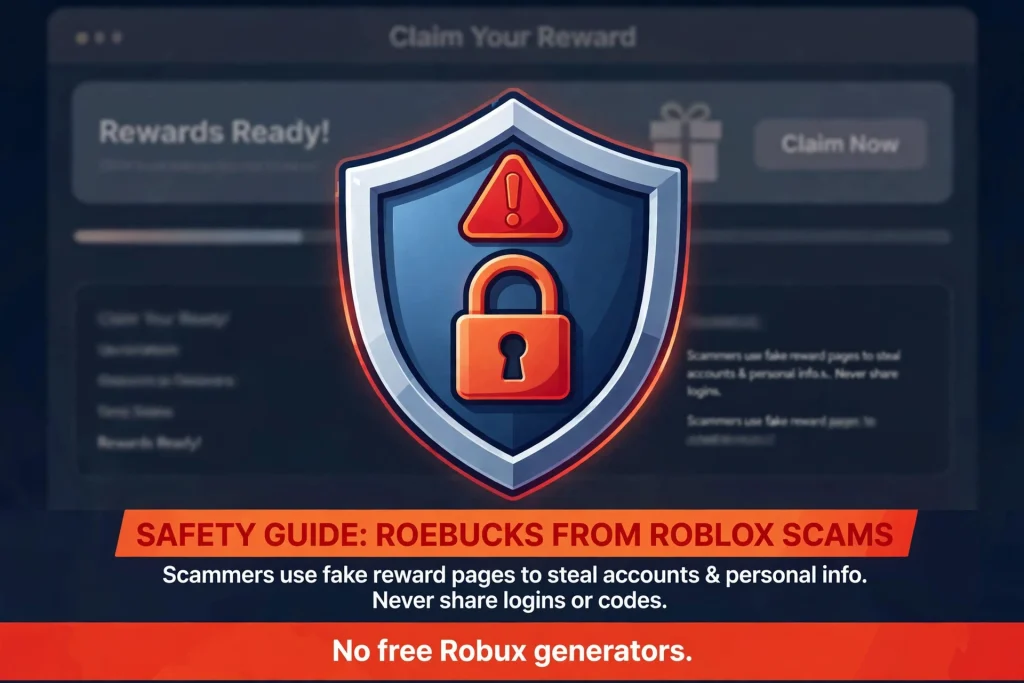
Roblox’s help center is blunt on this subject: there is no such thing as a Robux generator, and any person, video, website or game claiming otherwise is running a scam that should be reported. A fake generator for roebucks from roblox is simply a data-collection form dressed up as a game.
How the generators actually work
The pitch is always the same. You enter a username and choose an amount, a progress bar pretends to work, and then a “human verification” step appears. That step asks for your password, sends you through endless surveys, pushes a download, or tells you to paste a line of code into your browser.
The goal is your login, your browser session or your payment details, and the Robux never arrive. Roblox notes that sharing login details and filling out surveys are among the most common ways accounts are lost.
Scam patterns worth recognizing
| Scam | How it works | What to do |
|---|---|---|
| Free Robux generator | Fake site asks for your password or sends you to surveys | Close it; never type credentials anywhere except Roblox’s login page |
| Browser extension “booster” | Extension promises Robux or perks while reading your session | Roblox says it makes no browser extensions, so avoid every one |
| Fake giveaway | A video or message claims you won and asks you to “confirm” | Ignore it; giveaways that need your password are scams |
| Staff impersonation | Someone claims to be Roblox support and asks for codes | Roblox staff never ask for your password or verification codes |
| Account-recovery helper | A stranger offers to restore a hacked account for a code | Use only Roblox’s official recovery steps |
Recognizing the real Roblox
Official Roblox services live on roblox.com, with help on en.help.roblox.com and creator tools on create.roblox.com. Check the address bar before typing anything, and be wary of lookalike spellings, extra words in the domain and links that arrive through chat apps. Roblox also tells players never to share their password, browser cookies, 2-Step Verification codes or backup codes with anyone, and never to screen-share account details.
How to Protect Your Roblox Account
Good security protects your balance of roebucks from roblox as much as your avatar. These steps follow Roblox’s own guidance:
- Verify your email. Roblox requires a verified email address before you can switch on 2-Step Verification, and it helps with recovery.
- Turn on 2-Step Verification. Methods include email, an authenticator app, and security keys. Only one method can be active at a time, and Roblox suggests an authenticator app as the most secure everyday choice.
- Consider a passkey. Passkeys resist phishing, though logging in with one skips the 2-Step challenge, so keep your other methods tidy.
- Store recovery options safely. Roblox’s recovery rules for 2-Step Verification accounts now expect more than one verification method on file.
- Use a unique password. Never reuse one from another site.
- Check before you click. If a message, video or friend urges you to visit a Robux page, go to roblox.com directly instead.
If an account is already compromised, use Roblox’s official account recovery steps rather than paying anyone who offers help.
Common Problems with Roebucks from Roblox (Robux) and How to Fix Them
Most complaints about roebucks from roblox come down to a handful of causes, listed below.
| Problem | Likely cause | What to try |
|---|---|---|
| Gift card redeemed but no Robux | The value arrived as Roblox credit | Use Get Robux on the redeem page to convert credit |
| Fewer Robux than expected | Bought in an app instead of on the website | Compare packages on roblox.com next time |
| Transfer never arrived | Recipient missed age or parent approval | Complete the checks within seven days or the Robux return |
| Balance looks wrong | Signed in to a different account | Confirm the username, then refresh or sign in again |
| Sudden Robux loss | Compromised account | Secure it with official recovery and 2-Step Verification |
| Cannot find a Robux code option | Code type or region differs | Read the card’s instructions and Roblox’s gift card help |
When none of that works, contact Roblox Support through the official help center and avoid support “agents” who message you first.
Frequently Asked Questions About Roebucks from Roblox
What are roebucks from Roblox?
It is a common misspelling of Robux, Roblox’s virtual currency. There is no separate Roebucks currency in Roblox’s help documentation.
Is Robux the correct spelling of Roebucks?
Yes. Robux is the official spelling, and searching either way leads to the same answer.
How can I get Robux in Roblox?
Buy it on roblox.com, in the app, or with gift card credit. You can also take a Plus bundle, receive a transfer from a Plus subscriber, or earn it by selling items as a creator.
Can I get free roebucks from Roblox legitimately?
Not as a handout. Roblox says Robux are purchased or earned as a creator, and that offers of free Robux are scams.
Are free roebucks from Roblox generators real?
No. Roblox says there is no such thing as a Robux generator. These sites exist to steal logins, push surveys or spread malware.
Can you earn roebucks from Roblox by creating games?
Yes, if people buy things inside your experience. Creators generally keep 70% of Robux spent on their own passes and products, and DevEx allows eligible creators to cash out earned Robux. Earnings are never guaranteed.
How do Roblox gift cards work?
You redeem the PIN at roblox.com/redeem, receive Roblox credit, then convert that credit into Robux or use it for items like Plus.
Is Roblox Plus necessary to get Robux?
No. Plus has no monthly Robux in its base plan, and you can buy or earn Robux without it. Bundles add monthly Robux for an extra cost.
How can I protect my Robux from scams?
Never share your password, cookies or verification codes, avoid extensions and generators, enable 2-Step Verification and always use roblox.com directly.
Can Robux be transferred between accounts?
Yes, through Roblox’s Send Robux feature. The sender needs Plus, age requirements apply, and daily and monthly caps limit the amount.
Final Verdict
Roebucks from roblox is a typo with a clear answer: the real thing is Robux, and Roblox gives you a short, honest list of ways to get it. Buy through roblox.com or a trusted gift card for the best value, consider a Plus bundle only if you already spend regularly, and treat creator earnings as a business rather than a shortcut.
The single most useful rule is also the simplest. If anyone, anywhere, offers roebucks from roblox for free in exchange for your login, close the tab and tell a trusted adult or report it to Roblox.
Sources and References
Roblox pages below were consulted on November 4, 2026. Where Roblox’s help page could not be opened directly, the page text came from search excerpts, and this is flagged in the fact-checking report that accompanies this article.
Official Roblox sources
- Roblox Support, “Ways to Get Robux”: https://en.help.roblox.com/hc/en-us/articles/203313200-Ways-to-Get-Robux
- Roblox Support, “Free Robux or Subscription Generators”: https://en.help.roblox.com/hc/en-us/articles/204262550-Free-Robux-or-Subscription-Generators
- Roblox Gift Cards: https://www.roblox.com/giftcards
- Roblox Support, “Managing and spending your Roblox Credit”: https://en.help.roblox.com/hc/en-us/articles/360029697131-Managing-and-spending-your-Roblox-Credit
- Roblox Support, “Roblox Plus”: https://en.help.roblox.com/hc/en-us/articles/47967913158164-Roblox-Plus
- Roblox Support, “Sending and Receiving Robux”: https://en.help.roblox.com/hc/en-us/articles/48510707796756-Sending-and-Receiving-Robux
- Roblox Developer Forum, Transfers API announcement: https://devforum.roblox.com/t/disabling-cross-game-sales-of-passes-and-dev-products-and-introducing-the-transfers-api/4618396
- Roblox Support, “Keep Your Account Safe”: https://en.help.roblox.com/hc/articles/203313380
- Roblox Support, “Add 2-Step Verification to Your Account”: https://en.help.roblox.com/hc/articles/212459863
- Roblox Support, “What is a passkey?”: https://en.help.roblox.com/hc/articles/20669991483156
- Roblox Creator Docs, “Developer Exchange Program”: https://create.roblox.com/docs/production/monetization/developer-exchange
- Roblox Creator Docs, “Earning on Roblox”: https://create.roblox.com/docs/en-us/production/earning-on-roblox
- Roblox Creator Docs, “Monetization”: https://create.roblox.com/docs/en-us/get-started/monetization.md
- Roblox Creator Docs, “Monetize on Roblox”: https://create.roblox.com/docs/en-us/monetize.md
- Roblox Support, “Developer Exchange Terms of Use”: https://en.help.roblox.com/hc/en-us/articles/115005718246-Developer-Exchange-Terms-of-Use
Secondary sources (used only for pricing and Plus details that Roblox’s excerpts did not show)
- ProGameGuides, Robux price guide: https://progameguides.com/roblox/roblox-price-guide-how-much-do-robux-cost/
- Endgame Tools, Roblox Plus overview: https://endgametools.com/en/roblox/news/roblox-plus
- Games.gg, Roblox Plus announcement coverage: https://games.gg/news/roblox-plus-subscription-replaces-premium/

Written by Daniel Carter
Daniel Carter is a dedicated gaming writer who enjoys turning complex gaming topics into clear, useful, and engaging content. He covers game guides, tips, reviews, features, and the latest developments across the gaming world. His approach focuses on research, accuracy, and practical value, helping readers discover new games, improve their gameplay, and stay informed about the industry. For Daniel, great gaming content is not just about information—it is about making every article genuinely worth reading.