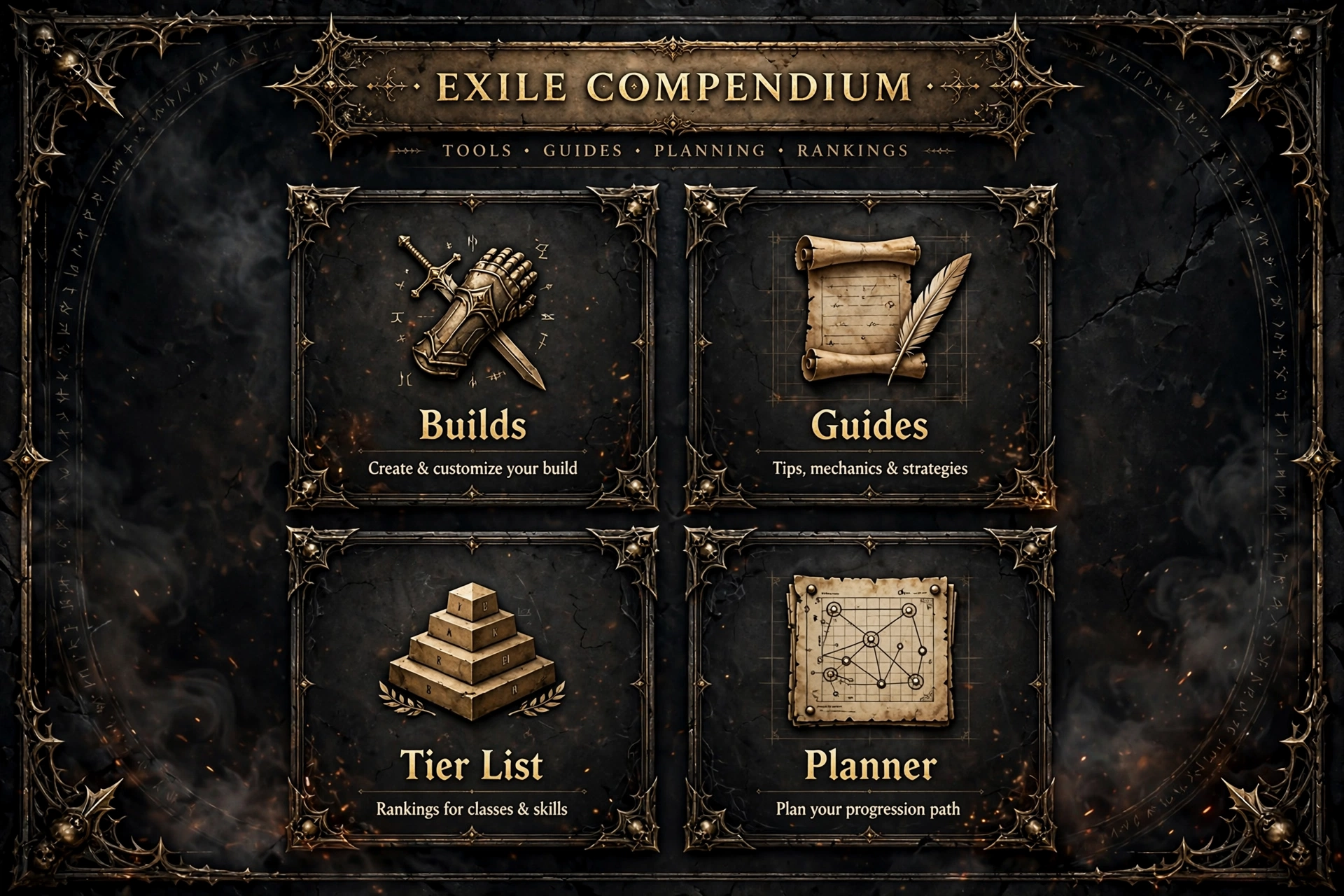
Mobalytics PoE 2 is the Path of Exile 2 section of the Mobalytics website, found at mobalytics.gg/poe-2, where players can browse build guides, a tier list, written guides and a build planner. This article explains what Mobalytics PoE 2 offers as of 14 October 2026, how to find each resource, and how to tell whether a guide still fits the current game version. Every feature below was checked against live Mobalytics pages on that date. Where something could not be verified, such as pricing, the article says so rather than guessing.
Table of Contents
What Is Mobalytics PoE 2?
Mobalytics PoE 2 is a dedicated Path of Exile 2 area inside Mobalytics, a gaming-guides site that also covers other games. In simple terms, it is a library of player-made and team-made guides for Path of Exile 2, plus a planner for building your own. The site’s own index describes the section as a landing page, a builds hub, a guides hub, a build planner, a tier list and user profiles.
It is separate from the Path of Exile 1 section of the same website. Path of Exile 1 content lives under mobalytics.gg/poe, while Mobalytics PoE 2 content lives under mobalytics.gg/poe-2. Many Mobalytics PoE 2 class pages even carry a note pointing readers to the Path of Exile 1 builds, which is a useful reminder to check which game a page covers before following it.
Two further points matter for context. First, Mobalytics is not the game’s developer, and nothing on the pages checked suggests an official relationship with Grinding Gear Games. Second, the pages describe Path of Exile 2 as being in early access, which means builds and the meta can change quickly. That single fact shapes how you should use Mobalytics PoE 2: as a starting point that you re-check, not a permanent answer.
Mobalytics PoE 2 at a Glance
The table below lists the resources confirmed on the live site. Each URL was found in the site’s own navigation or on a page fetched during research.
| Resource | Where to find it | What it is |
|---|---|---|
| Builds hub | mobalytics.gg/poe-2/builds | Verified, Creator and Community builds with filters for class, ascendancy, build type and version |
| Starter builds | mobalytics.gg/poe-2/starter-builds | League-starter focused builds |
| Tier list | mobalytics.gg/poe-2/tier-list | Team-curated ranking of ascendancies for the 0.5 league start |
| Community tier lists | mobalytics.gg/poe-2/community-tier-lists | Lists made by creators, partners and users |
| Guides hub | mobalytics.gg/poe-2/guides | Beginner, mechanic and endgame guides, plus class and ascendancy overviews |
| Build planner | mobalytics.gg/poe-2/planner/builds | Tool for creating and sharing your own build |
| Creators | mobalytics.gg/poe-2/creators | Creator hub linked in the site menu |
Treat this table as a map of the verified Mobalytics PoE 2 section, not a promise that every page will look the same tomorrow. Websites reorganise, and the site itself labels Path of Exile 2 as early access.
How to Find Mobalytics PoE 2 Resources
Finding the right page is easier than it looks, because the Mobalytics PoE 2 menu is consistent across the section. Follow these steps.
- Open mobalytics.gg and choose PoE 2 from the game list at the top (not the separate “PoE” entry, which is Path of Exile 1).
- Look at the side menu. It lists Home, Profile, Build Planner, Tier List, Starter Builds, Builds, Guides and Creators.
- For build research, open Builds. For a league start, open Starter Builds. For explanations of mechanics, open Guides.
- On the builds hub, use the Class and Ascendancy filters, then set the build type (Starter, End Game or Speed Leveling) and the game version.
- Open a build and read its patch label before anything else.
You can also reach a class page directly. The Mobalytics PoE 2 builds hub links to pages such as the Monk builds page and the Martial Artist builds page, and the site has matching starter pages for several classes. If a page you expect is missing, the menu is the safest way to re-orient, because URLs on a live website can change.
Mobalytics PoE 2 Features Explained
This section walks through each verified resource, what it does, who it suits, and its limits. Where a detail is unconfirmed, it is marked.
Mobalytics PoE 2 Builds Hub: Verified, Creator and Community Builds
The builds hub is the core of Mobalytics PoE 2. It splits builds into three groups. Verified builds are the ones the site marks with a Verified label. Creator builds come from people in the Mobalytics creator program, and community builds are shared by other players. The hub also shows a “Top Characters” entry that is marked as new; its details were not checked, so treat it as a page to explore rather than a feature to rely on.
Each build entry shows the author, an update date, class and ascendancy, tags such as Starter, End Game or Speed Leveling, and a version label. Those labels are the most practical part of Mobalytics PoE 2 for readers, because they tell you in seconds how recent a guide is. At the time of research, the hub’s version filter listed 0.5.5 as the newest option, followed by 0.4, 0.3, 0.2 and 0.1 Early Access, and it also offered HC and SSF filters.
Starter Builds
Mobalytics PoE 2 has a Starter Builds page and class-specific starter pages, each described as budget-friendly builds that carry a character from the start of a league toward the endgame. These are a sensible first stop for new characters. One caution: cached copies of several class starter pages seen during research showed update dates from July and August 2026, while the main builds hub showed October 2026 updates. Always open the build itself and check its label instead of trusting a hub page’s snapshot.
The Mobalytics PoE 2 Tier List
The tier list page is titled as a 0.5 League Starter Tier List and says it is curated by the Mobalytics team. It ranks ascendancies from S to D. At the time of research, S tier included Deadeye, Infernalist, Martial Artist, Spirit Walker, Tactician and Gemling Legionnaire, while Ritualist, Smith of Kitava and Warbringer sat in D tier. A commentary section explains the reasoning for each ascendancy and links to example builds.
Read this list as an editorial opinion about league-starter strength, not as a universal ranking. The page is written for the 0.5 league start, while the build filter already offers 0.5.5, so a careful reader should compare the two before drawing conclusions. A separate community tier list page collects lists made by creators and users; those are individual opinions and vary in date. For a plain-language list of every ascendancy and how to unlock it, see our PoE 2 ascendancies guide.
Guides Hub
The Mobalytics PoE 2 guides hub covers fundamentals and mechanics. It links three sub-hubs: Beginner Guides, Mechanic Guides and Endgame Guides. It also lists class overviews and ascendancy overviews, so a player deciding between, say, a Sorceress and a Monk can read a summary first. Recent guide titles seen on the builds hub included explanations of attributes, immunity and light radius, and the guides hub highlighted an endgame progression guide and an Atlas progression guide.
Guides carry their own update dates and authors. Because some guides on the hub were last updated in June 2026 while others were updated in September and October 2026, the same freshness check applies here as for builds.
Build Planner
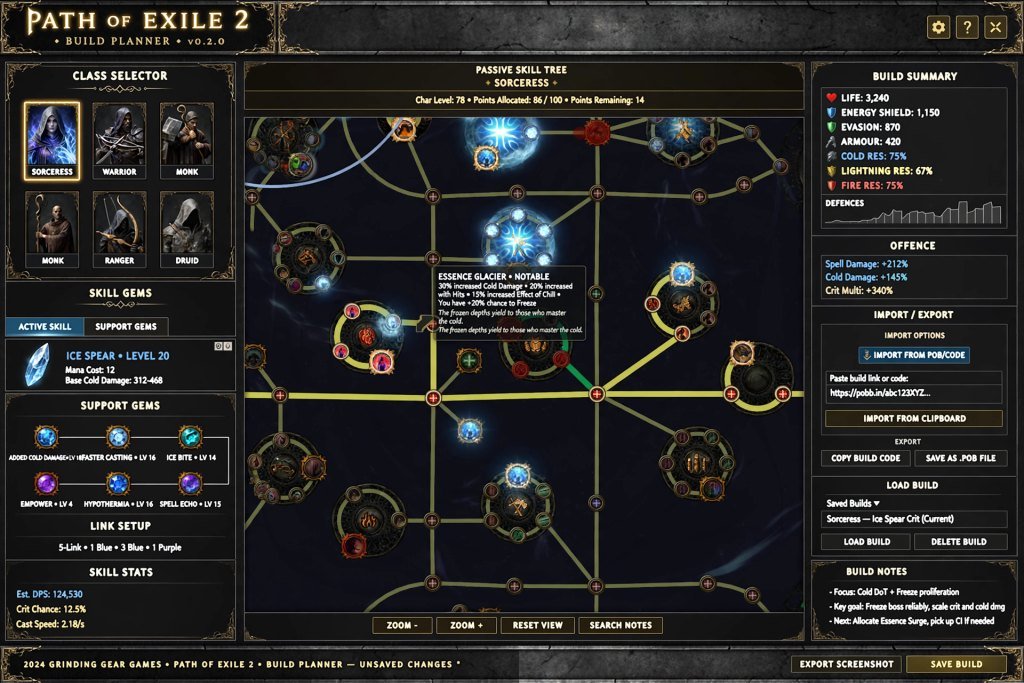
The Mobalytics PoE 2 build planner lets you create a build and share it. In the interface you pick a class and ascendancy, a build type and a game version. The page then shows sections for build overview, strengths and weaknesses, build variants, equipment sets, skill gems, passive tree, atlas tree, quest rewards, a “how it plays” write-up, a changelog and comments. There is also a place for a video guide, a Path of Building import code, a loot filter field and a “Connect Path of Exile 2 Account” option for importing a character.
Two limits are worth stating. The planner page itself says build editing is locked on mobile and recommends a desktop device. And while the character-import option is visible in the interface, it was not tested during research, so this article does not claim it works for every account. The class selector also listed eight classes, while the guides hub lists a Duelist overview as well, which is a small reminder that different parts of a live site can be at different stages.
Build Tracker
On the builds hub, Mobalytics PoE 2 shows a banner stating that tracking is now supported for its builds. Mobalytics’ own site index describes the Build Tracker as a desktop-app and web feature that detects which stage of a build you are at and suggests next steps. That is all that could be confirmed. How accurate the detection is, and which builds support it, was not tested, so treat it as an announced feature and read its documentation before relying on it.
Desktop App
Nearly every Mobalytics page carries a banner inviting visitors to use the desktop app in-game. For Path of Exile 2 specifically, no page checked explained what the app does, so this guide does not describe any overlay behaviour. If the desktop app matters to you, read the current Mobalytics download and help pages before installing.
Mirror Tier Page
Mobalytics PoE 2 also hosts a page for the Mirror Tier creator team, with league-starter builds, a gearing guide and its own tier list. It is an example of the creator content that sits alongside the team’s own material, and it follows the same rule: check the date on the specific build.
How to Use Mobalytics PoE 2 Builds and Guides
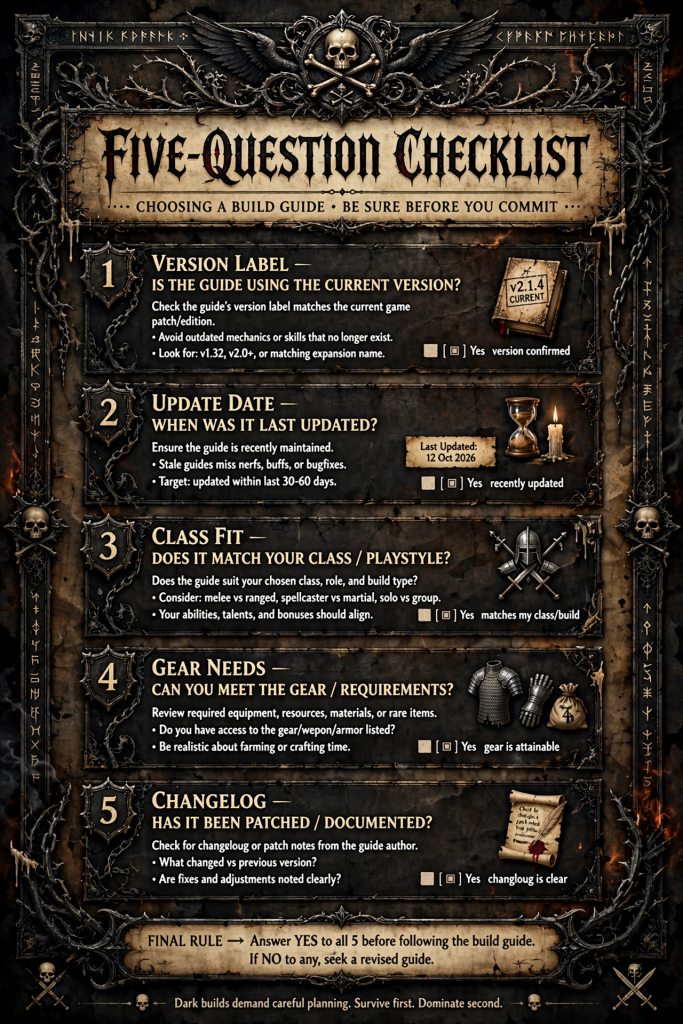
A guide is only useful if it matches your character and the current game version. Use this process with any build on Mobalytics PoE 2.
- Find the PoE 2 section. Start from mobalytics.gg/poe-2, not the Path of Exile 1 pages.
- Pick a build that matches your class and experience. Use the class and ascendancy filters, then the Starter or End Game tag.
- Check the date and patch label. Look at the update date and the version label (for example 0.5.5) before reading further.
- Read the requirements. Note the skill gems, the passive tree, the equipment priorities and any quest rewards the guide lists.
- Compare it with your current character. Check your level, your gear and your remaining campaign rewards against the guide’s checklist.
- Re-check after updates. After a major game update, return to the build page, read its changelog and comments, and confirm it is still current.
The Mobalytics PoE 2 build pages use a consistent layout, so once you have read one you know where to look on the next. The changelog and comments sections are especially helpful because they often show whether other players ran into problems.
How to Choose a Suitable PoE 2 Build
Choosing well matters more than choosing fast. Judge any Mobalytics PoE 2 build, or a guide from any other site, on these points.
- Beginner friendliness: Fewer buttons and simpler mechanics are easier to learn. The tier list commentary itself points out when a build uses many skills or demands combos.
- Leveling versus endgame: Some builds are tagged for both; others focus on one. Match the tag to your goal.
- Damage and survivability: A guide that explains how it stays alive is more trustworthy than one that only quotes damage.
- Gear and budget: Starter-tagged builds are described as budget-friendly, but you should still read the equipment section to see what is required.
- Mechanical complexity: Read the “how it plays” section to see how many steps the build asks of you.
- Patch compatibility: Compare the build’s version label to the current version.
- Support: Check the author, the changelog and the comments to see whether the guide is maintained.
These checks work equally well for Mobalytics PoE 2 and for any alternative, which is why the next sections focus on judgement rather than on a single “best” build.
Is Mobalytics PoE 2 Useful for Beginners?
Yes, with conditions. Mobalytics PoE 2 offers beginner-oriented material: a Beginner Guides hub, a Beginner Start Guide linked from the builds hub, and starter builds meant to be followed from the first act. Those are verified resources, and they give a new player several entry points.
The learning curve is real, though. A build page can contain gem links, passive tree notes and equipment priorities, and new players may not know the terminology yet. A practical approach for beginners is to read the relevant class overview first (our PoE2 classes guide is a good companion), choose a starter-tagged build with a recent label, and follow only the early sections until the game feels comfortable.
Beginners should also remember that the site says Path of Exile 2 is in early access. A guide that worked well a few weeks ago may need adjustment now, which is a good reason to treat Mobalytics PoE 2 as one source among several.
Mobalytics PoE 2 for Experienced Players
Experienced players can use Mobalytics PoE 2 differently. The tier list commentary is useful for comparing ascendancies, because it states strengths and weaknesses in plain language. The builds hub filters for hardcore and SSF, and the planner supports Path of Building imports, so a player can bring an existing plan into the Mobalytics format and share it.
The guides hub also includes endgame and mechanics guides for readers who want detail on progression rather than basics. For instance, the hub highlights endgame progression and Atlas guides. An advanced player can use Mobalytics PoE 2 to cross-check a build idea against a creator’s version, read the changelog, and then adapt it.
What Mobalytics PoE 2 does not do is replace your own testing. Tier lists reflect the team’s view at a point in time, and creator builds reflect individual preferences. Use them as inputs, then decide.
Mobalytics PoE 2 vs. Other Path of Exile 2 Resources
No single site covers everything. The table compares Mobalytics PoE 2 with other resources. Entries are limited to what could be confirmed; uncertain items are marked.
| Resource | Main purpose | Strengths | Limitations | Best use case |
|---|---|---|---|---|
| Mobalytics PoE 2 | Builds, tier list, guides and a planner for Path of Exile 2 | Verified, creator and community builds; version labels; planner with Path of Building import | Pricing and PoE 2 desktop-app behaviour not verified; early-access content changes quickly | Finding and comparing build guides |
| poe.ninja | Hosts content for both Path of Exile and Path of Exile 2 (per its own post) | Game selector keeps you in the chosen game | Specific tools not re-verified in this research | Cross-checking data for a chosen game |
| Maxroll | Build guides (mentioned in a community thread; not verified directly) | Not verified | Not verified | Second opinion on builds, after checking its current PoE 2 pages |
| PoEDB | Game database (not verified in this research) | Not verified | Not verified | Looking up game data after checking its current PoE 2 status |
| Community discussions | Opinions and experiences | Fast reactions to patches | Opinions vary; may be outdated | Gauging sentiment about a build |
The aim is not to crown a winner. Instead, use Mobalytics PoE 2 for builds and guides, then confirm anything important with another source. If you want to understand how players price items once a build is running, our guide to Path of Exile 2 trading covers that side of the game, and our comparison of PoE2 pricing tools is a natural next read. For ladder-based build data rather than written guides, see our PoE Ninja builds guide, and for item and gem data, our PoEDB explainer covers that database. If you want player opinions on a build, our Reddit PoE 2 community guide shows how to read them.
Common Mistakes When Using PoE 2 Build Guides
Most problems with build guides are avoidable. Watch for these.
- Following an outdated guide. Check the version label on Mobalytics PoE 2 builds and compare it to the current game version.
- Confusing Path of Exile 1 with Path of Exile 2. The two games have separate sections on the site, and the pages say so. Confirm the URL contains /poe-2/.
- Skipping the gear requirements. A build may need specific items; read the equipment section first.
- Copying without understanding. If you do not know why a passive or gem is chosen, you cannot fix the build when something changes.
- Treating a tier list as universal. The Mobalytics PoE 2 tier list describes league-starter strength for a specific version.
- Ignoring updates. After a patch, reread the changelog and comments, and check the latest PoE2 patch notes for changes that affect your build.
Troubleshooting Mobalytics PoE 2
If something looks wrong, verify before assuming a fault.
- Can’t find a page: Return to mobalytics.gg/poe-2 and use the side menu. Links shared elsewhere may point to older URLs.
- Build seems outdated: Check the update date and version label. If the label is older than the current version, look for a newer build from the same author or another build in the same class.
- Planner won’t let you edit on a phone: The planner states that editing is locked on mobile. Switch to a desktop browser.
- Unsure whether a feature costs money or needs an account: No PoE 2 page checked stated this. Read the current site pages or account settings.
- Character import or Build Tracker questions: Both appear on the site, but their behaviour was not tested here. Check Mobalytics’ own help material.
Is Mobalytics PoE 2 Worth Using?
For most Path of Exile 2 players looking for build guidance, Mobalytics PoE 2 is worth trying, because the verified resources cover several needs in one place: builds with version labels, a tier list with written reasoning, guides for beginners and endgame, and a planner for your own ideas. Those are facts from the site.
The recommendation part is editorial. Mobalytics PoE 2 works best when you treat it as a starting point and verify freshness yourself. It is less suitable if you want a single definitive answer, because the site itself notes that the game is in early access and its content changes. Pricing, desktop-app behaviour for Path of Exile 2 and the accuracy of the Build Tracker could not be confirmed, so those should not influence your decision until you check them.
Frequently Asked Questions
What is Mobalytics PoE 2?
Mobalytics PoE 2 is the Path of Exile 2 section of the Mobalytics website, located at mobalytics.gg/poe-2. It hosts build guides, a tier list, written guides and a build planner, and it is separate from the site’s Path of Exile 1 section.
Does Mobalytics support Path of Exile 2?
Yes, Mobalytics has a dedicated Path of Exile 2 section with builds, guides, a tier list and a planner. Support here means published content and tools; it does not imply an official partnership with the game’s developer, which no page checked stated.
Where can I find Mobalytics PoE 2 builds?
Mobalytics PoE 2 builds are at mobalytics.gg/poe-2/builds, with a separate starter-builds page at mobalytics.gg/poe-2/starter-builds. Use the class, ascendancy, build type and version filters to narrow the list.
Is Mobalytics PoE 2 free?
This could not be verified. No Path of Exile 2 page checked stated pricing or account requirements, so check the current site pages and your account settings before assuming anything about cost.
Can beginners use Mobalytics PoE 2?
Yes, beginners can use it, because the section includes a Beginner Guides hub, a Beginner Start Guide and starter builds. New players should still check each build’s version label and start with a simple build.
How can I check whether a PoE 2 guide is up to date?
Check the update date and version label on the build or guide, then read its changelog and comments. Compare the label with the current game version, because the Mobalytics PoE 2 hub shows builds from several versions at once.
What alternatives are available for finding PoE 2 builds?
Alternatives include other build-guide sites and community discussions, and poe.ninja now hosts both Path of Exile games according to its own announcement. Verify each site’s current Path of Exile 2 coverage before relying on it.
Final Verdict
Mobalytics PoE 2 is a verified, well-organised place to find Path of Exile 2 builds, read guides and plan your own character. Beginners benefit from the starter builds and beginner hubs, while experienced players can use the tier list commentary, filters and planner. The main limits are the early-access pace of change and several details that could not be confirmed, namely pricing, desktop-app behaviour and Build Tracker accuracy.
The best next step is simple: open mobalytics.gg/poe-2/builds, filter for your class and the newest version, and read the build’s changelog before you commit. Use Mobalytics PoE 2 as one reliable input, and keep checking it against the current game.
Sources
All Mobalytics pages were accessed on 14 October 2026.
- Mobalytics Path of Exile 2 builds hub
- Mobalytics Path of Exile 2 tier list
- Mobalytics Path of Exile 2 guides hub
- Mobalytics Path of Exile 2 build planner
- Mobalytics Path of Exile 2 community tier lists
- Mobalytics site index (llms.txt)
- poe.ninja: Merging poe2.ninja into poe.ninja
Pricing, Build Tracker accuracy and Path of Exile 2 desktop-app behaviour are not covered by these sources and are therefore not claimed.

Written by Daniel Carter
Daniel Carter is a dedicated gaming writer who enjoys turning complex gaming topics into clear, useful, and engaging content. He covers game guides, tips, reviews, features, and the latest developments across the gaming world. His approach focuses on research, accuracy, and practical value, helping readers discover new games, improve their gameplay, and stay informed about the industry. For Daniel, great gaming content is not just about information—it is about making every article genuinely worth reading.