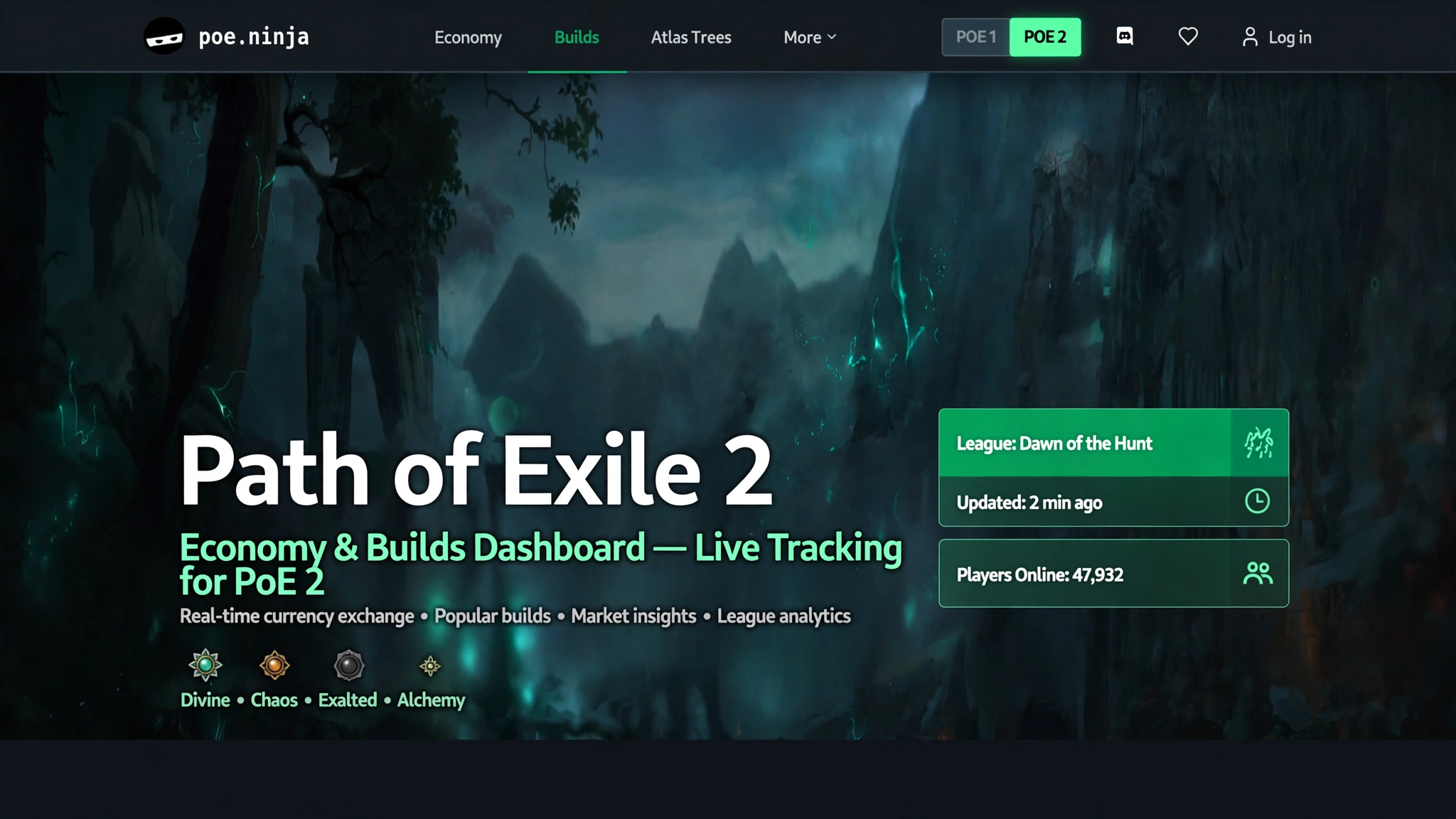
What Is PoE2 Ninja?
PoE2 Ninja isn’t its own website anymore, and understanding that fact clears up most of the confusion around the term. It’s the Path of Exile 2 side of poe.ninja, the long-running, community-built data site that tracks build statistics and market prices for Grinding Gear Games’ action RPGs.
A standalone site genuinely did exist at poe2.ninja starting in December 2024. It was built by the same solo developer — known in the community as “Tim,” or by the handle u4n — who has maintained poe.ninja since 2016. For most of 2025, the two sites ran in parallel: one for Path of Exile, one for its sequel. Then, in August–September 2025, the developer merged poe2.ninja into poe.ninja outright. Redirects were put in place so that old poe2.ninja bookmarks, forum links, and guide references keep landing you in the right place, but the URL you’ll actually see in your address bar today is poe.ninja, with a game-version selector in the top navigation bar that switches the whole interface between “Path of Exile” (PoE1) and “Path of Exile 2.” The selector remembers your last choice, and it works independently across browser tabs, so you can have a PoE1 tab and a PoE2 tab open side by side without one overriding the other.
Put simply: if you’re hunting for “PoE2 Ninja,” what you actually want is poe.ninja with PoE 2 selected. It’s worth being clear-eyed about what the tool is, too — it is not an official Grinding Gear Games product. poe.ninja states directly on its own site that it isn’t affiliated with or endorsed by GGG. It does have a degree of community-acknowledged co-branding, and it draws on data that Grinding Gear Games makes publicly accessible, but it’s run and maintained independently.
Table of Contents
What Can You Use PoE2 Ninja For?
Once you’ve switched into the PoE2 section, the site organizes itself around two main pillars, each solving a different problem for a different kind of player.
Builds is a searchable, filterable database of player characters pulled from the live Path of Exile 2 ladder. This is the tool most players reach for when they’re stuck on a build decision, curious what’s working for other people, or just want to see how a specific skill or unique item is being used in practice. Instead of relying on secondhand impressions from forums or Discord, you can look directly at real characters and what they’re running.
Economy covers currency exchange rates and unique item prices for the current PoE2 league, along with historical price trends over the last day, week, or league. This is the section traders and crafters check before making a big deal, since Path of Exile’s economy has no fixed prices — everything floats based on what players are actually buying and selling.
Beyond those two pillars, there’s a Path of Building (PoE2) integration baked into the Builds section. Many character pages let you export or import the build directly into Path of Building, the community’s dedicated build-planning and DPS-calculation tool, so you can pull apart someone else’s setup, tweak it, and see how changes would affect their numbers before you ever touch your own character.
How to Use PoE2 Ninja
Getting oriented takes about thirty seconds once you know where to look:
- Go to poe.ninja.
- Use the game version selector in the top-right corner of the page to switch to Path of Exile 2. If you’ve visited before, the site should already remember this choice.
- Choose the league you want data for from the league selector. Right now that’s the current Forbidden Rites event league, which launched September 4, 2026 alongside patch 0.5.5, though older leagues remain browsable for historical comparison.
- Pick Builds or Economy from the main navigation, depending on what you’re actually trying to find out.
- Apply the available filters — class, ascendancy, main skill, item category, weapon configuration, and more — to narrow a large dataset down to something relevant to your own character.
- Click into a specific build or item for the full detail view. Character pages show complete gear, passive tree allocation, and (for many builds) a direct link to open the character in Path of Building; item pages show price history and current listing counts.
None of this requires an account. If you do want more personalized tracking — following your own character specifically, for instance — poe.ninja offers an optional profile/account system, but it isn’t a prerequisite for browsing the core data.
Read More: https://gamespuma.com/poe-regex-guide/
How to Find PoE2 Builds on Ninja
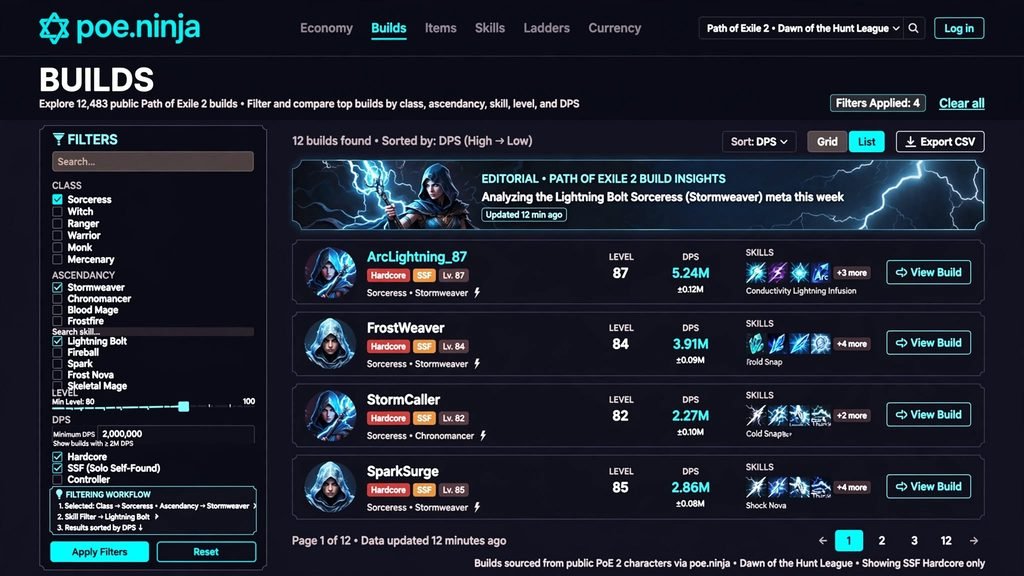
The Builds section is built for exploration rather than a single fixed view. You can filter by:
- Class and ascendancy, to see only the archetype you’re currently playing or considering.
- Main skill gem, linked support gems, and weapon type, useful when you already know roughly what playstyle you want and just need gear inspiration.
- Specific unique items or passive tree keystones, handy if you’ve picked up (or are considering crafting toward) a specific item and want to see how other players have built around it.
- Weapon configuration, such as dual-wielding one-handed weapons versus running a single two-handed weapon, which can meaningfully change a build’s damage and defensive profile.
There’s also a genuinely useful inverse option: you can exclude certain items or skills from your search. This surfaces less common, “off-meta” characters rather than only ever showing you the most popular setups — a good way to find inspiration if you’re deliberately trying to avoid playing whatever everyone else is playing this league.
Clicking into any individual character opens their full build: passive tree, complete gear loadout, and — for many characters — a one-click way to view or import the build into Path of Building for further analysis.
Why your own character might not show up. This is one of the most common points of confusion, and poe.ninja’s own documentation addresses it directly with a dedicated FAQ entry. Possible causes include character or profile visibility settings that keep your account hidden from third-party tools, playing off-ladder or in Solo Self-Found mode (which isn’t tracked the same way as trade-league ladder characters), or simply not yet meeting whatever threshold the tracker uses to pull ladder data for a given league. If your character is missing, that’s the first thing worth checking — not an assumption that something is broken.
How to Compare PoE2 Classes and Builds
The Builds page supports sorting and filtering across every currently playable PoE2 class and ascendancy. As of the current Forbidden Rites league (patch 0.5.5, running since September 4, 2026), Path of Exile 2 has eight playable base classes in Early Access: Warrior, Witch, Ranger, Monk, Mercenary, Sorceress, Huntress, and Druid. A ninth class, Duelist, is confirmed to arrive alongside the game’s full 1.0 release on December 11, 2026, bringing with it the game’s first Sword weapon type; its specific ascendancies are scheduled to be revealed at ExileCon on November 7, 2026, so they aren’t part of the current build data yet.
When you’re comparing builds using the site’s numbers, it’s worth being precise about what each statistic actually represents, since it’s easy to slide into treating popularity as a quality judgment:
- Most-used or highest share of tracked characters means the build appears most often among the characters the site can see — nothing more.
- Highest ladder position means a specific character ranks highly by level or experience, which tells you about that one character, not about how common or “correct” the build is more broadly.
Neither of these is the same thing as “the best build.” A build with a high usage share might simply be cheap, accessible, and well-documented, which makes it popular with average players regardless of how it performs at the very top end. Conversely, a build that rarely shows up in the data could be genuinely excellent but demanding, expensive, or simply less publicized. The data describes what’s happening on the ladder — it doesn’t hand out verdicts.
How to Read PoE2 Ninja Statistics
Character and build listing pages expose a fairly deep set of information once you know what you’re looking at:
- Class and ascendancy for quick categorization.
- Main skill and linked support gems, showing exactly how a character’s core damage or utility skill is set up.
- Equipped items, including which uniques are in use and in which slots.
- Passive tree allocation, viewable per character, which is often the most useful part for players trying to plan their own tree.
- Weapon configuration — one-handed, two-handed, dual-wield, and so on.
- DPS and other combat stats, calculated through the site’s Path of Building integration using a consistent, documented configuration, which is what makes it possible to meaningfully compare DPS figures across different characters rather than comparing numbers generated under different assumptions.
For anyone who wants to go deeper than the surface numbers, poe.ninja publishes its own documentation on exactly how DPS is calculated and how Path of Building is configured for these comparisons — worth a read if a number ever looks surprising, since it’s usually explained by a specific, disclosed assumption rather than an error.
PoE2 Ninja Economy and Item Prices
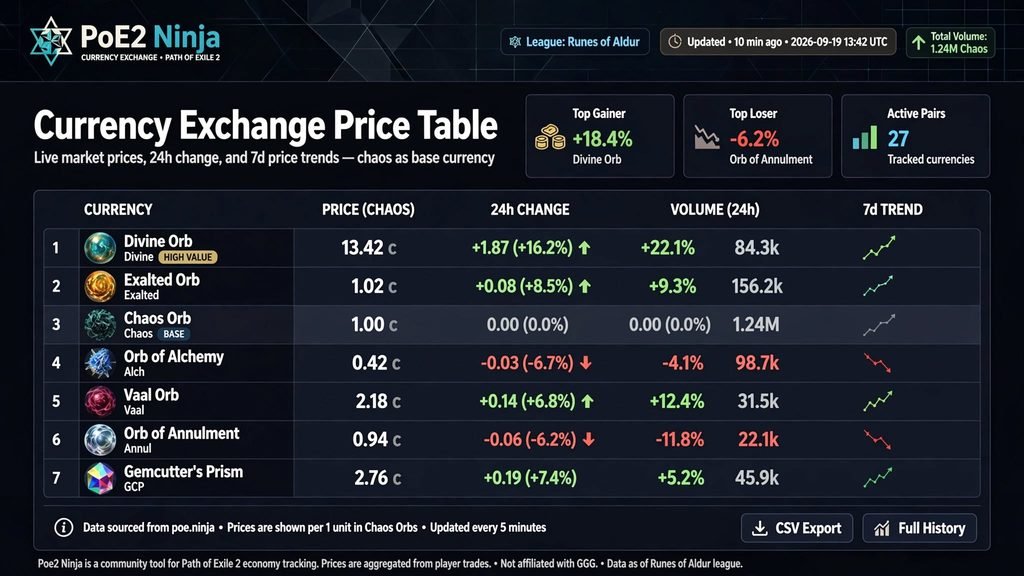
Economy tracking for Path of Exile 2 is meaningfully newer than the equivalent feature on the PoE1 side of the site. It launched in September 2025, alongside the Rise of the Abyssal update, and was expanded shortly afterward to include unique item pricing. As it stands now, the PoE2 Economy section covers:
- Currency Exchange data across more than a dozen currency categories, normalized against Chaos Orbs, Divine Orbs, and Exalted Orbs so you can compare relative value at a glance.
- Unique items across eight distinct categories — Weapons, Armours, Accessories, Flasks, Charms, Jewels, Maps, and Sanctum Relics — each presented as a sortable table showing current price, active listing count, required level, and a short-term price trend line.
There’s a genuine mechanical difference worth understanding here, not just a cosmetic one. PoE1’s pricing on poe.ninja has always been built on scraping the public trade site. PoE2’s pricing, by contrast, is built primarily on data from the game’s newer in-game Currency Exchange system — an order-book-style market Grinding Gear Games added specifically to Path of Exile 2. Because GGG hasn’t yet published an equivalent to PoE1’s dedicated bulk-pricing API for PoE2, poe.ninja has been transparent that unique item prices are currently estimated from the public trade API rather than sourced from a purpose-built pricing feed. It’s described as the best signal currently available, not a finished, guaranteed-accurate system — and the site’s own posts frame this as an area that will keep improving as more data becomes accessible.
How to interpret the numbers in practice: treat any listed price as a snapshot of recent listing activity rather than a promise of what an item will actually sell for. Prices swing hardest at the very start of a league, when supply and demand haven’t settled, and gradually stabilize as the league matures and the population of active traders grows.
PoE2 Ninja vs PoE Ninja (PoE1)
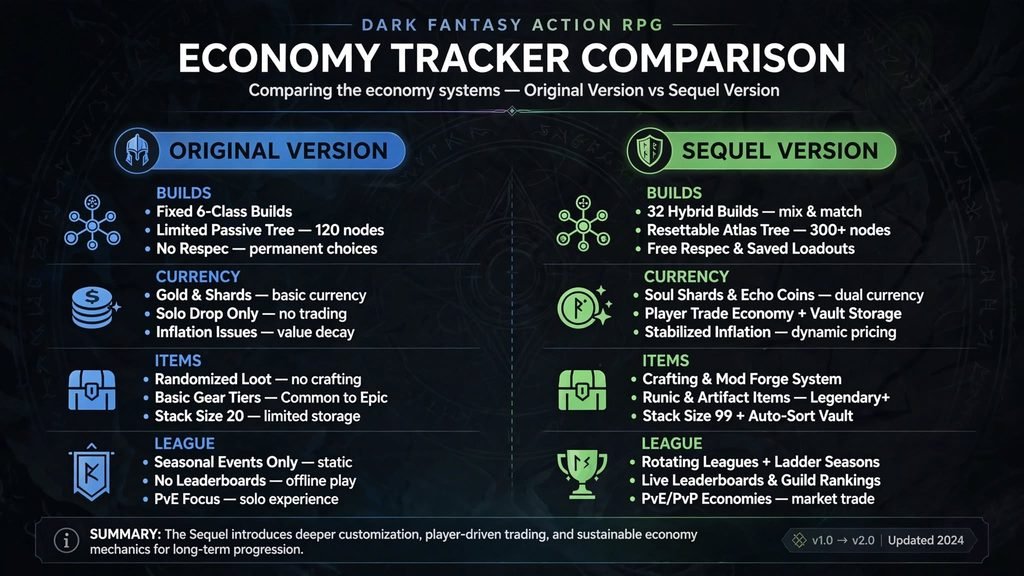
| PoE1 side of poe.ninja | PoE2 side of poe.ninja | |
|---|---|---|
| Site | Same site, “Path of Exile” mode | Same site, “Path of Exile 2” mode |
| Pricing data source | Trade-site scraping, long-established | In-game Currency Exchange, plus trade-API-based estimates for unique items |
| Ladder maturity | Over a decade of accumulated data and a very large tracked player base per league | Newer, Early Access game with a smaller and still-evolving tracked population |
| Classes/leagues | PoE1’s established, long-running class and league structure (currently league 3.29) | PoE2’s Early Access class roster (8 classes, a 9th arriving with 1.0) and shorter event/challenge leagues (currently Forbidden Rites) |
| Item pricing depth | Deep, long-standing coverage across many item types | Growing — unique item pricing across 8 categories added in 2025 and still being expanded |
The most important practical takeaway is that currencies, classes, leagues, and item pools are entirely separate between the two games. An Exalted Orb in PoE1 and an Exalted Orb in PoE2 share a name and nothing else — their values, supply, and role in the economy are completely unrelated. The version toggle at the top of poe.ninja is what determines which game’s data you’re actually looking at, so if a number ever looks wildly off from what you expect, checking that toggle should be the first troubleshooting step, before assuming the site’s data is wrong.
Is PoE2 Ninja Free?
Yes. Browsing builds and economy data requires no account, login, or payment of any kind. poe.ninja does offer an optional account system and accepts donations or site support from players who want to contribute, but none of that gates access to the core data — it’s entirely supplementary.
Is PoE2 Ninja Accurate?
The honest answer is that the data reflects exactly what’s publicly visible through the game’s APIs and trade systems — it’s a real, useful sample, but it’s not a complete census of every Path of Exile 2 player. A few limitations are worth understanding before you treat any number as gospel:
- Character visibility — some characters simply won’t appear, whether due to privacy settings, off-ladder play, or Solo Self-Found status.
- League scope — every statistic is scoped to a specific league and resets when a new league begins, so cross-league comparisons need context.
- Price estimation — since Path of Exile 2 doesn’t yet have a dedicated bulk-pricing API, unique item values are estimated from active trade listings rather than pulled from a confirmed sales feed.
- Early-league volatility — both prices and even apparent build popularity can shift quickly in the first days of a new league, before the population and market have had time to settle into something representative.
None of this means the tool is unreliable — it’s the same caveat that applies to any third-party data aggregator built on top of a live, player-driven game economy: it shows what it’s able to see, not the entirety of the player base, and it’s most trustworthy when you keep that scope in mind.
PoE2 Ninja Alternatives
A handful of other community tools cover overlapping ground for Path of Exile 2, though each tends to be narrower in focus than poe.ninja’s combined builds-and-economy approach:
- Craft of Exile — a crafting probability simulator that helps you plan and calculate crafting outcomes; it isn’t a build or price tracker, but it’s frequently used alongside poe.ninja by the same crafting-focused players.
- poe2wiki.net and poe2db.tw — datamined item, gem, and modifier reference sites, useful for looking up exact numbers and mechanics rather than live ladder or market activity.
- Several smaller, community-run currency-tracking sites and Discord bots exist that mirror or supplement PoE2 currency data in different formats, though poe.ninja remains the most widely cited and linked source across guides, forums, and community discussion.
(Future content opportunity for GamesPuma: a dedicated “PoE2 economy tools compared” piece as more of these smaller tools mature out of early beta.)
FAQ Section
What is PoE2 Ninja?
It’s the Path of Exile 2 mode of poe.ninja, a free, community-built site that tracks build statistics and market data for the game. The two games used to live on separate domains — poe.ninja for PoE1, poe2.ninja for PoE2 — until they were merged into a single site in 2025.
Is PoE2 Ninja an official Path of Exile website?
No. poe.ninja explicitly states it isn’t affiliated with or endorsed by Grinding Gear Games, even though it draws on data GGG makes publicly available and has some community-recognized co-branding.
What is PoE2 Ninja used for?
Mainly two things: researching what builds, skills, and items other players are using (the Builds section), and checking current currency and unique item prices (the Economy section).
Does PoE2 Ninja show builds?
Yes. The Builds section lets you browse and filter player characters by class, ascendancy, skill, gear, weapon configuration, and passive tree.
Does PoE2 Ninja show item prices?
Yes, since September 2025. It covers currency exchange rates and unique item prices across eight item categories, though unique item prices are currently estimated from trade-listing data rather than pulled from a dedicated pricing API.
Can I use PoE2 Ninja for Path of Exile 2?
Yes — that’s its dedicated function, kept entirely separate from the PoE1 data available on the same site via the version toggle.
Is PoE2 Ninja free?
Yes. No account or payment is required to browse builds or economy data.
What’s the difference between PoE Ninja and PoE2 Ninja?
They’re the same underlying site now, switched via a game-version selector. The biggest practical difference is that PoE2’s economy data is newer and runs on a different data source — the in-game Currency Exchange — rather than PoE1’s longer-established trade-scraping model.
How often does PoE2 Ninja update?
Build and price data refresh periodically as new character and trade information becomes available. The site doesn’t publish an exact minute-by-minute refresh guarantee, but data is treated as near-real-time rather than genuinely instantaneous.
Are PoE2 Ninja statistics accurate?
They accurately reflect whatever data the site is able to access, but that’s not a complete picture of the entire player base — visibility settings, off-ladder or SSF play, and early-league volatility all affect what actually shows up in the numbers.
Can PoE2 Ninja help me choose a build?
It’s a strong research tool for seeing what other players are running and how their builds are put together, but usage-share statistics aren’t a “best build” ranking, and the site itself doesn’t present the data that way.
Why isn’t my character showing up on PoE2 Ninja?
The most common causes are character/profile visibility settings, playing off-ladder or in Solo Self-Found mode, or not yet meeting the criteria the tracker uses to include a character for the current league. This is a documented, expected behavior rather than a bug.
Source
- poe.ninja — homepage, docs, and PoE2 builds/economy pages (poe.ninja, poe.ninja/docs, poe.ninja/poe2/builds, poe.ninja/poe2/economy)
- poe.ninja blog: “Merging poe2.ninja into poe.ninja” (poe.ninja/posts/merging-poe2ninja-into-poeninja)
- poe.ninja blog: “Launching Path of Exile 2 Builds” (poe.ninja/posts/launching-builds)
- poe.ninja blog: “Path of Exile 2: New Economy Section and Rise of the Abyssal” (poe.ninja/posts/poe2-economy-and-rise-of-the-abyssal)
- Mobalytics — PoE2 Duelist overview (mobalytics.gg/poe-2/guides/duelist)
- poe.ninja blog: “Path of Exile 2: Unique Items in the Economy Section” (poe.ninja/posts/poe2-unique-items)
- SeasonDex — Path of Exile 2 current season/league tracker (seasondex.com/poe2)
- Digital Citizen — “Path of Exile 2 Leaves Early Access on December 11 With New Duelist Class and Swords”
- ExitLag — “Path of Exile 2 classes: complete guide to the current roster”
- Wikipedia — Path of Exile 2 (general release/background facts)

Written by Daniel Carter
Daniel Carter is a dedicated gaming writer who enjoys turning complex gaming topics into clear, useful, and engaging content. He covers game guides, tips, reviews, features, and the latest developments across the gaming world. His approach focuses on research, accuracy, and practical value, helping readers discover new games, improve their gameplay, and stay informed about the industry. For Daniel, great gaming content is not just about information—it is about making every article genuinely worth reading.
2 thoughts on “PoE2 Ninja Explained: What It Is, Where to Find It, and How to Use It (2026)”